




Color LaserJet CM2320N
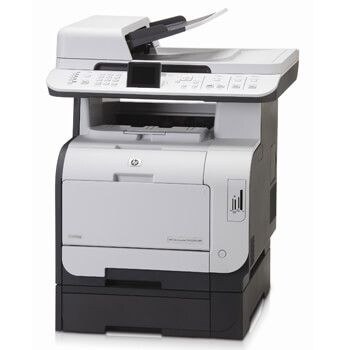
Network sharing was the whole point of the HP Color LaserJet CM2320N. With built-in Ethernet, several people could send color jobs to the same MFP without passing a USB cable around the office.
It draws from the HP 304A cartridge family — CC530A black, CC531A cyan, CC532A magenta, CC533A yellow. We stock compatible and genuine OEM versions of each, so the CM2320N stays fed whichever way you prefer to buy toner.
Toner Cartridges for Color LaserJet CM2320N
This printer works with the following toner cartridges:
- HP CC530A
- HP CC531A
- HP CC532A
- HP CC533A
More HP Printers
- Color LaserJet CM2320
- Color LaserJet CM2320FXI
- Color LaserJet CM2320MFP
- Color LaserJet CM2320NF
- Color LaserJet CP2020
- Color LaserJet CP2025
- Color LaserJet CP2025DN
- Color LaserJet CP2025N
- Color LaserJet CP2025X
- Color LaserJet CP2026
Frequently Asked Questions
Are third-party toner cartridges safe to use in the Color LaserJet CM2320N?
Yes — the Color LaserJet CM2320N works with compatible HP 304A cartridges (CC530A, CC531A, CC532A, CC533A) as well as genuine HP. Just confirm the cartridge code matches, since cartridges for other HP printers will not fit the Color LaserJet CM2320N.
Can I keep an unopened toner cartridge for the Color LaserJet CM2320N as a backup?
Keep spare cartridges for the Color LaserJet CM2320N in their sealed packaging, stored upright in a cool, dry place away from sunlight. Open a cartridge only when the Color LaserJet CM2320N actually needs it.
How do I fix streaks and banding on the Color LaserJet CM2320N?
If one color looks wrong on the Color LaserJet CM2320N, check that cartridge first — a near-empty or unseated cartridge is the usual cause. Reseat it, and if the problem persists, swap in a fresh one of that color.