




Color LaserJet CM2320FXI
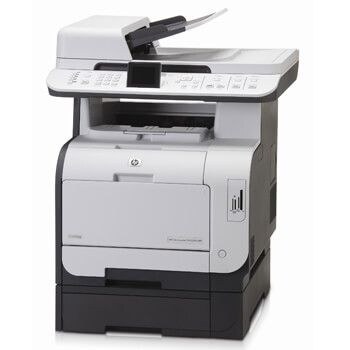
The Color LaserJet CM2320FXI sat at the top of its line: the fully loaded configuration, adding fax and extra paper handling for offices that ran the machine harder than most. Underneath, the consumable is unchanged — HP 304A toner, with the CC530A in the black slot and CC531A cyan, CC532A yellow and CC533A magenta beside it. Compatible and genuine OEM 304A cartridges are both stocked here.
Extra trays and fax hardware exist for one reason: volume. The FXI was the variant a busy front desk or admin team chose when the standard machine's paper handling felt thin, and that workload shows up in the toner drawer — cartridges cycle faster, and running dry mid-run costs more than the cartridge would have. Owners of this variant tend to buy ahead rather than buy often.
Toner Cartridges for Color LaserJet CM2320FXI
| Cartridge | Color | Page Yield |
|---|---|---|
| CC530A | Black | See product page |
| CC531A | Cyan | See product page |
| CC532A | Yellow | See product page |
| CC533A | Magenta | See product page |
| 304A 4 Color — CM2320fxi | Set | See product page |
| 304A 4 Color Set | Set | See product page |
| 304A 4 Color Set — second listing | Set | See product page |
| CC530A 2 Black Set | Black | See product page |
| 304A 3 Color Set — colors only | Color set | See product page |
| CC530A — 304A listing | Black | See product page |
| CC530A — CM3530fs MFP listing, labeled Yellow | Yellow (as labeled) | See product page |
Which cartridge should you buy?
On the hardest-worked variant of the line, multipacks are the natural unit of purchase. The four-color sets reset the whole machine at once and keep a matched reserve on hand; the two-black set answers the more common event, since document and fax traffic burns black first. Single cartridges still make sense for a lone color that fades early — there is no prize for replacing a half-full magenta. All compatible cartridges here carry a 1-year warranty with 1-year returns, which suits a machine whose owner is counting cost per page across a heavy workload.
Chip, toner and everyday use
Page yields are rated at five percent coverage, so a cartridge in a fax-and-documents machine — where pages are dense with text — may finish sooner than the number on a box suggests; judge by your own reorder rhythm after the first cycle. Rotate spare stock first in, first out, and note the install date on the box to spot a cartridge that underperforms early. When output streaks, check that the cartridge is fully seated before suspecting the chip: a unit resting a fraction high reads as a fault.
Frequently Asked Questions
Does the CM2320FXI take different toner from the rest of the CM2320 line?
No. The FXI's extras are paper handling and fax hardware. It uses the same HP 304A cartridges — CC530A, CC531A, CC532A and CC533A — as every other CM2320 variant.
Is there a high-yield version of the 304A cartridges?
No high-yield variant appears in this range: every listing on this page is built on the four standard codes. For a busy machine, the multipacks and color sets above are how you buy the extra capacity.
Which set suits a high-volume CM2320FXI?
Start with a four-color set for a full refresh, then keep the two-black set as the standing reorder — black empties first under document and fax traffic. Replace individual colors singly as they fade.
How many spare cartridges should I keep for this machine?
One full set plus one spare black covers nearly every situation without tying up much cash in stock. Store them sealed and flat, away from heat, and use the oldest first.
More printers that use the same cartridges
Within the CM2320 line itself, the same cartridges fit Color LaserJet CM2320, Color LaserJet CM2320MFP, Color LaserJet CM2320N, Color LaserJet CM2320NF. The wider 304A family also covers Color LaserJet CP2020, Color LaserJet CP2025, Color LaserJet CP2025DN, Color LaserJet CP2025N, Color LaserJet CP2025X, Color LaserJet CP2026, HP 304A.