




Color LaserJet CM2320NF
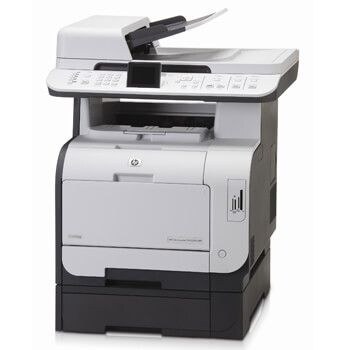
Fax capability set the HP Color LaserJet CM2320NF apart from the network-only version, giving small offices a single machine that could print, copy, scan and fax in color. For businesses still sending signed documents the old-fashioned way, that mattered.
Toner is the HP 304A set: black CC530A plus cyan CC531A, yellow CC532A and magenta CC533A. Compatible and genuine OEM cartridges for the CM2320NF are both on the shelf here.
Toner Cartridges for Color LaserJet CM2320NF
This printer works with the following toner cartridges:
- HP CC530A
- HP CC531A
- HP CC532A
- HP CC533A
More HP Printers
- Color LaserJet CM2320
- Color LaserJet CM2320FXI
- Color LaserJet CM2320MFP
- Color LaserJet CM2320N
- Color LaserJet CP2020
- Color LaserJet CP2025
- Color LaserJet CP2025DN
- Color LaserJet CP2025N
- Color LaserJet CP2025X
- Color LaserJet CP2026
Frequently Asked Questions
Which toner cartridges are compatible with the Color LaserJet CM2320NF?
The Color LaserJet CM2320NF takes HP 304A cartridges (CC530A, CC531A, CC532A, CC533A), and both genuine HP and quality-compatible versions fit the same way. Match the number printed on your current cartridge to CC530A, CC531A, CC532A, CC533A before ordering.
Why does the Color LaserJet CM2320NF jam more often when printing heavier paper?
Frequent jams in the Color LaserJet CM2320NF are often about paper, not the printer: use dry, flat sheets and don't overfill the tray. If a jam occurs, remove every scrap and restart the Color LaserJet CM2320NF before printing again.
How do I set up the Color LaserJet CM2320NF on a new computer?
If your computer doesn't see the Color LaserJet CM2320NF, start by reinstalling the driver from HP's support page and checking the USB or network connection. A fresh driver install fixes most recognition problems on the Color LaserJet CM2320NF.