






 See Compatible Printers
 Read more about our ink!
Hewlett Packard
Compatible HP CM2320N (CC531A CC533A CC532A) Toner Cartridge 3 Color Set

Amazon Price:

- Page Yield:
- Color: 2800
- Availability:
- In Stock
- Shipping:
- Free Shipping
- Compatible Printers
- Color LaserJet CM2320fxi
- Color LaserJet CM2320n
- Color LaserJet CM2320nf
- Color LaserJet CP2025dn
- Color LaserJet CP2025n
- Color LaserJet CP2025x
- LaserJet CM2320fxi
- LaserJet CM2320n
- LaserJet CM2320nf
- LaserJet CP2025dn
- LaserJet CP2025n
- LaserJet CP2025xi>
- Color LaserJet CM2320
- Color LaserJet CM2320MFP
- Color LaserJet CP2020
- Color LaserJet CP2025
- Color LaserJet CP2026
- HP 304A
- Specifications
- SKU:
- CLS-HP-CM2320N-3Set
- Printer Brand:
- Hewlett Packard
- OEM Number:
- CC531A CC533A CC532A
- Ink Color:
- Cyan, Magenta, Yellow
- Page Yield:
- Color: 2800
- Printer Type:
- Laser Cartridge
- Condition:
- New Compatible
- Description
- Reviews



Embark on a colorful printing journey with the HP 304A Color LaserJet Series, featuring a diverse selection of printers and multifunction devices to suit various needs. The Color LaserJet CM2320N and CM2320NF models offer multifunction capabilities, including printing, scanning, copying, and faxing, ideal for office environments. For enhanced functionality, consider the Color LaserJet CM2320FXI, which features advanced scanning and document management features. Experience vibrant color printing with the Color LaserJet CP2025DN and CP2025X models, which offer high-quality prints and efficient performance. The Color LaserJet CP2020 and CP2025N deliver reliable printing solutions, perfect for small businesses and workgroups. Explore the Color LaserJet CM2320MFP for versatile printing, scanning, and copying capabilities in one compact device. Maximize your printing potential with the CC530A Black, CC531A Cyan, CC533A Magenta, and CC532A Yellow toner cartridges, compatible with the HP 304A toner cartridge and toner cartridge options. These cartridges ensure consistent and reliable print quality for a variety of printing tasks. Whether it's documents, presentations, or marketing materials, the HP 304A Color LaserJet Series delivers professional results every time. Choose a printing solution that meets your business needs with the Color LaserJet CM2320, CP2025, and CP2020 models. With their advanced features, versatile capabilities, and compatibility with HP 304A toner cartridges, these printers are the perfect choice for businesses seeking high-quality color printing solutions.
Cross-reference: HP CC531A, the 304A cyan toner cartridge (2,800 pages), is the same cartridge Canon sells as Canon Cartridge 118 (black 2662B001AA, cyan 2661B001AA, yellow 2659B001AA, magenta 2660B001AA) for the Canon imageCLASS LBP7200Cdn, LBP7660Cdn, MF8350Cdn and MF8380Cdw printers. Canon rates Cartridge 118 black at 3,500 pages and each color at 2,800 pages (ISO/IEC standard).
Frequently Asked Questions
What arrives when I order this CM2320N 3 Color Set?
One each of the three 304A color cartridges: CC531A cyan, CC532A yellow and CC533A magenta. The set covers every color slot in the machine in a single box. Black is not part of it — the black cartridge for this family is sold on its own listing.
How can I tell which color my CM2320n actually needs before I open the set?
Because the CM2320n sits on the network, you can read its supplies status from a browser through the machine's embedded web server, or print a supplies status page from the control panel. That report names each color's remaining percentage separately, so you open only the cartridge that is truly empty and keep the rest sealed.
Each color is rated for how many pages?
2,800 pages apiece at standard coverage. Treat that as a yardstick rather than a promise: a networked MFP shared by a whole team will see mixed work, and the color under the heaviest graphics load always finishes first.
On a shared office MFP, which jobs draw on these colors?
Prints and copies do; walk-up color copies are often the biggest silent drain, since nobody counts them the way they count print jobs. Scans do not touch toner, and received faxes print in black only, so neither job shortens the life of the colors in this set.
Which models take this set?
It is listed for the Color LaserJet CM2320n, and the same three cartridges serve the wider CM2320 family plus the CP2020 and CP2025 printers. Each cartridge is shaped for one color slot only, which makes a wrong-slot install physically impossible.
What support stands behind the $65.84 set?
Every cartridge is backed by a 1-year warranty with 1-year free returns, and orders dispatch from our Illinois, Pennsylvania, Georgia or California warehouses depending on stock. Questions reach a real support team Monday through Friday, 9 AM to 5 PM CST; the ordering and returns terms for anything in the HP section are spelled out on the shipping and returns page.
When two colors from the set are empty at once, does the order I install them in matter?
No. Each cartridge in the set serves its own slot and the machine reads each one independently, so swap whichever colors the status page flagged, in whatever order is convenient. Nothing has to be set up between one color and the next, and a cartridge that still has life left — say the CC531A cyan — can stay seated while its neighbors are changed around it.
The first color copies after a swap look slightly uneven. Should I worry?
Give it a few pages before judging. A fresh cartridge settles in over its first prints and copies, so run several color pages and assess the later ones rather than the very first. If one color still lays down unevenly while the others look clean, pull that cartridge out and seat it again firmly. Uneven output confined to a single color is a seating issue far more often than it is a bad cartridge.
Two cartridges from the set are still sealed. How should they wait their turn?
Keep them sealed in their own packaging, lying flat in a cool, dry spot away from direct sunlight and heat. A sealed CC532A or CC533A waiting in a drawer holds its rated capacity until the day it is opened, so there is no penalty for installing the set one color at a time. Avoid stacking heavy supplies on the boxes, and keep the code printed on each box readable so the next person can identify the color at a glance.
What do we do with the empty cartridges that come out of the machine?
Slip each empty straight into the bag and box its replacement came in, before it leaves the area around the machine. That keeps stray toner contained in a shared office and stops a used cartridge from being mistaken for a spare later. Set the boxed empties together in one collection spot rather than scattering them across desks, and send them out with your office's used-toner disposal routine.
About This CM2320N 3 Color Set
A networked MFP hides its toner appetite better than a desktop printer does — five people share it, and nobody feels personally responsible for the color levels until a copy comes out wrong. Buying the three colors as one set matches how the machine actually gets serviced: check the status page, swap what is empty, and keep the remaining sealed cartridges as the team's standing spare stock. One order, one delivery, and the CM2320n's color side is covered for the next cycle instead of being chased one cartridge at a time.
Related Items

Hewlett Packard
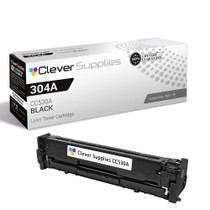
Compatible HP CM2320N (CC530A) Toner Cartridge Black



Hewlett Packard
Compatible HP CP2025 (CC531A CC532A CC533A) Toner Cartridge 3 Color Set


Hewlett Packard
Compatible HP CM2320 (CC530A CC531A CC533A CC532A) Toner Cartridge 5 Color Set

Hewlett Packard
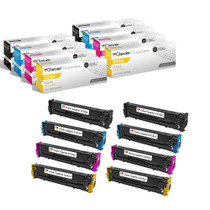
Compatible HP CM2320 (CC530A CC531A CC532A CC533A) Toner Cartridge 8 Color Set