






 See Compatible Printers
 Read more about our ink!
Epson
Compatible Epson 822 T822XL220 Cyan Ink Cartridge
- Page Yield:
- Up to 1,100 pages (ISO/IEC 24711)
- Shipping:
- Calculated at Checkout

Amazon Price:

- Page Yield:
- Up to 1,100 pages (ISO/IEC 24711)
- Shipping:
- Calculated at Checkout
- Compatible Printers
- Specifications
- SKU:
- CS-EP-822-CXL
- Condition:
- New Compatible
- OEM Part #:
- T822XL220-S
- Color:
- Cyan
- Ink Type:
- Pigment
- Page Yield:
- Up to 1,100 pages (ISO/IEC 24711)
- Chip:
- Yes — new compatible chip (level reporting); recognition after future firmware updates is not guaranteed
- Warranty:
- Lifetime Warranty
- Returns:
- 1-Year Free Returns
- Description
- Reviews
No color in this family gains more from the XL tier than cyan. The standard 822 cyan (T822220-S) is rated at just 240 pages; our compatible T822XL220-S is rated up to 1,100 pages (ISO/IEC 24711) — the joint-largest jump on the shelf, in the color that office graphics, charts and letterheads burn through first.



Cyan is the base of most of what a small-office printer prints in color: chart blues, link-blue headings, sky and water in images, and half of every green. When it fades, output does not just lose blue — the whole page's balance tilts. An XL cyan that keeps pace with the 1,100-page black is what stops the "one color always empty" cycle these printers are known for.
It fits all six verified US models — WF-3820, WF-3823, WF-4820, WF-4830, WF-4833, WF-4834 — alongside its siblings T822XL120-S black, T822XL320-S magenta and T822XL420-S yellow, and it also works next to standard-tier 822 colors while you transition a printer to XL. It does not fit the 812 family's wide-format printers or the 232 family's home printers. The cartridge carries a new compatible chip — please read the firmware note below. Lifetime warranty, free returns for the first year.
Shop the Epson 822 family: T822XL120 Black Ink Cartridge · T822XL320 Magenta Ink Cartridge · T822XL420 Yellow Ink Cartridge · Set of 4 BCMY Ink Cartridge · Set of 9 3 Black 2 Cyan 2 Magenta 2 Yellow Ink Cartridge
Browse by series: WorkForce
Frequently Asked Questions
Where does this cyan go, and which printers use it?
Into the cyan slot of the six officially verified 822-family models — WF-3820, WF-3823, WF-4820, WF-4830, WF-4833 and WF-4834 — each running the same 822 / 822XL code set, as confirmed in Epson's own specification sheet and the official 822XL fact sheet.
What is the page rating, and how does the standard cyan compare?
Up to 1,100 pages on the ISO/IEC 24711 pattern — Epson's published rating for the T822XL220. The standard T822220 cyan is rated at 240 pages, so of the four colors this is the one that gains most from the XL tier.
My blues look washed out and faces have a green cast — should I look at cyan first?
Often, yes. Cyan is a component of most mixed colors, so when it fades or bands, blues wash out and greens and skin tones shift. Run a nozzle check from the printer's maintenance menu first; if the cyan pattern is still broken after a cleaning cycle, the cartridge — not the printer — is the likely fix.
A marketplace listing advertises an "822XXL" cyan. Does that tier exist?
No. There is no XXL tier anywhere in the 822 family, for any color — XL is the largest genuine tier, and any "822XXL" listing is borrowing another family's structure.
Do the other slots have to match this cartridge's tier?
No. The slots do not care which tier sits in a neighbouring position: an XL cyan beside a standard black, or the reverse, is a normal configuration on all six models.
Fitting it — anything to watch?
Swap it at the cyan position: old cartridge out, new one out of its pack only at the last moment, protective tape off — nothing else — and hands off the green chip. Seat it in the cyan holder with a click, close the cover, and let the printer charge the ink before printing.
If the printer refuses to see the new cartridge, what then?
It carries a fresh compatible chip, and recognition trouble usually traces to firmware: after an update the printer may refuse a chip it accepted before, and Epson's specification sheet itself warns that non-Epson brands may not function properly even when sold as compatible. The fix to try first is mechanical — power down, reseat the cartridge firmly until it clicks, power back up. If the message survives that, we stop short of promising it will work under every future firmware version, and the cartridge falls back on our lifetime warranty.
What ink is it filled with?
DURABrite Ultra pigment ink, the family Epson specifies for the entire 822 line. Its particles rest on the paper's surface rather than soaking in, which is why output from these machines resists smudging, water and fading.
I run text-only jobs for weeks. Why is the cyan level still creeping down?
The printer sips from every cartridge as it works and cleans, keeping the permanent print head charged and clear; Epson states this in its own support answers. Cyan therefore falls slowly even through weeks of text-only printing, and once a color is spent the printer asks for its replacement before printing continues.
How do I keep a backup cyan fresh?
A spare keeps best unopened: pack sealed, cartridge upright, room temperature, no direct sun, right up to install day. (A specific shelf-life figure is not published for this product; see Specifications.)
What protection comes with it if it misbehaves?
Coverage is a lifetime warranty — a cartridge that fails to perform is replaced — with free returns for the first year. (Returns note: the 1-year returns period is our standing compatible-product policy, applied to inkjet as an assumption pending Emrah's inkjet-specific confirmation.)
Is this an original Epson cartridge?
No. It is made by Clever Supplies as a compatible cartridge, built to the genuine cartridge's specification and code and labeled compatible on the box and on this page — it is not manufactured by Epson.
Related Items
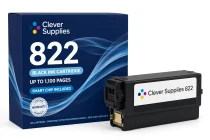
Epson
Compatible Epson 822 T822XL120 Black Ink Cartridge
This is the black cartridge the 822 family actually lives on — in its high-capacity form. Our compatible T822XL120-S carries DURABrite Ultra pigment ink rated up to 1,100 pages (ISO/IEC 24711),...


Epson
Compatible Epson 822 T822XL320 Magenta Ink Cartridge
Magenta is the color that decides whether a small office's output looks branded or bargain — reds, purples and skin tones all lean on it. Our compatible T822XL320-S is the high-capacity magenta for...

Epson
Compatible Epson 822 T822XL420 Yellow Ink Cartridge
Yellow is the cartridge owners forget — until greens go blue and highlights go muddy. Our compatible T822XL420-S is the high-capacity yellow for the 822 line: DURABrite Ultra pigment ink, rated up to...

Epson
Compatible Epson 99 T099220 Cyan Ink Cartridge
Read the code carefully, because this family names its tiers backwards from what most shoppers expect: this T099220 cyan is the standard-capacity cartridge. Our compatible T099220 is rated up to 500...