




PCD340
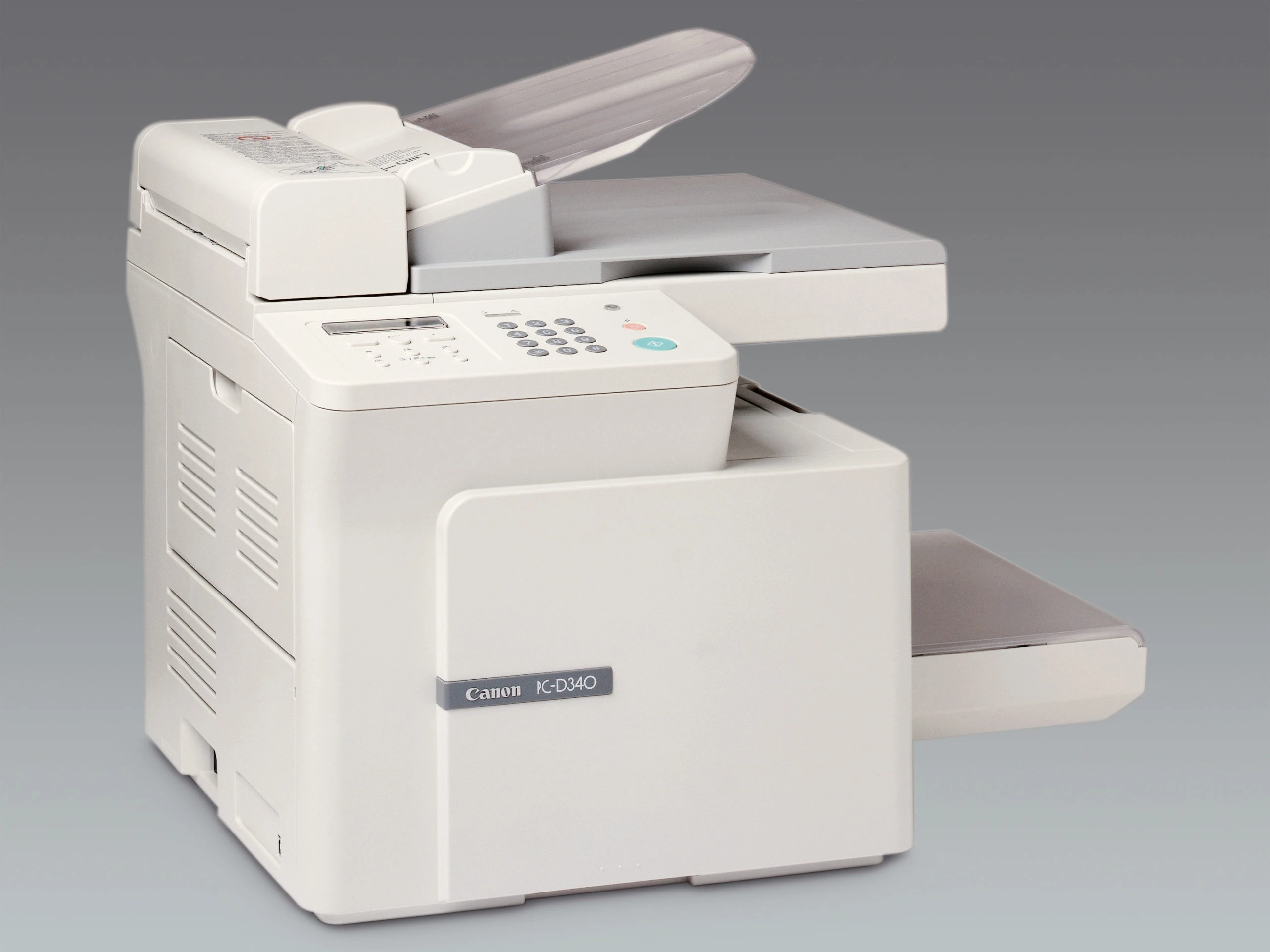
PCD340 is the store alias for the Canon PC-D340, a desktop copier-printer built unapologetically for one person: it copies at 14 copies per minute, prints at 15 pages per minute over USB, and stops there — no network connection, no duplex unit, nothing to configure for a workgroup. Its cartridge is the Canon S35, rated for 3,500 pages, and that cartridge is the machine's only consumable.
There is a discipline to a personal machine like this: it does a small job completely. The PC-D340 was aimed at the desk where one person prints their own documents and copies their own paperwork, and at that scale the specifications that look like omissions — no Ethernet, no automatic two-sided printing — simply never come up. What does come up, once every few thousand pages, is a cartridge change, and the S35 makes it trivial: one unit, in and out, with the drum renewed inside it.
Toner Cartridges for PCD340
| Cartridge | Color | Page Yield |
|---|---|---|
| Canon S35 — 2 Pack | Black | 3,500 pages per cartridge |
| Canon S35 — 3 Pack | Black | 3,500 pages per cartridge |
| Canon S35 | Black | 3,500 pages |
| Canon S35 Premium Quality — 5 Pack | Black | 3,500 pages per cartridge |
| Canon S35 — 5 Pack | Black | 3,500 pages per cartridge |
| Canon S35 — 10 Pack | Black | 3,500 pages per cartridge |
Which cartridge should you buy?
Most PCD340 owners should buy the single Canon S35 and be done: 3,500 pages at personal volumes is measured in years, not months, and there is no high-yield S35 to step up to. The exception is the desk that cannot afford a pause — if the machine supports a small business single-handedly, the 2 pack keeps the spare in the drawer where it belongs. Bigger packs only earn their shelf space when several machines from the S35 family share one stock, and between the two 5 packs the choice is standard versus premium-quality build at the same per-cartridge rating.
Chip, toner and everyday use
Two-sided printing on this machine is a manual habit — print the first sides, turn the stack, print the second — so the everyday skill worth having is the cartridge change itself. Open the front, lift the spent S35 out, rock its replacement gently to distribute the toner, and seat it fully; a cartridge resting a fraction short produces the faint, uneven pages owners often blame on age. Store the spare sealed and flat, away from heat and bright light, and take yield ratings as the estimate they are: about 5% coverage is a typed letter, not a shaded form.
Frequently Asked Questions
How is the PCD340 different from the PCD320?
They are close relatives in the same personal line. The PCD320 copies at about 14 copies per minute from its flatbed, while the PC-D340 is rated at 14 copies per minute as a desktop copier with the same 15-page-per-minute print speed; both take the identical Canon S35 cartridge, so supplies interchange.
Can the PC-D340 print on both sides automatically?
No — it has no duplex unit. Two-sided output is done manually by re-feeding the stack. That is a design choice of a personal machine, not a fault, and it has no effect on which cartridge you buy.
What toner does the PCD340 take?
The Canon S35, rated for 3,500 pages. It is the only supply the machine uses — the drum is inside the cartridge, so there is no second part number to track.
My copies and prints are both fading. What should I check first?
The cartridge. Both functions draw on the same S35, so simultaneous fading points there first: remove it, rock it gently to redistribute the toner, and replace it if the pages stay pale.
More printers that use the same cartridges
Every model below shares the S35 with the PCD340 — stock one cartridge and the whole group is covered: PCD320, LaserClass 510, LaserClass 310, LBP-1210, L400, ImageClass PC-D340, ImageClass PC-D320, ImageClass L400, ImageClass L170, ImageClass ICD340, ImageClass D383, ImageClass D380, ImageClass D340, ImageClass D323, ImageClass D320, ImageClass D300, ICD-340, FaxPhone L400, FaxPhone L170.