




FaxPhone L170
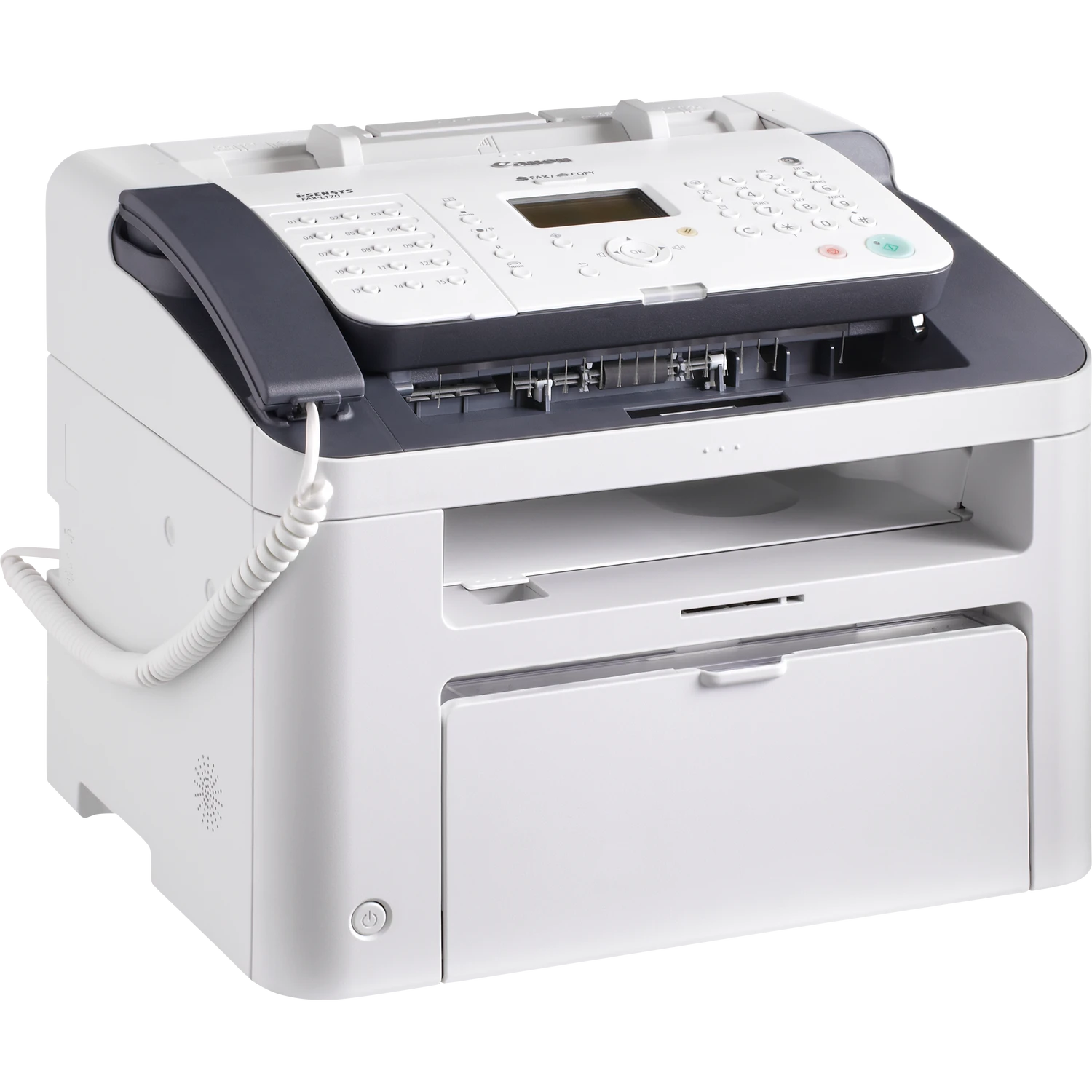
Eighteen pages per minute with a handset on top: the Canon FaxPhone L170 is a fax machine first and everything else second. Super G3 faxing pairs with a 30-sheet automatic document feeder, and USB printing plus flatbed copying cover the occasional office job; there is no Ethernet port here, because this is a telephone-line device through and through. It prints with the Canon S35 toner cartridge, rated for 3,500 pages, so a single cartridge carries a long run of faxes before it asks for attention.
That fax-first layout suits the small office that still lives on the phone line: contracts, signed forms and order sheets arriving all day, with the handset and the document feeder doing the heavy lifting. Printing and copying are supporting roles here — the L170 earns its desk space by sending and receiving paper reliably, job after job, without a network to configure or a server to keep awake.
Toner Cartridges for FaxPhone L170
| Cartridge | Color | Page Yield |
|---|---|---|
| S35 — single cartridge | Black | 3,500 pages |
| S35 — 2 pack | Black | 3,500 pages per cartridge |
| S35 — 3 pack | Black | 3,500 pages per cartridge |
| S35 — 5 pack | Black | 3,500 pages per cartridge |
| S35 — Premium Quality 5 pack | Black | 3,500 pages per cartridge |
| S35 — 10 pack | Black | 3,500 pages per cartridge |
Which cartridge should you buy?
Every listing on this page holds the same 3,500-page cartridge, so the choice is about stock, not yield. A single cartridge suits a quiet line that faxes a few pages a day. Offices with a steady fax habit should look at the 2 pack or 3 pack, and a genuinely busy fax desk can park the 5 pack or 10 pack in a drawer and stop thinking about toner for months. The Premium Quality 5 pack is the premium-grade version of the five-cartridge box; pick it if you prefer that line, pick the standard packs if you simply want the lowest-fuss restock.
Chip, toner and everyday use
Swap the cartridge with the front cover open: lift out the spent unit, unpack the new one, rock it gently from side to side a few times so the toner settles evenly, then slide it in until it clicks. Page counts are estimates at 5% coverage, and fax pages — often dense with text and logos — can run through toner faster than light office pages, so keep a spare on hand rather than discovering an empty machine mid-transmission. Store spares flat, sealed and away from heat and direct light, and let a cold cartridge come to room temperature before fitting it.
Frequently Asked Questions
What toner does the FaxPhone L170 use?
The L170 uses the Canon S35 toner cartridge, rated for 3,500 pages. Every listing above — single, multi-packs and the Premium Quality 5 pack — is that same cartridge.
Is there a high-yield version of the S35?
No higher-yield single is listed for this model. The larger boxes hold more of the same 3,500-page cartridge rather than a bigger one, so a 5 pack or 10 pack is how you stretch the interval between orders.
Does the L170 need a separate drum as well?
No separate drum is sold on this page for the L170 — the cartridge listed above is the only supply this model asks you to replace.
Will the same cartridge fit the FaxPhone L400?
Yes. The FaxPhone L400 belongs to the same cartridge family, so an S35 bought for one of these machines serves the other as well.
More printers that use the same cartridges
The S35 shelf is shared across a compact group of Canon fax and imageCLASS models: FaxPhone L400, ICD-340, ImageClass D300, ImageClass D320, ImageClass D323, ImageClass D340, ImageClass D380, ImageClass D383, ImageClass ICD340, ImageClass L170, ImageClass L400, ImageClass PC-D320, ImageClass PC-D340, L400, LBP-1210, LaserClass 310, LaserClass 510, PCD320, PCD340.