




ImageClass D340
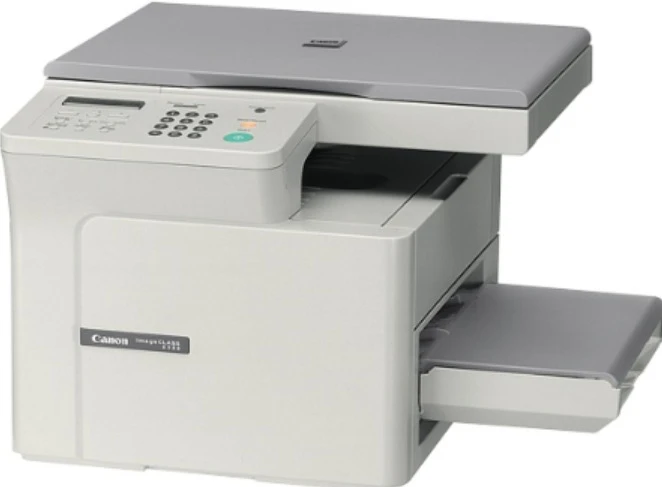
Where the imageCLASS D340 earns its place is at the copy glass: it copies at up to 14 pages per minute while printing holds at 15 pages per minute, in the same compact USB desktop format as the rest of its line. There is no Ethernet and no duplex unit — just straightforward output for light office duty — and a single cartridge does all of it, the Canon S35, rated at 3,500 pages.
Think of the D340 as the front-desk machine for a small operation: contracts copied for a signature, forms printed for a customer, a modest stack of paperwork moving through every day without justifying a departmental copier. Its appetite matches that scale. One cartridge design covers every job it can be given, and the only real planning question is how many spares a shared desk should keep so the machine never waits on a delivery.
Toner Cartridges for ImageClass D340
| Cartridge | Color | Page Yield |
|---|---|---|
| Canon S35, single cartridge | Black | 3,500 pages |
| Canon S35, 2 cartridges | Black | 3,500 pages |
| Canon S35, 3 cartridges | Black | 3,500 pages |
| Canon S35, 5 cartridges | Black | 3,500 pages |
| Canon S35, 10 cartridges | Black | 3,500 pages |
| Canon S35 Premium, 5 cartridges | Black | 3,500 pages |
Which cartridge should you buy?
A desk that prints a few pages a day can order the single S35 and forget about toner for a long stretch. Desks that copy daily should think in packs: the 3 pack smooths out a quarter of steady use, and the 5 and 10 packs bring the per-cartridge cost down for offices that already know the D340 is their workhorse. The Premium 5 Pack is the alternative build at the same count. Every option on this page is a compatible cartridge backed by a one-year warranty and one-year returns from Clever Supplies.
Chip, toner and everyday use
On a machine that copies as much as it prints, the glass deserves as much care as the cartridge: a wiped-clean platen keeps copies from picking up specks that no new toner can fix. The S35 rating of 3,500 pages assumes 5% coverage, and copied forms with bold headers and logos run well above that, so a copy-heavy office should expect shorter real intervals between swaps. Changing the cartridge is a simple front-access job with no electronic pairing step. Keep the spare somewhere dry and out of direct sun, and it will be ready the day the warning signs — pale, uneven pages — show up.
Frequently Asked Questions
What cartridge does the imageCLASS D340 use?
The Canon S35, rated at 3,500 pages. It is the only supply the machine takes, serving the printer and the copier alike, which keeps reordering for this model as simple as it gets.
Is the D340 a network printer?
No. It is a USB machine for a single desk, with no Ethernet fitted. That suits its light-duty design: it serves the people within arm’s reach of it rather than a whole office floor.
Does copying use the same toner as printing?
Yes. Copies and prints both come from the one S35 cartridge, so a week of heavy copying shortens the cartridge’s life exactly as a week of heavy printing would. Offices that copy daily should plan pack sizes around their copy volume, not just their print queue.
When do multipacks beat singles for the D340?
Once the machine is in daily shared use. A single cartridge suits occasional output, but a desk that cannot pause mid-week is better served by a 3 or 5 pack on the shelf — the cost per cartridge drops, and a fading cartridge becomes a two-minute swap instead of an urgent order.
More printers that use the same cartridges
Owners who run more than one Canon from this generation can keep a single cartridge type on the shelf. The S35 also serves each of these machines: starting with the fax machines: FaxPhone L400, ImageClass L400, L400, FaxPhone L170, ImageClass L170; the LaserClass and LBP models: LaserClass 510, LaserClass 310, LBP-1210; the desktop PC-D forms: PCD340, PCD320, ImageClass PC-D340, ImageClass PC-D320; the ICD-340 under both of its badges: ImageClass ICD340, ICD-340; and the rest of the D series: ImageClass D383, ImageClass D380, ImageClass D323, ImageClass D320, ImageClass D300.