




LaserClass 310
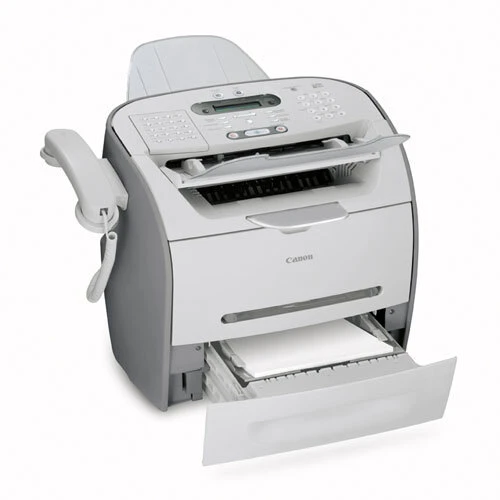
Sixteen letter-size pages per minute and a 50-sheet document feeder make the Canon LaserClass 310 a serious fax workstation. Super G3 faxing is backed by 510 pages of fax memory and a 600-sheet paper capacity — numbers that speak to unattended overnight fax duty. Networking was possible only through an optional AXIS 1650 print server. One caution: some vendor sources associate this model with FX-3 toner rather than S35, so confirm the cartridge against your unit; it is listed here with the Canon S35 (7833A001AA), rated for 3,500 pages.
Toner Cartridges for Canon Laserclass 310
| Cartridge | Color | Page Yield | OEM # |
|---|---|---|---|
| Canon S35 (Compatible) | Black | 3,500 pages | 7833A001AA |
Frequently Asked Questions
What toner does the Canon Laserclass 310 use?
The Canon Laserclass 310 uses the Canon S35 toner cartridge (OEM #7833A001AA).
How many pages does a Canon S35 cartridge print?
A standard Canon S35 toner cartridge yields approximately 3,500 pages pages at 5% coverage.
Are compatible Canon S35 cartridges safe for the Laserclass 310?
Compatible cartridges are designed to work in the Laserclass 310. Check your printer's warranty terms for specific coverage details.
How do I install a Canon S35 toner cartridge in the Laserclass 310?
Open the front cover of your Canon Laserclass 310, remove the old cartridge, unpack the new Canon S35 cartridge, gently rock it to distribute toner, and slide it into place until it clicks.