




ImageClass L170
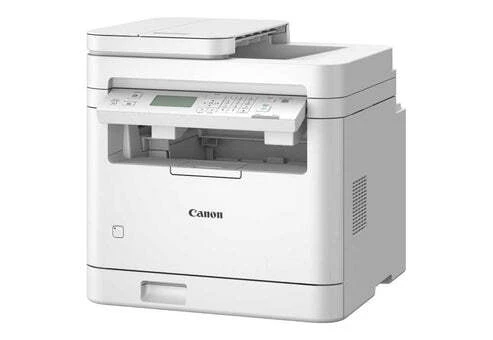
Fax first, everything else second: that is the design brief of the imageCLASS L170, the same machine sold as the FaxPhone L170 under a different badge. A telephone handset, a 30-sheet automatic document feeder and a Super G3 modem sit at the center of the hardware, delivering 18 A4 pages per minute, with USB printing and copying along for the ride — Ethernet was never part of the design. It all runs on one cartridge, the Canon S35, rated at 3,500 pages.
Plenty of offices still run on fax — medical referrals, legal filings, signed orders — and for them a machine that treats the phone line as the main event is not nostalgia, it is infrastructure. The L170 answers that need in a single desktop unit: send and receive from the feeder, copy a document without waking a computer, and print from the one PC connected by USB. If that sounds like your workflow, the only consumable decision you will ever make here is how many S35 cartridges to keep in the drawer.
Toner Cartridges for ImageClass L170
| Cartridge | Color | Page Yield |
|---|---|---|
| Canon S35 Toner Cartridges Black 2 Pack | Black | 3,500 pages per cartridge |
| Canon S35 Toner Cartridge Black | Black | 3,500 pages |
| Canon S35 Premium Toner Cartridges Black 5 Pack | Black | 3,500 pages per cartridge |
| Canon S35 Toner Cartridges Black 3 Pack | Black | 3,500 pages per cartridge |
| Canon S35 Toner Cartridges Black 10 Pack | Black | 3,500 pages per cartridge |
| Canon S35 Toner Cartridges Black 5 Pack | Black | 3,500 pages per cartridge |
Which cartridge should you buy?
Fax traffic is steady rather than bursty, so most L170 owners should simply keep one spare S35 beyond the cartridge in the machine: the standard cartridge's 3,500 pages cover a long run of faxes and copies, and a single backup guarantees a dead cartridge never blocks an incoming order or referral. Busier fax desks — the kind where the feeder is loaded several times a day — will find the 2 and 3 packs better economics, while the 5 and 10 packs are for organizations running several S35 fax machines and buying toner centrally. Skip nothing on compatibility: the S35 is the only cartridge this machine takes, so the entire decision is quantity and price per cartridge.
Chip, toner and everyday use
When print on incoming faxes starts to lighten, the cartridge is nearing the end: pull it out, rock it side to side a few times to redistribute the remaining toner, and you can usually stretch it until the replacement arrives. Fitting the new S35 is a lift-and-slide change with the machine recognizing the cartridge automatically. Remember the 3,500-page figure assumes about 5% coverage; a received fax page is usually light, while copied forms with dark headers run heavier. Wipe the feeder rollers and glass strip occasionally — dust there streaks scans and copies long before the toner is at fault.
Frequently Asked Questions
What toner does the imageCLASS L170 use?
The Canon S35, rated at 3,500 pages. It is the sole cartridge for this machine, sold above as a single and in multipacks up to 10.
Is the L170 the same as the FAX-L170?
Yes — same fax-first machine, different badge. The handset, 30-sheet feeder and Super G3 modem are identical, and so is the S35 cartridge.
Does the L170 connect to a network?
No. Ethernet was never part of this design. It connects to a single computer by USB for printing, while faxing runs over a standard telephone line.
How fast is the L170?
It is rated at 18 A4 pages per minute. The Super G3 modem keeps fax transmission quick as well, so pages move on and off the machine at a pace that suits a working fax desk.
More printers that use the same cartridges
The S35 cartridge is shared with a broad set of Canon fax, D-series and personal-copier models: ImageClass PC-D340, L400, LBP-1210, LaserClass 310, LaserClass 510, PCD320, PCD340, FaxPhone L170, FaxPhone L400, ICD-340, ImageClass D300, ImageClass D320, ImageClass D323, ImageClass D340, ImageClass D380, ImageClass D383, ImageClass ICD340, ImageClass L400, ImageClass PC-D320.