




LaserClass 830I
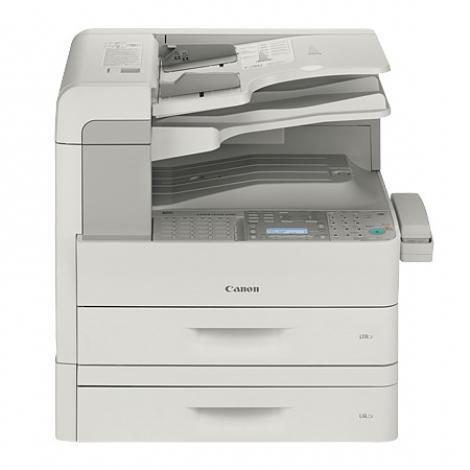
The flagship of the fax line, the Canon LaserClass 830i takes everything the LASERCLASS 830 offers as options and makes it standard — then keeps going. Network printing is built in, PCL 5e/6 and UFR II LT are on board, memory runs to 256MB, color sending is included, and scanning runs at 45 images per minute alongside 23-ppm printing. Through all of it the toner stays simple: one Canon 106 cartridge rated at up to 5,000 pages, with a jumbo 106 as the long-interval alternative.
This is the fax hub for an office that has outgrown add-ons: busy legal, medical and logistics desks that send and receive all day and also lean on the machine as a networked printer and color sender. The generous memory holds big jobs without stalling the line, and color sending moves scanned pages out in color even though everything the machine prints stays black. Fax-first, but thoroughly modern underneath.
Toner Cartridges for the LaserClass 830I
| Cartridge | Color | Page Yield |
|---|---|---|
| Canon 106 Black | Black | 5,000 pages |
| Canon 106 Black 2 Pack | Black | 5,000 pages per cartridge |
| Canon 106 Black 3 Pack | Black | 5,000 pages per cartridge |
| Canon 106 Black 5 Pack | Black | 5,000 pages per cartridge |
| Canon 106 Black 10 Pack | Black | 5,000 pages per cartridge |
| Canon 106 Jumbo Black | Black | See product page |
| Canon 106 Jumbo Black 4 Pack | Black | See product page |
| Canon 106 Premium Quality Black 5 Pack | Black | 5,000 pages per cartridge |
Which cartridge should you buy?
One black cartridge feeds the whole machine, so buying is uncomplicated. Standard 106 cartridges suit most fax hubs; the jumbo stretches the interval for the busiest desks, and both fit the same slot. A networked hub serving a whole department argues for depth on the shelf — the 3-pack or 5-pack of standard cartridges, or the jumbo 4-pack — because downtime here idles everyone's faxing, not just one desk. The Premium Quality 5-pack is the premium-build route to the same stockpile.
Chip, toner and everyday use
The 830i's color sending can make new owners hunt for color toner that does not exist — printing is black only, and the single 106 is the whole story. Fit a new cartridge after a gentle rock to level the toner, and let the machine recognize it before judging the first pages. Ratings assume about 5% coverage; a day of dense received documents draws the cartridge down faster than a day of one-line confirmations.
Frequently Asked Questions
Does the 830i need color toner for color sending?
No. Color sending concerns scanned pages leaving the machine digitally. Everything the 830i prints — faxes, copies and network jobs — uses the single black Canon 106.
What does the 'i' add over the LASERCLASS 830?
Networking, PCL 5e/6 and UFR II LT printing, color sending and 256MB of memory come as standard rather than options, and scanning speeds up to 45 images per minute.
How long does the 106 last in the 830i?
The standard cartridge is rated at up to 5,000 pages at 5% coverage. Busy hubs that swap too often can fit the jumbo 106, which uses the same slot.
Which cartridge should a shared fax hub stock?
Depth matters more than variety: several standard 106 cartridges or the jumbo 4-pack keep the hub running, and every listing on this page is the same fit.
More printers that use the same cartridges
Other Canon machines drinking from the same 106 well: ImageClass MF6590rf, ImageClass MF6595, ImageClass MF6595CX, LASERCLASS 810, LASERCLASS 830, LaserBase MF6530, LaserBase MF6530PL, LaserBase MF6540, LaserBase MF6540pl, LaserBase MF6550, LaserBase MF6550PL, LaserBase MF6560, LaserBase MF6560PL, LaserBase MF6580, LaserBase MF6580PL, ImageClass MF6500, ImageClass MF6530, ImageClass MF6531, ImageClass MF6540, ImageClass MF6540RF, ImageClass MF6550, ImageClass MF6560, ImageClass MF6560CX, ImageClass MF6580, ImageClass MF6580CX, ImageClass MF6590.