




LaserBase MF6560
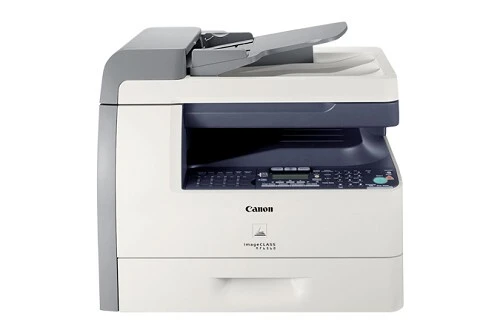
The LaserBase MF6560 is the badge Canon's European range put on the machine American buyers know as the imageCLASS MF6560: a monochrome laser multifunction that prints, scans and copies at 22 copies per minute, sends and receives Super G3 faxes, and turns pages over on its own with automatic duplexing. It connects to a single computer over USB and speaks PCL, and it feeds from one supply — the Canon 106 black toner cartridge, rated for up to 5,000 pages.
That specification reads like a small office from the fax era: contracts arriving by fax in the morning, being copied, signed and faxed back by lunch, all from one desk-side unit. Because the machine hangs off one PC rather than a network, its workload is the workload of whoever sits at that desk — steady, document-heavy and predictable. A 5,000-page cartridge suits that rhythm well, and the compatible Canon 106 cartridges on this page carry a 1-year warranty with 1-year returns.
Toner Cartridges for LaserBase MF6560
| Cartridge | Color | Page Yield |
|---|---|---|
| Canon 106 | Black | 5,000 pages |
| Canon 106 — 2 Pack | Black | 5,000 pages per cartridge |
| Canon 106 — 3 Pack | Black | 5,000 pages per cartridge |
| Canon 106 — 5 Pack | Black | 5,000 pages per cartridge |
| Canon 106 — 10 Pack | Black | 5,000 pages per cartridge |
| Canon 106 Premium Quality — 5 Pack | Black | 5,000 pages per cartridge |
| Canon 106 Jumbo | Black | See product page |
| Canon 106 Jumbo — 4 Pack | Black | See product page |
Which cartridge should you buy?
For the typical MF6560 workload — one desk, regular copying and fax traffic — the standard Canon 106 is the natural fit: 5,000 pages is a long runway at this machine's pace, and a single cartridge keeps the shelf simple. If your copy volume arrives in heavy bursts, the Canon 106 Jumbo stretches the gap between changes; check its product page for the rated yield. Offices that would rather not think about toner for a year should look at the multipacks: the 2, 3 and 5 packs hold the per-cartridge cost down, and the 10 pack suits anyone feeding several machines from this same Canon 106 family.
Chip, toner and everyday use
The compatible cartridge carries the chip the machine reads for toner status, so the swap itself is the familiar routine: open the front cover, lift the old unit out, rock the new one gently from side to side so the toner settles evenly, and slide it home until it seats. Keep a spare in its sealed bag, stored flat and out of direct sunlight, and an aging machine will thank you for it — because the drum surface lives inside the same all-in-one unit, a fresh cartridge often cleans up the faint backgrounds and tired-looking copies that creep in as the old cartridge wears.
Frequently Asked Questions
Does the European LaserBase MF6560 take the same toner as the US imageCLASS model?
Yes. The two badges sit on the same hardware, and both run the Canon 106. A cartridge bought for the imageCLASS MF6560 works in the LaserBase MF6560 and the other way around.
Is there a higher-capacity cartridge for this machine?
Yes — the Canon 106 Jumbo listed above is the bigger fill of the same cartridge. Its page rating is given on its product page, and it drops into the same slot with no changes to the machine.
Do I ever have to replace a drum separately?
No. On this machine the drum is built into the toner cartridge, so every cartridge change renews the drum surface at the same time. There is no separate drum unit to order.
How does the fax workload affect toner use?
Received faxes print on the same cartridge as everything else, so a fax-heavy office drains toner faster than its copy count alone suggests. That is the situation where the jumbo fill or a multipack on the shelf earns its keep.
More printers that use the same cartridges
The Canon 106 is shared across a wide band of Canon's fax-era multifunctions, under all three of the badges Canon sold them with: ImageClass MF6500, ImageClass MF6530, ImageClass MF6531, ImageClass MF6540, ImageClass MF6540RF, ImageClass MF6550, ImageClass MF6560, ImageClass MF6560CX, ImageClass MF6580, ImageClass MF6580CX, ImageClass MF6590, ImageClass MF6590rf, ImageClass MF6595, ImageClass MF6595CX, LASERCLASS 810, LASERCLASS 830, LaserBase MF6530, LaserBase MF6530PL, LaserBase MF6540, LaserBase MF6540pl, LaserBase MF6550, LaserBase MF6550PL, LaserBase MF6560PL, LaserBase MF6580, LaserBase MF6580PL, LaserClass 830I.