




MFC-L2680W
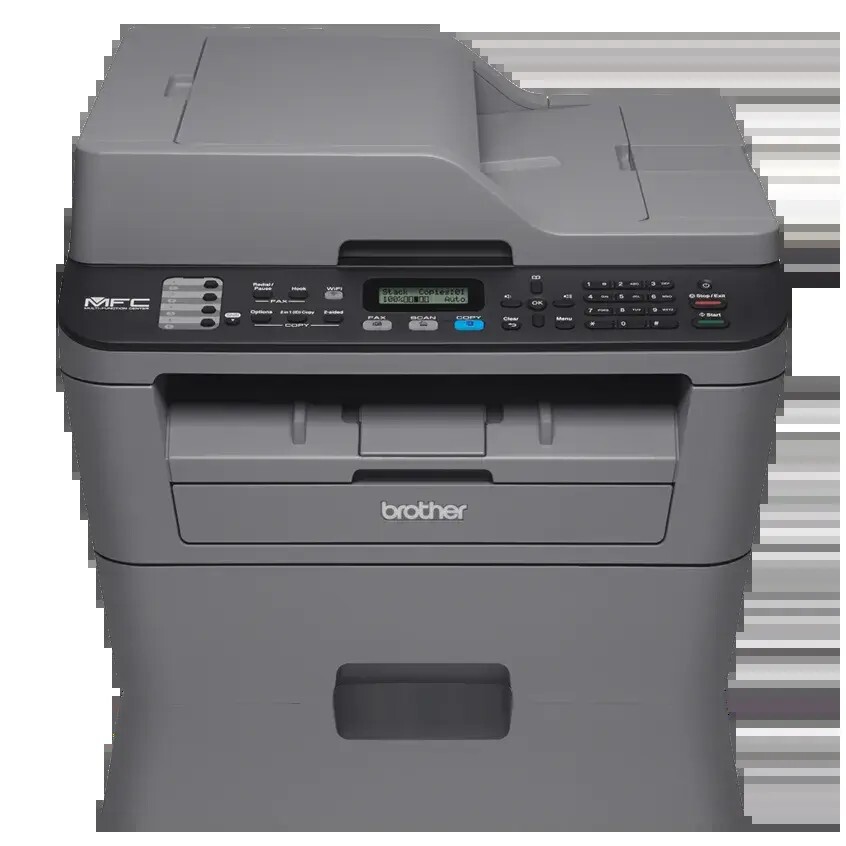
The Brother MFC-L2680W is an all-in-one in the MFC multifunction series, and like every machine on this shelf it prints with the TN630 (TN-630) standard-yield black toner (about 1,200 pages) or the TN660 (TN-660) high-yield black toner (about 2,600 pages), over a DR630 drum unit rated at about 12,000 pages. Scanning, copying and faxing change nothing about the supplies: one black cartridge line covers every function.
That single-supply simplicity is the quiet advantage of a monochrome all-in-one. There are no color cartridges to babysit; the MFC-L2680W asks for toner, and about once every 12,000 pages it asks for a drum. The listings below are the full family shelf — the generic cartridges, the sets that pair toner with a drum, the genuine Brother options, and one compatible listing named for this model itself.
Toner Cartridges for MFC-L2680W
- One black cartridge covering the TN630/TN660 slot — black; yield: see the product page
- Five black cartridges, TN630/TN660 fitment — black; yield: see the product page
- Four-pack of TN630 black cartridges — black; yield: see the product page
- The MFC-L2680W-named black cartridge — black; yield: see the product page
- A TN660 toner paired with one DR630 drum — black; rated toner about 2,600; drum about 12,000
- One DR630 drum with two TN660 toners — black; rated toner about 2,600 each; drum about 12,000
- One DR630 drum with three TN660 toners — black; rated toner about 2,600 each; drum about 12,000
- Two DR630 drums with two TN660 toners — black; rated toner about 2,600 each; drums about 12,000
- Drum-and-toner pairing, duplicate listing — black; rated toner about 2,600; drum about 12,000
- Drum with two toners, duplicate listing — black; rated toner about 2,600 each; drum about 12,000
- Drum with three toners, duplicate listing — black; rated toner about 2,600 each; drum about 12,000
- Two drums with two toners, duplicate listing — black; rated toner about 2,600 each; drums about 12,000
- Brother's own TN660 — a single cartridge — black; rated 2,600 pages
- Brother's own TN660 — two cartridges — black; rated 2,600 pages each
- Brother's own TN660 — three cartridges — black; rated 2,600 pages each
- Brother's own TN660 — four cartridges — black; rated 2,600 pages each
- Genuine pairing: TN660 toner and DR630 drum — black; rated toner 2,600; drum 12,000
- Genuine pairing: two TN660 toners, one drum — black; rated toner 2,600 each; drum 12,000
- Genuine pairing: two TN660 toners, two drums — black; rated toner 2,600 each; drums 12,000
- Genuine pairing: three TN660 toners, one drum — black; rated toner 2,600 each; drum 12,000
- Genuine pairing: TN630 toner and DR630 drum — black; rated toner 1,200; drum 12,000
- Genuine pairing: two TN630 toners, one drum — black; rated toner 1,200 each; drum 12,000
- Genuine pairing: two TN630 toners, two drums — black; rated toner 1,200 each; drums 12,000
- Genuine pairing: three TN630 toners, one drum — black; rated toner 1,200 each; drum 12,000
Drum units for this machine (the catalog names on these listings say 'Toner Cartridge'; the part is the DR630 drum):
- A single DR630 drum unit — rated at roughly 12,000 pages
- The DR630 drum as a two-pack — for keeping a spare drum in the drawer
Also stocked on this page, under sibling model names that share the same cartridges: cartridge listed for the MFC-L2740DW, cartridge listed for the MFC-L2720DW, cartridge listed for the MFC-L2707DW, cartridge listed for the MFC-L2705DW, cartridge listed for the MFC-L2700DW, cartridge listed for the MFC-L2685DW, cartridge listed for the HL-L2380DW, cartridge listed for the HL-L2360DW, cartridge listed for the HL-L2340DW, cartridge listed for the HL-L2320D, cartridge listed for the HL-L2315DW, cartridge listed for the HL-L2305W, cartridge listed for the HL-L2300D, cartridge listed for the DCP-L2540DW, cartridge listed for the DCP-L2520DW.
Which cartridge should you buy?
An all-in-one usually prints more than its owner expects, because copies and received faxes draw from the same cartridge as printing. That pushes the sensible default to the TN660: about 2,600 pages per change, a lower cost per page, and fewer interruptions in a machine several people rely on. The TN630, at about 1,200 pages, is the right spare to keep sealed beside the machine. When a drum change is on the horizon — the machine will tell you, and quality will show it first — the toner-and-drum sets on this page replace both in one order. Compatible listings carry a 1-year warranty and 1-year returns; genuine Brother listings are here as well for OEM-standard buyers.
Chip, toner and everyday use
Cartridge recognition on this family runs through the chip, and copies count against the same toner gauge as prints — a copy-heavy week can empty a cartridge that the print queue barely touched. If the machine reports low toner but pages still look strong, rock the cartridge gently to redistribute what is left and keep working; the gauge is an estimate, not a lockout. Store the spare flat and sealed. And when the drum is changed, reset the drum counter in the machine's menu so the next 12,000-page cycle is tracked from the right start.
Frequently Asked Questions
Which cartridges fit the MFC-L2680W?
TN630 standard-yield and TN660 high-yield black toner, with the DR630 drum unit. Every listing on this page — generic, model-named or sibling-named — is built around those three supply codes.
Do copies and faxes use the same toner as printing?
Yes. There is one black cartridge in the machine and every function draws on it, which is why the high-yield TN660 suits an all-in-one even in a small office.
Are the compatible cartridges on this page covered by a warranty?
Yes — compatible cartridges here carry a 1-year warranty and 1-year returns. Genuine Brother cartridges carry the manufacturer's own warranty.
How do I know whether it is the toner or the drum?
Even fading across the page points to toner; repeating spots, lines or a gray background that survives a new toner cartridge point to the DR630 drum, which is rated at about 12,000 pages.
More printers that use the same cartridges
Same shelf, same supplies — the models below all run on the TN630/TN660/DR630 trio: Brother-TN630, Brother-TN660, DCP-L2500D, DCP-L2520, DCP-L2520DW, DCP-L2540, DCP-L2540DN, DCP-L2540DW, DCP-L2560DW, DCP-L3510CDW, DCP-L3550CDW, HL-3210CW, HL-3230CDN, HL-3230CDW, HL-3270CDW, HL-3290CDW, HL-L2300, HL-L2300D, HL-L2305W, HL-L2315DW, HL-L2320, HL-L2320D, HL-L2340, HL-L2340DW, HL-L2360DW, HL-L2361, HL-L2361DW, HL-L2365, HL-L2365DW, HL-L2380, HL-L2380DW, HL-L2560, HL-L2560DW, HL-L2560DWR, HL-L2660, HL-L2660DW, HL-L3210CW, HL-L3230CDN, HL-L3230CDW, HL-L3270CDW, HL-L3290CDW, MFC-L2685DW, MFC-L2700, MFC-L2700DW, MFC-L2705, MFC-L2705DW, MFC-L2707DW, MFC-L2720, MFC-L2720DW, MFC-L2740DW, MFC-L3710CW, MFC-L3730CDW, MFC-L3750CDW, MFC-L3770CD, MFC-L3770CDW, MFC-Z5000.