




HL-L5200DWT
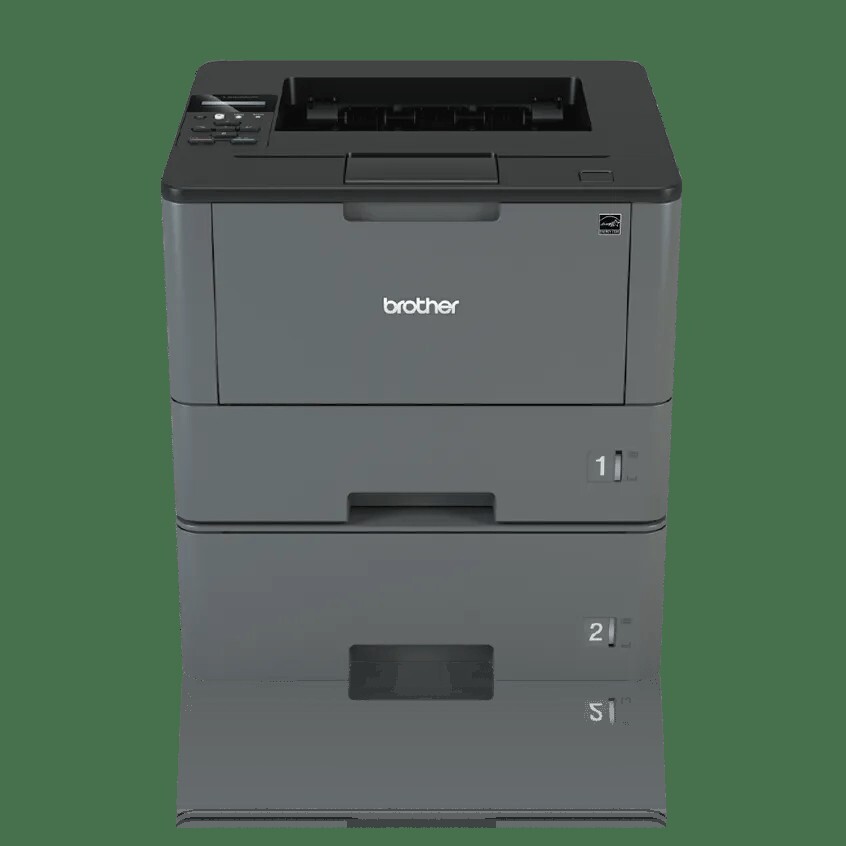
Everything the Brother HL-L5200DWT consumes is on this page, and the list is mercifully short. Toner comes in two sizes — the standard TN820 (TN-820) at about 3,000 pages and the high-yield TN850 at about 8,000 pages — and imaging is handled by the separate DR820 (DR-820) drum unit, rated for about 30,000 pages with single-page jobs and up to about 50,000 with three-page jobs. Both compatible and genuine Brother supplies are stocked.
Printers in this class often end up as departmental or satellite machines — installed once, loaded with paper, and then serviced by whoever happens to be nearby rather than by an IT team. That reality argues for a supply shelf anyone can manage: two toner sizes that cannot be confused with each other, one drum, and no color parts to mix up. The guidance below is written for the person who inherits the supply cabinet, not for a print specialist.
Toner Cartridges for HL-L5200DWT
| Cartridge | Color | Page Yield |
|---|---|---|
| TN820 | Black | Approx. 3,000 pages |
| TN820 10 Pack | Black | Approx. 3,000 pages |
| TN820 2 Pack | Black | Approx. 3,000 pages |
| TN820 3 Pack | Black | Approx. 3,000 pages |
| TN820 5 Pack | Black | Approx. 3,000 pages |
| TN850 | Black | Approx. 8,000 pages |
| TN850 10 Pack | Black | Approx. 8,000 pages |
| TN850 2 Pack | Black | Approx. 8,000 pages |
| TN850 3 Pack | Black | Approx. 8,000 pages |
| TN850 5 Pack | Black | Approx. 8,000 pages |
| TN850 Premium 5 Pack | Black | Approx. 8,000 pages |
| TN850 2 Pack | Black | Approx. 8,000 pages |
| TN850 Genuine OEM | Black | Approx. 8,000 pages |
| TN850 Genuine OEM 2 Pack | Black | Approx. 8,000 pages |
| TN820 Genuine OEM | Black | Approx. 3,000 pages |
| TN850 Genuine OEM 3 Pack | Black | Approx. 8,000 pages |
| TN850 Genuine OEM 4 Pack | Black | Approx. 8,000 pages |
The drum unit — a separate, longer-lived part:
- DR820 — drum unit, 30,000 pages
- DR820 — drum unit, 30,000 pages
- DR820 — drum unit, 30,000 pages
- DR820 — drum unit, 30,000 pages
- DR820 — drum unit, 30,000 pages
- DR820 — drum unit, 30,000 pages
- DR820 2 Pack — drum unit, 30,000 pages
- DR820 (alternate listing) — drum unit, 30,000 pages
- DR820 Genuine OEM — drum unit, 30,000 pages
Which cartridge should you buy?
Keep it simple. If the HL-L5200DWT is your team's everyday printer, standardize on the TN850: about 8,000 pages per cartridge means a single spare on the shelf covers most surprises, and the cost per page beats the standard cartridge's. The TN820, at about 3,000 pages, earns its place on lightly used machines — a satellite office that prints a few hundred pages a month may take a year to finish one, and there is little sense tying up budget in toner that sits. Either tier can be bought in multi-packs when several printers share the same cartridge. The drum is the long game: a DR820 lasts through roughly four high-yield toners, so order it when the printer's drum warning appears rather than stocking it speculatively.
Chip, toner and everyday use
No tools and no menu diving are involved in a toner change here. The cartridge carries a chip; slide the drum assembly out, swap the cartridge until it clicks into the drum, slide the pair back, and the printer recognizes the new cartridge and resets its toner gauge by itself. Teach the whole team two small things and print quality will take care of itself: rock a fresh cartridge gently side to side before fitting it, so output is even from the first page, and treat a fading print as a prompt to check the toner gauge before assuming a fault. Spares store best sealed, flat and indoors — a supply cabinet is perfect; a windowsill is not.
Frequently Asked Questions
Can I switch between TN820 and TN850 cartridges over the life of the printer?
Yes. Both are made for the HL-L5200DWT — the TN820 at about 3,000 pages and the TN850 at about 8,000. Many owners start with the standard cartridge and move up to high-yield as the machine's workload grows.
What are the signs the drum needs replacing?
The printer reports drum life itself and warns as the DR820 approaches its rated span. Print symptoms — repeating marks or a general grayness that a fresh toner does not cure — point the same way. The drum is rated for about 30,000 pages on single-page work.
Does one spare cartridge make sense for this model?
Usually, yes. A single spare TN850 covers about 8,000 pages of buffer, which for most offices is months of warning-free printing. Keep it sealed until it is needed.
Are the compatible and genuine cartridges interchangeable?
Completely. The printer reads both lines the same way, so an office can run compatible toner day to day and genuine Brother toner when it prefers — the choice is per cartridge, not per printer.
More printers that use the same cartridges
This cartridge family is shared well beyond one model. The first half of the sibling list: Brother-TN570, Brother-TN820, Brother-TN850, Brother-TN880, DCP-8040, DCP-8040D, DCP-8045, DCP-8045D, DCP-8045DN, DCP-L5500, DCP-L5500DN, DCP-L5600, DCP-L5600DN, DCP-L5650, DCP-L5650DN, DCP-L6600, HL-5100, HL-5130, HL-5140, HL-5140LT, HL-5150, HL-5150D, HL-5150DLT, HL-5170, HL-5170D, HL-5170DLT, HL-5170DN, HL-5170DNLT, HL-5170N, HL-L5000, HL-L5000D, HL-L5100, HL-L5100DN, HL-L5200, HL-L5200DW, HL-L6200, HL-L6200DW, HL-L6200DWT, HL-L6250, HL-L6250 DN, HL-L6250DW
And the second half, completing the family: HL-L6300, HL-L6300 T, HL-L6300DW, HL-L6400, HL-L6400DW, HL-L6400DWG, HL-L6400DWT, HL-L6400DWX, MFC-8120, MFC-8120NCH, MFC-8220, MFC-8220N, MFC-8440, MFC-8440D, MFC-8440DN, MFC-8640, MFC-8640D, MFC-8840, MFC-8840D, MFC-8840DN, MFC-8840DTN, MFC-L5700, MFC-L5700DN, MFC-L5700DW, MFC-L5750DW, MFC-L5800, MFC-L5800DW, MFC-L5850, MFC-L5850DW, MFC-L5900, MFC-L5900DW, MFC-L6700, MFC-L6700DW, MFC-L6750, MFC-L6750DW, MFC-L6800, MFC-L6800DW, MFC-L6900, MFC-L6900DW, MFC-L6900DWG, MFC-L6900DWX