




ML-5515ND
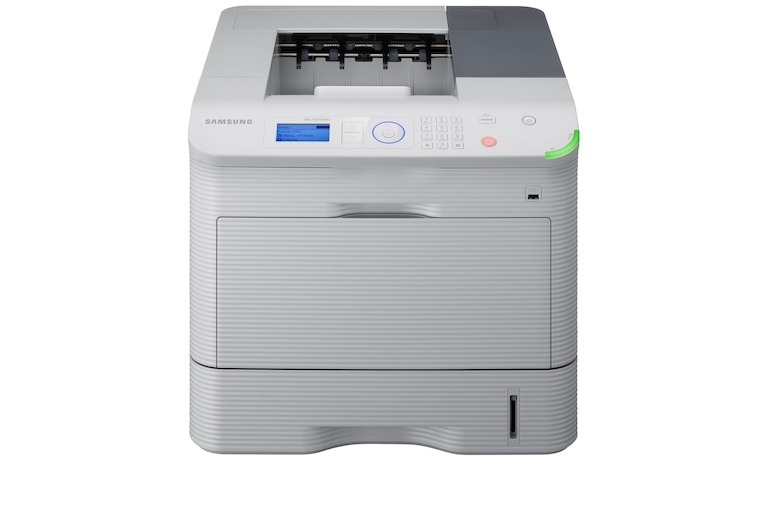
The ML-5515ND takes the strongest 55xx engine and adds the two things a shared office asks for first: networking and automatic duplex. It is the maximum-capability version of the ML-5515, and it feeds on the same MLT-D309 range — within that range, the high-yield MLT-D309L is the step up from the standard cartridge, carrying more toner for busier workgroups. The MLT-R309 imaging unit remains a separate, longer-lived part underneath it all.
This is the configuration a facilities manager buys once and then stops thinking about: one networked printer absorbing a department's monochrome output, two-sided by default, with a cartridge shelf deep enough that toner stops appearing on anyone's to-do list. The buying questions shift accordingly — away from which cartridge, and toward how many, how often, and who notices when the shelf runs low.
Toner Cartridges for ML-5515ND
- MLT-D309L — high-yield black, single cartridge (page yield on the product page)
- MLT-D309L 3 Pack — the three-cartridge rotation pack
- MLT-D309L 5 Pack — the five-cartridge bulk pack
Which cartridge should you buy?
For a workgroup printer, the high-yield tier is the default answer: the MLT-D309L cuts swap frequency exactly where swaps are most disruptive. Choose the pack by your ordering rhythm — singles for just-in-time purchasing, the 3 Pack for a shelf rotation, the 5 Pack when procurement prefers quarterly orders. The same cartridge is additionally stocked under ML-5510ND-named listings in single, 2, 3, 5 and 10 packs, for buyers who shop by that sibling name; the toner inside is the same. Whatever the label, keep the spare count at one or above at all times — a shared printer with an empty slot stalls everyone at once.
Chip, toner and everyday use
Power settings and toner-save interact less than people fear. Daily power-cycling costs the ML-5515ND nothing but a brief calibration at each cold start; sleep mode avoids even that while cutting the draw to a trickle, so from a consumables standpoint there is no argument for a full nightly shutdown. Toner-save, meanwhile, lives in the driver: it changes how much powder a page uses, and it has nothing to do with how the machine sleeps.
Frequently Asked Questions
How does the printer track the imaging unit apart from the toner?
Independently, because the two wear by different measures — the MLT-D309L is spent page by page, while the MLT-R309 imaging unit ages through drum rotations and time. Practically, a whole stack of toner cartridges will pass through the ML-5515ND before a single imaging unit needs attention, and each part is replaced on its own signal.
What is the greenest way to run this printer day to day?
Make duplex the default, and match the binding to the document: long-edge for portrait pages that read like a book, short-edge for landscape or flip-chart material. A wrong pick does not waste toner — it just turns the backsides upside down, and the driver corrects it in one click.
Does toner-save change how I should set the sleep timer?
No — the two settings solve different problems. Toner-save governs density per page; the sleep timer governs how quickly the fuser reheats for the first page after an idle stretch. Set each for its own job and neither one will interfere with the other.
More printers that use the same cartridges
The MLT-D309 family stretches across both the 55xx and 65xx lines; these models share it: ML-5510, ML-5510ND, ML-5512ND, ML-6510, ML-6512, ML-6515, Samsung-MLTD309, ML-5510N, ML-5512, ML-5515, ML-6510ND, ML-6512ND, ML-6515ND.