




ML-5512ND
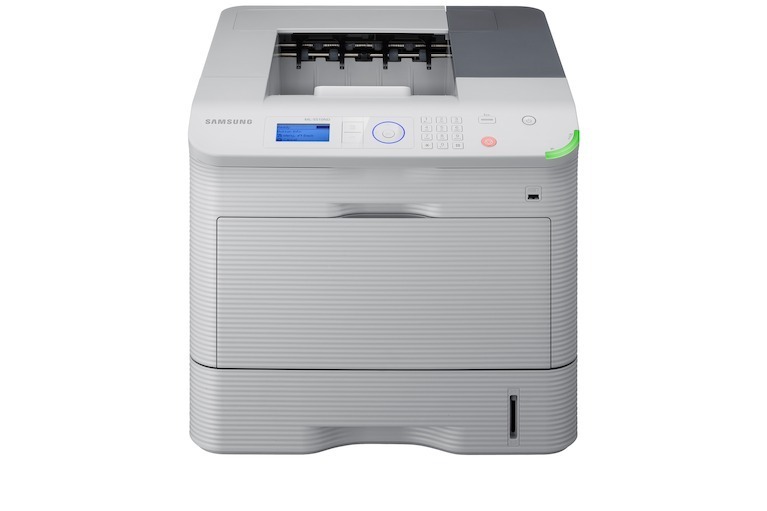
The ML-5512ND is the shared-office build of Samsung's 5512 platform: the upgraded departmental engine, plus networking and automatic duplex, in one monochrome laser printer meant to be used by a whole team at once. It draws from the same MLT-D309 toner family as its siblings, and the cartridge this page is built around is the high-yield MLT-D309L. A separate MLT-R309 imaging unit carries the drum, so toner and imaging run on independent replacement clocks.
On a shared machine, toner management stops being one person's job and becomes a small system: whoever sees the warning may not be whoever orders the cartridges. The ND configuration earns its keep in exactly that environment — duplex as a default trims the paper bill, the network queue smooths out deadline pile-ups, and a high-yield cartridge means the printer-is-down conversation happens a few times a year instead of every few weeks.
Toner Cartridges for ML-5512ND
- MLT-D309L — the high-yield black cartridge, sold singly; see product page for page yield
- MLT-D309L — 3 Pack — three cartridges for a shelf rotation
- MLT-D309L — 5 Pack — five cartridges for bulk stocking
Which cartridge should you buy?
Start with volume, not with price per box. A busy shared ML-5512ND burns through cartridges on a schedule, and at that tempo the high-yield MLT-D309L more than earns its premium: fewer swaps, fewer interruptions, cheaper pages. Lighter, sporadic printing would argue for Samsung's standard MLT-D309S instead, but this shelf is stocked for the shared case. Alongside the coded listings above, the same cartridge is also sold here under ML-5510ND-named listings in single, 2, 3, 5 and 10 packs — identical toner, labeled for the sibling model it was first sold with. Whichever name you buy under, keep one spare on the shelf: on a networked printer, an empty cartridge is everyone's problem at once.
Chip, toner and everyday use
A shared printer's sleep timer deserves one deliberate decision. Deep power-saving trims the electricity bill, but the first page after a long idle stretch waits on the fuser reheating — in a busy department that pause is the complaint you will actually hear, while an occasional user never notices it. Match the timer to the machine's real rhythm rather than its brochure rhythm. The toner itself is indifferent to all of this: a cartridge resting in a sleeping printer ages no faster than one sitting in a drawer.
Frequently Asked Questions
Should we keep a spare imaging unit next to the spare toner?
Spare toner, yes; a spare imaging unit, not necessarily. The MLT-R309 wears through rotations and time, so several MLT-D309L cartridges will pass through the ML-5512ND before the imaging unit comes due. Order the unit when the printer starts flagging it, rather than stocking one for years against a day that is far away.
Is the high-yield premium actually justified on a shared machine?
At departmental volumes, yes — the arithmetic is fewer interruptions and a lower cost per page, with identical print quality. The standard cartridge wins only where printing is light and sporadic, which is not the job this configuration was bought to do.
Should the ML-5512ND be unplugged over long holidays?
There is no consumables reason to unplug it. Sleep mode cuts power draw dramatically while keeping the machine ready, and the toner does not care about daily power cycles either way. Set the sleep behavior to match how the office actually prints and leave the plug alone.
More printers that use the same cartridges
These Samsung models run on the same MLT-D309 cartridges, so their pages draw on the same shelf: Samsung-MLTD309, ML-6515ND, ML-6515, ML-6512ND, ML-6512, ML-6510ND, ML-6510, ML-5515ND, ML-5515, ML-5512, ML-5510ND, ML-5510N, ML-5510.