




ML-5510
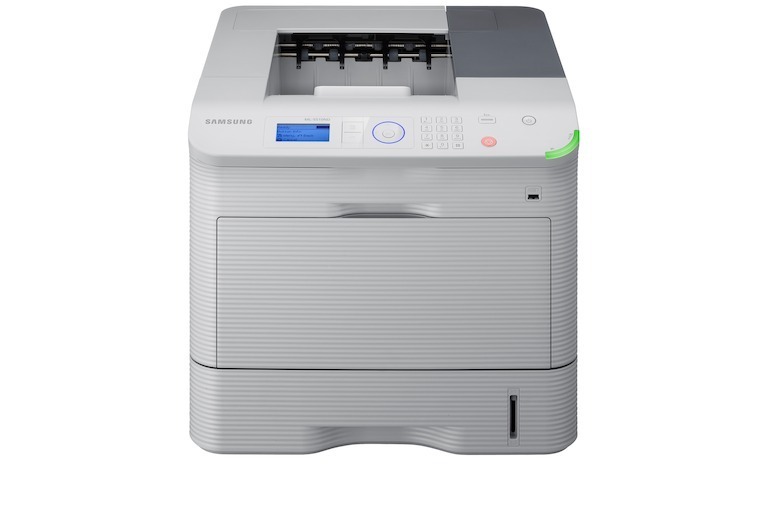
The Samsung ML-5510 is a high-volume monochrome laser printer for departments where printing never really stops. It runs on three toner yields — MLT-D309S standard, MLT-D309L high-yield, or MLT-D309E extra-high-yield — with a separate MLT-R309 imaging unit carrying the drum. This page stocks the high-yield L line: the middle rung that keeps a relentless machine fed without ceremony.
This is the base configuration of the family — no network or duplex letters in the name — and it rewards a particular buying habit: shop by cartridge code, not by printer model. Sellers organize inventory by code, so the code on your empty cartridge is a sharper search term than the badge on the printer, and it steers you past listings that lump look-alike models together.
Toner Cartridges for ML-5510
| Cartridge | Color | Page Yield |
|---|---|---|
| MLT-D309L — High Yield Toner Cartridge | Black | See product page |
| MLT-D309L — High Yield Toner Cartridge, 3 Pack | Black | See product page |
| MLT-D309L — High Yield Toner Cartridge, 5 Pack | Black | See product page |
The MLT-R309 imaging unit is this printer's second consumable: it holds the drum, wears on its own schedule, and is not among the toner listings above.
Which cartridge should you buy?
Three yields, one bay, identical print. The standard MLT-D309S suits a machine with a modest monthly count; the extra-high MLT-D309E suits one that eats reams; and the MLT-D309L stocked here is the deliberate middle — more toner in the reservoir, fewer swaps, no change in how the printer treats it, with toner-level reporting working exactly as normal. On a printer that never really stops, that middle is where most departments land. Every compatible cartridge on this page is covered by a 1-year warranty and 1-year returns, and level tracking runs off the cartridge's chip just as it does with a Samsung original.
Chip, toner and everyday use
A small chip on each cartridge handles level tracking and the printer's compatibility check, and a good compatible includes a working one. If an unrecognized-cartridge message appears, power the printer off, push the cartridge in firmly, and retry before concluding anything is broken; a refusal that survives that routine points at the chip itself, and a reputable seller will swap the cartridge. Store spares sealed and temperate, and rock a cartridge gently before installing it so the toner bed starts level.
Frequently Asked Questions
Why does the ML-5510 have two consumables instead of one all-in-one cartridge?
The work is split on purpose. Toner powder lives in the MLT-D309L and its siblings; the drum that transfers it to the page lives in the MLT-R309 imaging unit. Every print job spends toner, while the imaging unit's wear comes from rotations and time — so by the time the MLT-R309 needs changing, you will have replaced several toner cartridges.
A listing shows my printer but a different cartridge image. How do I search correctly?
Search by the cartridge code — MLT-D309S, MLT-D309L or MLT-D309E — rather than by the model name. Code searches return far more accurate results because that is how inventory is filed. As a final check, confirm your exact ML-5510 appears in the listing's compatibility list before ordering.
Can the ML-5510 tell a genuine cartridge from a compatible one?
It reads the cartridge's chip, which handles identity and level reporting. Quality compatibles carry a working chip and are accepted in normal use; an unrecognized report usually clears after a power cycle and a firm reseat. If it will not clear, suspect the chip, not the printer.
Which yield belongs in a printer that never stops?
The high-yield MLT-D309L or the extra-high MLT-D309E. Standard yield in a relentless machine is a subscription to interruptions. This page stocks the L line in singles and multi-packs, which covers most departments; step to the E only if swaps are still coming too often.
More printers that use the same cartridges
The MLT-D309 family runs across the 551x and 651x models below — one code to remember for the whole fleet:
ML-5510N, ML-5510ND, ML-5512, ML-5512ND, ML-5515, ML-5515ND, ML-6510, ML-6510ND, ML-6512, ML-6512ND, ML-6515, ML-6515ND, Samsung-MLTD309.