




C8800N
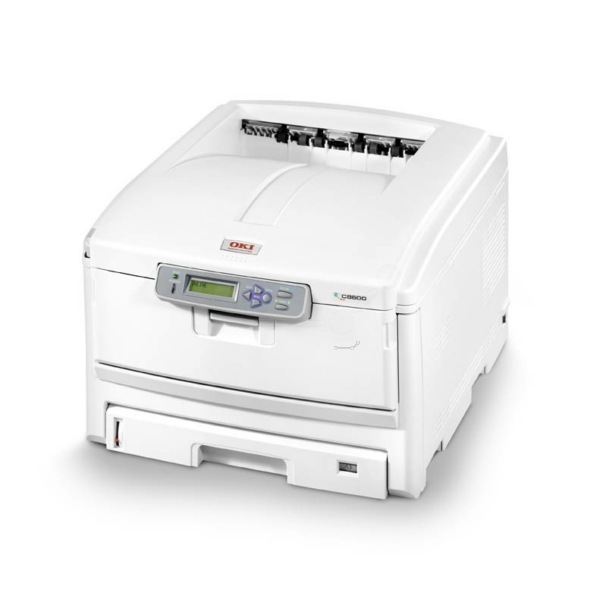
The Okidata C8800N is a networked color laser printer built for shared office color printing, and it draws from the same four-cartridge family as the rest of the C8800 series. Its color channels are the yellow 43487733, magenta 43487734 and cyan 43487735 cartridges, each rated for 6,000 pages, and the set is completed by the black 43487736, also a 6,000-page cartridge. The three color cartridges are stocked on this page individually and in sets; the black belongs to the same series set even though it is the one member not listed here.
A printer with an "N" in its name usually lives where a whole team can reach it, and the C8800N is no exception: it sits on the office network, takes jobs from many desks, and keeps several users supplied with color output at once. That shared duty shapes how it should be fed. Color work arrives unpredictably — a report cover here, a presentation there — so the practical habit is to watch all four channels and keep the full set covered rather than discovering an empty cartridge in the middle of someone else's deadline.
Toner Cartridges for C8800N
| Cartridge | Color | Page Yield |
|---|---|---|
| 43487733 | Yellow | 6,000 pages |
| 43487734 | Magenta | 6,000 pages |
| 43487735 | Cyan | 6,000 pages |
The same three color cartridges are also listed under the C8600 name, since the two series share this consumable family: C8600 yellow, C8600 magenta and C8600 cyan singles. For planned full-color changes there is a 3 Color Set with one of each color, and a 6 Color Set carrying two of each.
Which cartridge should you buy?
There is no standard-versus-high-yield split to weigh on this page: every cartridge in the family is rated at the same 6,000 pages, so the choice is about how your office consumes color. If one channel consistently runs ahead of the others — yellow in a office that prints a lot of highlighted documents, say — single cartridges let you replace just that color and leave the rest in place. When the three colors drift down together, the 3 Color Set refreshes them in one order, and the 6 Color Set suits a busier shared machine where a spare of each color should always be waiting. What you should not do is let a color sit empty while black-and-white work continues, because this printer family asks for all four cartridges present before it will run.
Chip, toner and everyday use
Each cartridge carries a chip the printer reads to track its level, and on the C8800N those readings are visible remotely through the printer's web interface — open a browser, enter the machine's IP address, and the four levels are on screen. Seat every cartridge firmly in its own color slot until it clicks; a channel seated loosely can report as missing even when it is full. Keep unopened spares in their packaging in a cool, dry cabinet, and rotate stock so the oldest cartridge is used first. When a color starts to fade, lifting the cartridge out and rocking it gently side to side spreads the remaining toner and usually restores even coverage for a while longer.
Frequently Asked Questions
Which toner cartridges does the C8800N use?
Four: yellow 43487733, magenta 43487734, cyan 43487735 and black 43487736, each rated for 6,000 pages. The "N" in the model name adds network connectivity; it changes nothing about the consumables, which match the base C8800 exactly.
How can I check toner levels without going to the printer?
Use the built-in web interface. Typing the C8800N's IP address into a browser opens its status pages, where each of the four cartridges reports its remaining level. For a machine in a shared print room, that remote check is far quicker than walking over and opening the cover.
Will the C8800N print a black-only page if a color cartridge is empty?
No. Like other Oki color LED printers, it requires all four cartridges installed and non-empty before it prints anything at all, including plain black-and-white pages. One exhausted color will hold up text jobs too, which is why this page stresses keeping spares of every color.
Are the C8600 cartridges listed here really the same as the C8800N's?
Yes. The C8600 and C8800 series were built around the same consumable family, so a cartridge carrying code 43487733, 43487734 or 43487735 under a C8600 listing is the same cartridge this printer takes. Match the code and the color, not the series name on the box.
More printers that use the same cartridges
The same four-cartridge set also serves these models in the C8600 and C8800 lines:
C8600, C8600DN, C8600DTN, C8600N, C8800, C8800dn, C8800dtn, C8800TN