




C8800
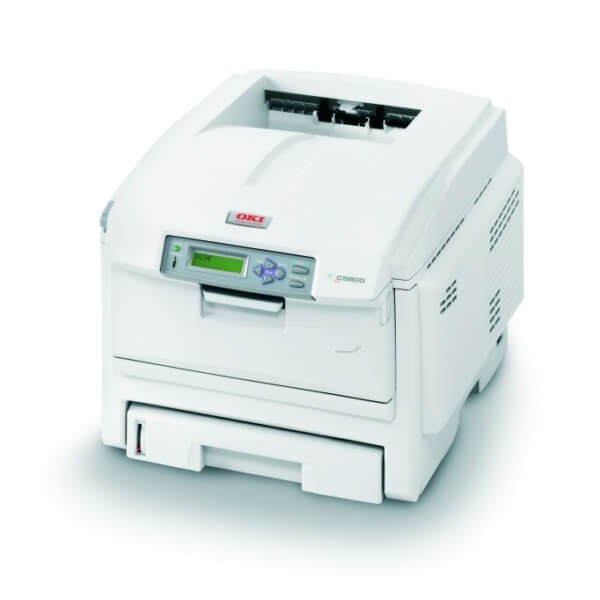
The Okidata C8800 is a tabloid-capable color laser printer aimed at offices and marketing teams that need oversize output in house. In the US it uses the 43487733–43487736 cartridge set — yellow 43487733, magenta 43487734 and cyan 43487735, with black 43487736. Compatible cartridges keep wide-format color printing economical, and each color is ordered on its own, so an oversize job never waits on a full set when only one color has run dry.
Tabloid output changes the economics of a print room. Posters, proofs and folded brochures that used to go out to a copy shop come off this machine instead, on your schedule — but big pages drink toner in a way letter pages never do, and a single full-bleed proof can use as much color as a stack of memos. That is the practical case for this family's one-at-a-time cartridge layout: watch the levels, swap the color that is actually empty, and keep the other three working.
Toner Cartridges for C8800
| Cartridge | Color | Page Yield |
|---|---|---|
| 43487733 | Yellow | See product page |
| 43487734 | Magenta | See product page |
| 43487735 | Cyan | See product page |
The set's black cartridge, 43487736, completes the four-color family for this printer; this page currently lists the three color cartridges above, each sold individually.
Which cartridge should you buy?
On this page the choice is refreshingly narrow: the three color cartridges, bought individually as each one empties. There is no bundle decision to make — order the color the printer is asking for. For tabloid work, plan ahead rather than react: check all three color levels before starting a long oversize run, since a color dying halfway through a poster wastes the whole sheet. The black cartridge for this family is 43487736; when you source it, match that number exactly, as the C8800's cartridges are keyed to this series and near-identical cartridges from other OKI families will not register.
Chip, toner and everyday use
Wide-format machines live or die by their LED printheads, and the everyday care that matters most here is a clean one: dust settling on the LED arrays dulls color gradually, long before any cartridge is empty. Give each array a gentle wipe with a soft, dry cloth when output starts to look tired — it takes a minute and is the most common fix for washed-out color on this family. Cartridges report their levels through their chips; seat a new one fully and let the printer recognize it before sending the next job. Store spares sealed and flat, away from the heat a busy print room generates.
Frequently Asked Questions
Which toner cartridges does the Oki C8800 use?
Yellow 43487733, magenta 43487734, cyan 43487735 and black 43487736. All C8800 variants — including the dn, dtn, n and tn configurations — share this same toner set, so configuration letters never change the order.
I have the base C8800 — can I add duplex printing later?
Duplexing is a factory configuration on this family; the 'd' variants such as the C8800dtn carry the duplexer. On the base machine you can still print two-sided manually by re-feeding pages, and the same 43487733 through 43487736 toner serves either way.
What is the most common cause of poor color quality on the C8800?
Dirty LED printheads. Before replacing cartridges, wipe each LED array gently with a soft dry cloth — dust buildup dulls output gradually and is routinely mistaken for low toner. If cleaning changes nothing, then check the actual cartridge levels.
More printers that use the same cartridges
The same cartridges also fit these related OKI models: C8600, C8600DN, C8600DTN, C8600N, C8800dn, C8800dtn, C8800N, C8800TN.