




C8800dtn
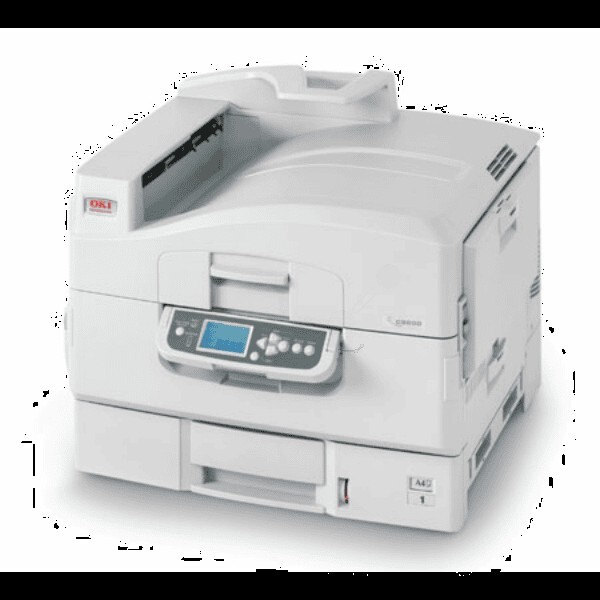
The C8800dtn adds a second paper tray to the duplexing, networked C8800, and it is built for uninterrupted longer runs of tabloid color. Like its siblings it feeds on four individual cartridges — yellow 43487733, magenta 43487734 and cyan 43487735, with black 43487736. Four separate units mean no wasted color when only one slot runs low, and no configuration letter in the name changes what you order.
The dtn is the fully loaded variant, and its natural habitat is the long run: a second tray keeps two stocks loaded — tabloid in one, letter in the other, or a deep reserve of the same paper — while duplexing turns sheets over without attention. Jobs that would tie up a lesser machine for an afternoon simply flow. The consumables discipline that suits it is planning: fresh colors checked before the big run starts, not discovered empty in the middle of it.
Toner Cartridges for C8800dtn
| Cartridge | Color | Page Yield |
|---|---|---|
| 43487733 | Yellow | See product page |
| 43487734 | Magenta | See product page |
| 43487735 | Cyan | See product page |
The set's black cartridge, 43487736, completes the four-color family for this printer; this page currently lists the three color cartridges above, each sold individually.
Which cartridge should you buy?
Singles, timed to your runs. Before a long tabloid job, read the three color levels and replace any cartridge that is close to empty — a color failing mid-run costs you the sheet it died on and the time to rerun it. Between big jobs, replace colors strictly as they empty; the four slots age independently and there is no economy in retiring a half-full cartridge early. When black is needed, the family's cartridge is 43487736 — match the number exactly when ordering, since this series is keyed and look-alike cartridges from other OKI lines will not register in the machine.
Chip, toner and everyday use
The C8800dtn reads each cartridge's chip for its level report, and on long runs that report is your fuel gauge — glance at it when you load the trays, not after the first faded sheet appears. A cartridge swapped mid-job should be seated firmly and given a moment to register before the run resumes. Toner yields are estimated at roughly 5% coverage; tabloid graphics run far richer than that, so treat the estimate as a ceiling, not a promise. Keep spare cartridges sealed and flat, and pull the oldest box first so stock rotates instead of aging on the shelf.
Frequently Asked Questions
What toner does the Oki C8800dtn take?
Yellow 43487733, magenta 43487734, cyan 43487735 and black 43487736. Four individual cartridges — the same set as every other C8800 configuration.
What do the letters in C8800dtn mean?
They describe the factory configuration: d for automatic duplex (two-sided) printing, t for an extra paper tray, and n for network connectivity. It is the fully loaded variant of the family — the base C8800 uses the identical toner set but may lack the extra tray or the duplex unit.
My C8800dtn's colors look washed out. What should I check?
Check the levels of the color cartridges first — a nearly empty cartridge fades before the printer declares it empty. If the levels look healthy, clean the LED printheads: dust on the LED array is a common cause of washed-out color on OKI printers and takes a minute with a soft cloth.
More printers that use the same cartridges
The same four cartridges also fit these related OKI models: C8600, C8600DN, C8600DTN, C8600N, C8800, C8800dn, C8800N, C8800TN.