




C5200N
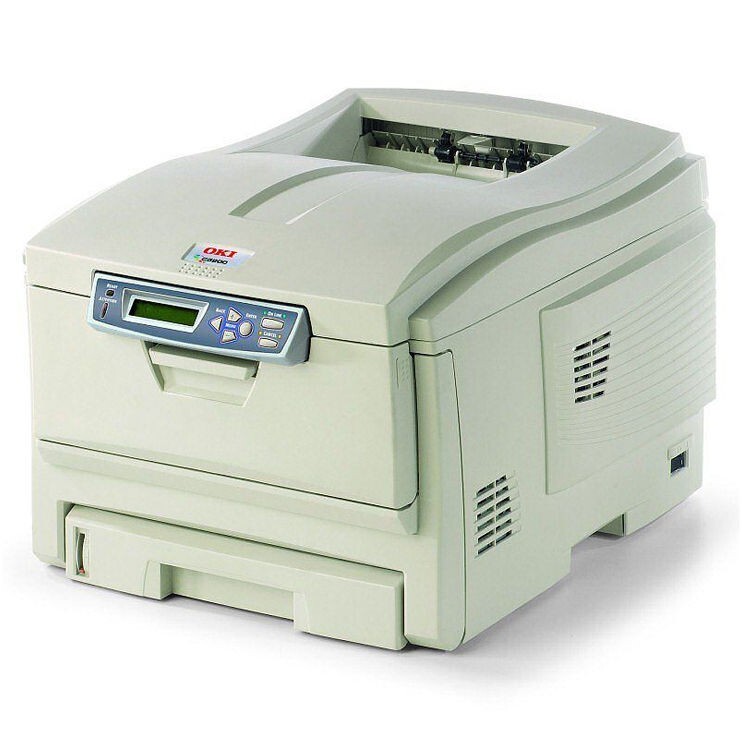
The Okidata C5200N puts one color laser printer on the network for the whole office instead of scattering small units from desk to desk. It works with OKI's Type C6 cartridge set — yellow 42804501, magenta 42804502, cyan 42804503 and black 42804504 — with each color carried in its own cartridge. The listings stocked on this page are the high-capacity color cartridges that shared machines burn through fastest: 42127401 for yellow, 42127402 for magenta and 42127403 for cyan.
Sharing a color printer changes how toner gets used. One person's presentation run can drain a color that nobody else touches for weeks, which is exactly why this design keeps the four colors separate: an empty yellow never forces you to throw away cyan and magenta that still have life in them. For an office manager, that separation is the difference between replacing a cartridge and replacing a budget line.
Toner Cartridges for C5200N
| Cartridge | Color | Page Yield |
|---|---|---|
| 42127401 High Yield Toner Cartridge | Yellow | See product page |
| 42127402 High Yield Toner Cartridge | Magenta | See product page |
| 42127403 High Yield Toner Cartridge | Cyan | See product page |
| C5100n Toner Cartridge (42127401) | Yellow | See product page |
| C5100n Toner Cartridge (42127402) | Magenta | See product page |
| C5100n Toner Cartridge (42127403) | Cyan | See product page |
| C5100n Toner Cartridges — 3 Color Set | Cyan / Magenta / Yellow | See product page |
| C5100n Toner Cartridges — 6 Color Set | Cyan / Magenta / Yellow | See product page |
Which cartridge should you buy?
Start from the color that actually runs out. On a shared C5200N, most offices find one or two colors do the heavy work — a house style heavy on blue, say, drinks cyan — so buy the high-capacity single for that color and standard replacements for the rest. The color sets make sense when several colors are low together, or when restocking a supply cabinet in one order. Black is handled by the standard Type C6 black cartridge, 42804504; the high-capacity listings here cover the three colors. Replacing colors one at a time, as each empties, is always cheaper than swapping a full set on a schedule.
Chip, toner and everyday use
Each color cartridge is recognized independently, so change one at a time and confirm the machine registers the new unit before printing a long color run. Keep the cartridge in its sealed bag until the moment it goes in — color toner that sits open picks up humidity and clumps. If a color starts streaking before its warning appears, rock that cartridge gently side to side to level the toner. A full set of spares is bulky; many offices keep just the fastest-moving color on the shelf and reorder the rest as warnings appear.
Frequently Asked Questions
What toner cartridges does the C5200N use?
Four individual Type C6 cartridges: yellow 42804501, magenta 42804502, cyan 42804503 and black 42804504. This page stocks the high-capacity color cartridges — 42127401, 42127402 and 42127403 — for offices that go through color quickly.
Are the 42127401, 42127402 and 42127403 the same fit as the standard colors?
Yes. They are the high-capacity counterparts of the standard yellow, magenta and cyan cartridges for this printer family, made for machines whose color volume makes standard capacity a poor bargain.
Only one color has run out. Do I replace all four?
No. The colors are separate cartridges, so replace only the one that is empty and leave the others until their own toner is spent.
Do compatible cartridges work reliably in the C5200N?
The compatible cartridges listed here are built to the same specifications as the originals, seat correctly and are recognized by the printer. They carry a 1-year warranty and 1-year returns.
More printers that use the same cartridges
This color family spans a wide generation of OKI machines; every model below takes the same cartridge system: