




C5200
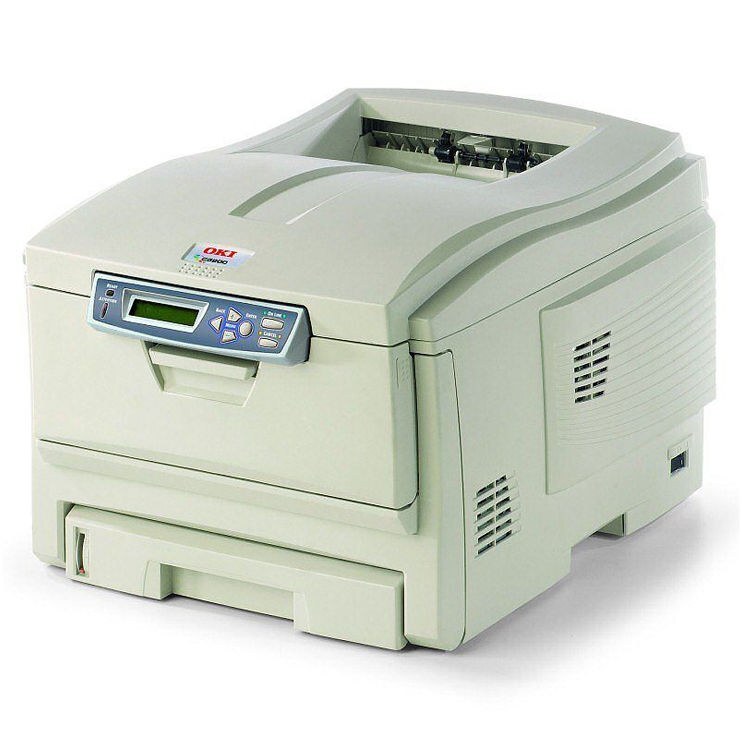
The C5200 is an earlier-generation OKI color laser printer, a compact machine from the era when affordable office color was still new. It runs on Type C6 toner — black 42804504 alongside cyan 42804503, magenta 42804502 and yellow 42804501 — and this page stocks the high-yield route for owners keeping these veterans in service: 42127401 yellow, 42127402 magenta and 42127403 cyan, the bigger fills that stretch the gap between orders.
Printers of the C5200's generation survive on a simple bargain: the machine is long paid for, so every year it keeps printing is a year a replacement can wait. That bargain only holds while the consumables stay reasonable, which is where compatible high-yield colors earn their place — they keep a veteran's cost per page in line with far newer printers, without asking the owner to change anything about how the office works.
Toner Cartridges for C5200
| Cartridge | Color | Page Yield |
|---|---|---|
| 42127403 High Yield | Cyan | See product page |
| 42127402 High Yield | Magenta | See product page |
| 42127401 High Yield | Yellow | See product page |
Which cartridge should you buy?
The three cartridges on this page are the high-yield colors, and on a C5200 they are usually the right default: an older machine's owner rarely wants to think about toner, and the larger fills simply need ordering less often. Change colors individually as each one empties — the set almost never runs out together, because real documents lean on one or two colors far more than the rest. One habit stretches color life dramatically on this model: leave the driver set to black-and-white for everyday documents so only the black cartridge works, and switch to color deliberately for the pages that need it. Treated that way, a high-yield color set can last through months of mostly-mono printing. The black cartridge itself is the standard 42804504 and is not among this page's listings.
Chip, toner and everyday use
A toner-low message on the C5200 is a warning, not a verdict: usable toner remains after it appears, so finish the job at hand and swap when the output itself starts to fade. A gentle rock of the cartridge, end to end, redistributes what is left and often buys the pages needed to bridge to the replacement. Fit the new cartridge with its seals off and its chip contact clean, and store spares sealed, flat and away from heat — a cartridge that has sat in a hot cabinet all summer is a cartridge that disappoints in the fall.
Frequently Asked Questions
Which cartridges are correct for the Oki C5200?
The C5200 takes yellow 42804501, magenta 42804502, cyan 42804503 and black 42804504 as its standard Type C6 set. The high-yield colors stocked here are 42127401, 42127402 and 42127403. Keep to this family rather than mixing in cartridges from other Oki lines.
How can I make the C5200's color cartridges last longer?
Default the driver to black-and-white so everyday documents use only the black cartridge, and switch to color only for pages that truly need it. On a machine that prints mostly text, that one setting can stretch a color set across many months.
The C5200 shows a toner-low message but prints still look good. Replace now?
Not yet. The warning appears while usable toner remains, so keep printing and have the replacement ready. Swap the cartridge once the output itself begins to fade — changing it at the first warning throws away toner you have already paid for.
Is it worth keeping a C5200 in service?
While it prints well, yes. Its cartridges are still stocked — the high-yield colors on this page among them — and replacing one color at a time keeps the running cost modest. A paid-for printer with reasonable consumables is cheaper than almost any replacement.
More printers that use the same cartridges
The C5200 shares its Type C6 cartridges with the rest of Oki's color line of that generation, including: ES1624N MFP, C5100, C5100N, C5150, C5150N, C5200N, C5250, C5250DN, C5250N, C5300, C5300N, C5400, C5400DN, C5400DTN, C5400N, C5400TN, C5450, C5450dn, C5450N, C5510, C5510MFP, C5510n MFP, C5510N.