




MC560
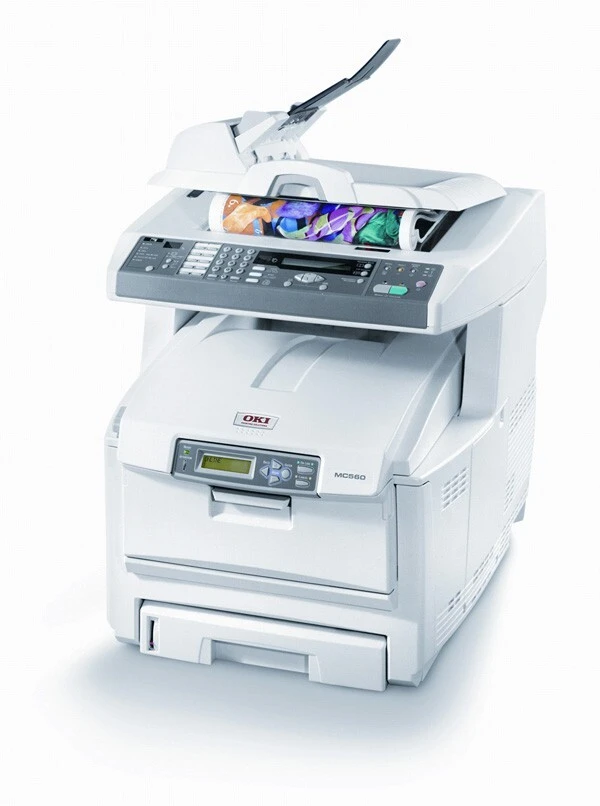
Strong color output is the point of the Okidata MC560, a color multifunction that prints, copies, scans and faxes for offices that use all four functions. Four individual cartridges feed it: 43865720 black, 43865719 cyan, 43865718 magenta and 43865717 yellow. Those part numbers are the ones to match — this multifunction takes its own cartridge set, and similarly named C-series supplies are not interchangeable with it.
An office that scans and copies as much as it prints puts a different load on a cartridge set than a print-only shop. Walk-up copies arrive in ones and twos all day, scans become prints, and faxes still land on paper — every one of those pages draws from the same four cartridges. The MC560's separate-color layout keeps that affordable: a heavy yellow month costs you a yellow cartridge, not a whole set.
Toner Cartridges for MC560
| Cartridge | Color | Page Yield |
|---|---|---|
| 43865720 | Black | See product page |
| 43865719 | Cyan | See product page |
| 43865718 | Magenta | See product page |
| 43865717 | Yellow | See product page |
| 43865720 / 43865719 / 43865718 / 43865717 — 4 Color Set | Black, Cyan, Magenta, Yellow | See product page |
| MC560 — 4 Color Set | Black, Cyan, Magenta, Yellow | See product page |
| MC560 Premium Quality — 4 Color Set | Black, Cyan, Magenta, Yellow | See product page |
Which cartridge should you buy?
Buy the color the machine asks for. On the MC560 the four levels move independently — a month of color copying can drain 43865717 yellow while black is still half full — so single cartridges are the routine purchase, and the 4 Color Set is the reset button: the right buy when several colors are low together, when you are stocking a new supply shelf, or when the machine is secondhand and you want every slot fresh at once. If you are comparing the set listings on this page, they hold the same four part numbers; the Premium Quality listing is the step-up option in the range.
Chip, toner and everyday use
The cartridges listed here are chipped for the MC560, so the machine recognizes them and reports levels as it does with the original supply. Slide each cartridge into its color-coded slot until it seats, and let the machine complete its calibration before the first real job. To cut color waste, set the print driver and the copy default to black-and-white and engage color deliberately — an "auto" copy setting can spend color toner on pages that only look monochrome at a glance. Keep one spare of the color your office burns fastest; on a multifunction, the empty slot always seems to announce itself mid-copy-run.
Frequently Asked Questions
Which toner cartridges fit the Okidata MC560?
Four: black 43865720, cyan 43865719, magenta 43865718 and yellow 43865717. They cover everything the machine outputs — prints, copies and faxes all draw on the same set.
Are the C5850 cartridges the same as the MC560 cartridges?
The part numbers are. Listings named for the C5850 carry the same 43865717–43865720 cartridges, which is why they appear on this page; a cartridge from that listing fits the MC560 because the supply itself is identical, whatever model name is printed on the box.
Can I assume a cartridge from a similar C-series model will fit?
No — and this is the most common ordering mistake with this family. OKI model names overlap heavily while cartridge sets differ. Always order by the part number on the cartridge you are replacing: 43865717, 43865718, 43865719 or 43865720 for this machine.
Only one color has run out. Do I need a whole set?
No. Swap the single empty cartridge — say the 43865718 magenta — and leave the other three in place. The MC560 tracks each color separately and prints on with the remaining levels.
More printers that use the same cartridges
These cartridges are shared with the following OKI models: MC560 MFP, MC560N MFP Plus, C5850, C5850DN, C5850N, C6150, C6150DN, C6150DTN, C6150HDN, C6150N.