




MC560 MFP
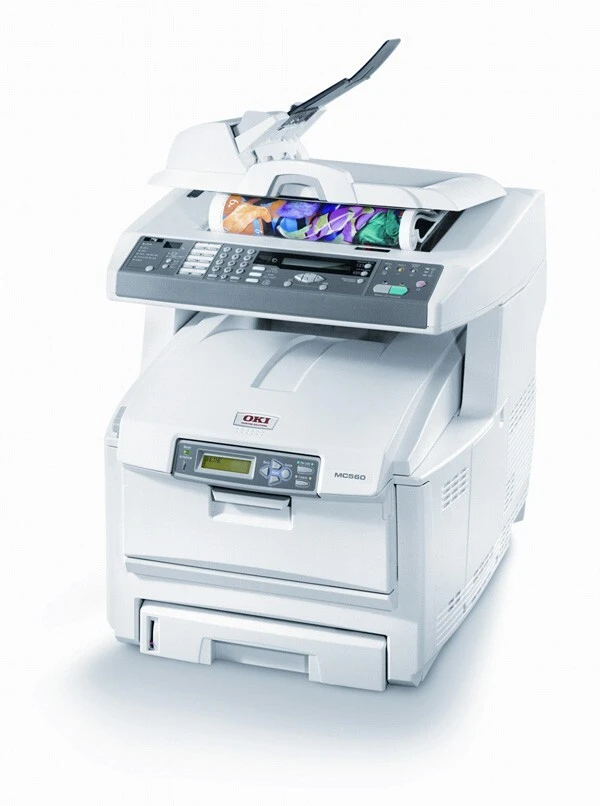
The Okidata MC560 MFP is the multifunction edition of the MC560 color laser line, combining print, copy, scan and fax in one office machine. The cartridges stocked for it on this page are black 43865720, cyan 43865719, magenta 43865718 and yellow 43865717, each replaceable on its own as its level runs down.
One detail of this machine deserves attention: it is a true standalone fax, with its own modem on an analog line, sending and receiving without any computer involved. Offices that still live on faxed orders and signed forms lean on that independence daily — and every one of those pages, in or out, prints from the same four cartridges listed here.
Toner Cartridges for MC560 MFP
| Cartridge | Color | Page Yield |
|---|---|---|
| 43865720 | Black | See product page |
| 43865719 | Cyan | See product page |
| 43865718 | Magenta | See product page |
| 43865717 | Yellow | See product page |
| 4 Color Set | Black, cyan, magenta and yellow | See product page |
| MC560 MFP 4 Color Set | Black, cyan, magenta and yellow | See product page |
| MC560 MFP Premium Quality 4 Color Set | Black, cyan, magenta and yellow | See product page |
| MC560N MFP 4 Color Set | Black, cyan, magenta and yellow | See product page |
Which cartridge should you buy?
Let the level readings lead. The four slots empty at different rates — black under the weight of everyday documents, the colors in bursts when copy and fax traffic turns graphical — so a single cartridge is the right purchase most of the time. The four-color set suits a fresh restock or the moment several colors are low together. Before any order, compare the number on the cartridge you are removing with the number on the listing; matching those digits exactly is the whole secret to first-time-right toner buying.
Chip, toner and everyday use
Each compatible cartridge is chipped, so the MC560 MFP identifies the cartridge on installation and tracks its level from then on. Swap with the power on, seat the cartridge until it locks, and proof one page. A cartridge stored for months prints more evenly after a slow rock end to end. Keep spares in sealed bags, flat, away from heat and direct light, and treat the first low-toner warning as your reorder point rather than waiting for visible fading.
Frequently Asked Questions
Which cartridges are listed for the MC560 MFP on this page?
Black 43865720, cyan 43865719, magenta 43865718 and yellow 43865717, as singles and in four-color sets. Always match the number printed on the cartridge you take out when you place the order.
Can the MC560 MFP fax without a computer?
Yes. It carries its own fax modem and connects directly to an analog phone line, so faxes send and receive independently of any computer or network connection.
Why do printed colors differ from copies of the same page?
Copies pass through the scanner, which adds its own color interpretation on top of the printing side. Calibrating both the scanner and the printer narrows the gap; the toner cartridges themselves feed both paths identically.
Does an incoming fax use the same toner as printing?
Yes. A received fax is printed by the same engine and the same four cartridges as any other job, so fax-heavy days count against your levels exactly like print-heavy ones.
More printers that use the same cartridges
The MC560's cartridge family is shared with the other MC560 configurations and the related C-series models below:
MC560, MC560N MFP Plus, C5850, C5850DN, C5850N, C6150, C6150DN, C6150DTN, C6150HDN, C6150N