




MC560N MFP Plus
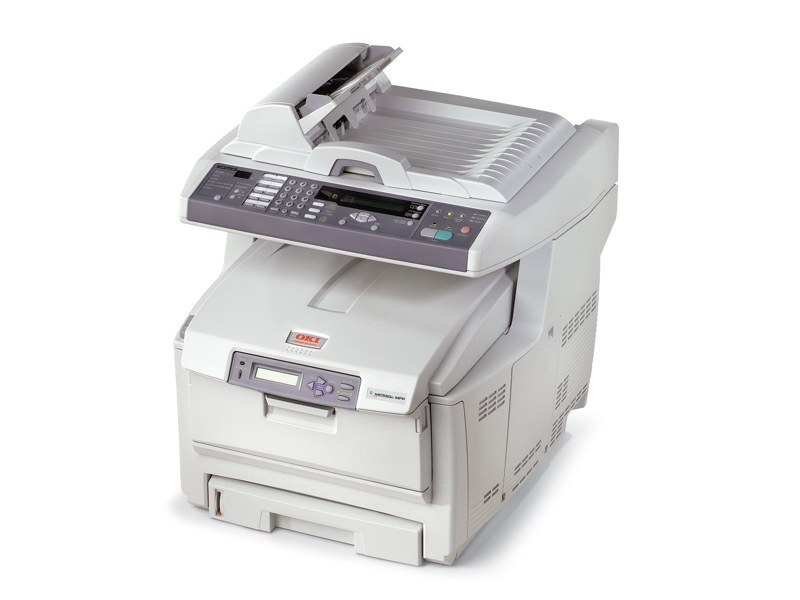
The Okidata MC560N MFP Plus is the fully featured networked multifunction in the MC560 line, putting print, copy, scan and fax in one machine for demanding small offices. The cartridges listed for it on this page are black 43865720, cyan 43865719, magenta 43865718 and yellow 43865717, each in its own slot so colors can be replaced one at a time as they run down.
An MFP like this one earns its keep in offices where the same box prints the proposals, copies the handouts and scans the signed contracts. That mix matters for supplies: heavy color copying can pull all four colors down together in a way a print-only machine rarely does, so the Plus rewards an owner who glances at the level display now and then instead of waiting for a faded page to announce an empty slot.
Toner Cartridges for MC560N MFP Plus
| Cartridge | Color | Page Yield |
|---|---|---|
| 43865720 | Black | See product page |
| 43865719 | Cyan | See product page |
| 43865718 | Magenta | See product page |
| 43865717 | Yellow | See product page |
| 4 Color Set | Black, cyan, magenta and yellow | See product page |
| MC560N MFP Plus 4 Color Set | Black, cyan, magenta and yellow | See product page |
| MC560N MFP Plus Premium Quality 4 Color Set | Black, cyan, magenta and yellow | See product page |
Which cartridge should you buy?
Start with the single cartridge the machine is asking for. Under mixed office use the colors rarely empty together, and replacing one slot at a time keeps working toner in the machine instead of in the trash. The four-color set is the right call in two situations: when a run of color copying has left several colors low at once, and when you want one box on the shelf that guarantees no slot can stop a job. Whichever route you take, read the part number off the cartridge you pull out and match it digit for digit before ordering — that ten-second check is the surest way to get the right box the first time.
Chip, toner and everyday use
Each compatible cartridge is chipped so the MC560N MFP Plus identifies it and shows its remaining level on the panel. Swap one color at a time with the machine powered on, push the new cartridge in until it seats, and print a test page before the next copy run. If a cartridge has been stored for a while, rocking it gently end to end loosens settled toner and keeps early pages even. Store spares sealed, flat and out of direct light, and let the low-toner warning — not the first faded page — be your reorder signal.
Frequently Asked Questions
Which cartridges are listed for the MC560N MFP Plus on this page?
Black 43865720, cyan 43865719, magenta 43865718 and yellow 43865717, sold as singles and in four-color sets. Match the number on the cartridge you remove when you reorder, since that number is the one your machine has been running.
All four colors show low at the same time. Is that normal?
It can be. A stretch of heavy color copying or a marketing run drains the four slots fairly evenly, and the warnings tend to surface together afterward. Replace the colors that actually print faded first; the warning appears while usable toner still remains.
Do the Plus finishing features use extra toner?
No. Finishing touches such as collating only arrange the pages that come out. Toner consumption follows what is on the page, so the Plus features change nothing about how fast any cartridge empties.
Can I keep copying while one color is empty?
Black-and-white work can continue on the black cartridge alone when the copy mode is set to monochrome. Color jobs wait for the empty slot to be refilled, which is why a spare of the fastest-draining color is worth its shelf space.
More printers that use the same cartridges
The same cartridge family also serves the other MC560 models and the closely related C-series printers below:
MC560 MFP, MC560, C5850, C5850DN, C5850N, C6150, C6150DN, C6150DTN, C6150HDN, C6150N