




MB451W
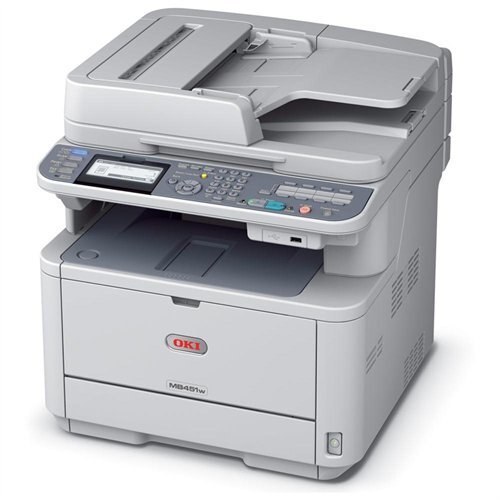
The Okidata MB451W is a wireless monochrome multifunction printer — print, copy, scan and fax in one compact unit that can sit anywhere in the office without a network cable. For all of that machinery it asks for exactly one consumable: the 44992405 black toner cartridge, rated at 1,500 pages, which covers everything the machine prints, copies or receives by fax.
One cartridge for four functions is the quiet virtue of this design. There is no stable of color cartridges to manage, no second consumable hiding in the budget — when output fades, one part number answers the question. For a small office running its paperwork through a single MFP, that simplicity is worth as much as the wireless connection that lets the machine live on a shelf instead of beside the router.
Toner Cartridges for MB451W
| Cartridge | Color | Page Yield |
|---|---|---|
| 44992405 Toner Cartridge | Black | 1,500 pages |
| MB451W Toner Cartridge (44992405) | Black | 1,500 pages |
| MB451W Toner Cartridge | Black | 1,500 pages |
| 44992405 Toner Cartridges — 3 Pack | Black | 1,500 pages |
| 44992405 Toner Cartridges — 5 Pack | Black | 1,500 pages |
| MB451W Toner Cartridges — 5 Pack | Black | 1,500 pages |
| MB451W Toner Cartridges — 2 Pack (44992405) | Black | 1,500 pages |
| MB451W Toner Cartridges — 3 Pack (44992405) | Black | 1,500 pages |
| MB451W Toner Cartridges — 5 Pack (44992405) | Black | 1,500 pages |
| MB451W Toner Cartridges — 10 Pack (44992405) | Black | 1,500 pages |
Which cartridge should you buy?
There is only one cartridge to choose — the decision is how many. At 1,500 pages per cartridge, an MB451W doing daily office duty works through toner at a visible pace, so a three- or five-pack from this page keeps the machine fed without a standing order. A lightly used unit does fine with a single cartridge and a reorder when the warning appears. Because the same cartridge covers copying and incoming faxes as well as printing, judge your volume by the machine's total page count, not by print jobs alone.
Chip, toner and everyday use
Print quality is the honest low-toner signal on this machine: text starts looking gray or patchy before the warning appears. When you see fading, lift the cartridge out and rock it gently to redistribute the toner — that buys extra pages while the replacement is on its way. Fit the new cartridge until it seats and let the MFP recognize it before the next copy run. Spares keep best sealed, flat and away from heat, and a fax-heavy office should treat an empty cartridge as urgent: incoming pages do not wait.
Frequently Asked Questions
Which toner does the Oki MB451W use?
The 44992405 black toner cartridge, rated at 1,500 pages. It is the single consumable for the whole machine — printing, copying, scanning output and fax alike.
Does the wireless model use a different toner than the wired MB451?
No. The MB451W, the MB451 and the MB451dn all take the same 44992405 cartridge; the W only adds Wi-Fi connectivity, and everything inside the printer is identical.
How can I tell the cartridge is running low?
Watch the output. Text turning gray or patchy is the earliest sign; rock the cartridge gently to redistribute the toner for extra pages, and have the replacement ready — by the time the warning shows, the reserve is limited.
More printers that use the same cartridges
The same single cartridge also serves the wired members of this MFP family and the B401 line: