




LASERJET M611N
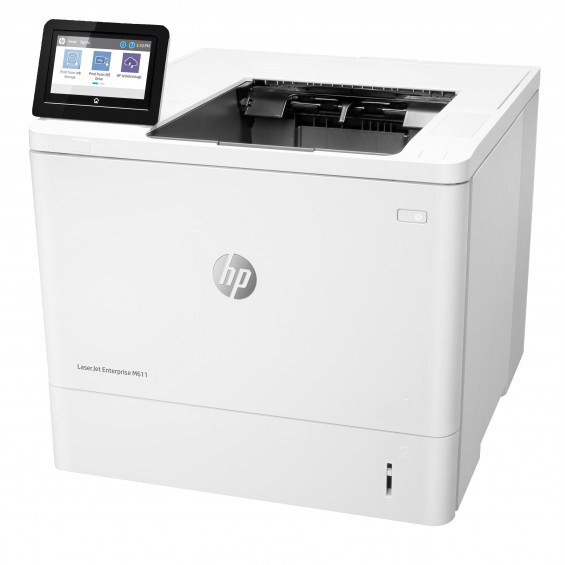
Speed was the M611’s headline, and the LASERJET M611N delivered it to the whole workgroup over the wire. Black-and-white office printing, networked via Ethernet, without a duplexer — for teams that print fast and single-sided.
Pick your stamina from HP’s 147 cartridges: standard W1470A, high-yield W1470X, or extra-high-yield W1470Y. Same slot, three appetites.
Toner Cartridges for LASERJET M611N
This printer works with the following toner cartridges:
- HP W1470A
- HP W1470X
- HP W1470Y
More HP Printers
- LASERJET M610DN
- LASERJET M610N
- LASERJET M611DN
- LASERJET M611X
- LASERJET M612DN
- LASERJET M612X
- LASERJET M634H
- LASERJET M634Z
- LASERJET M635H
- LASERJET M635Z
- LASERJET M636FH
- LASERJET M636Z
Frequently Asked Questions
What cartridges fit the LASERJET M611N?
For the LASERJET M611N, buy W1470A (standard), W1470X (high-yield), and W1470Y (extra-high-yield) — those are the exact codes built for this printer.
My computer cannot find the LASERJET M611N — what should I check?
Check the cable or network connection to the LASERJET M611N first, then restart both the printer and the computer; if the LASERJET M611N still does not appear, reinstall its driver from HP's support site.
Why are compatible cartridges for the LASERJET M611N less expensive?
Compatibles for the LASERJET M611N skip the brand premium and reuse proven cartridge architectures, which is why a compatible W1470A can cost less while still being built specifically for the LASERJET M611N.