




LaserJet Pro 300 Color Printer M351
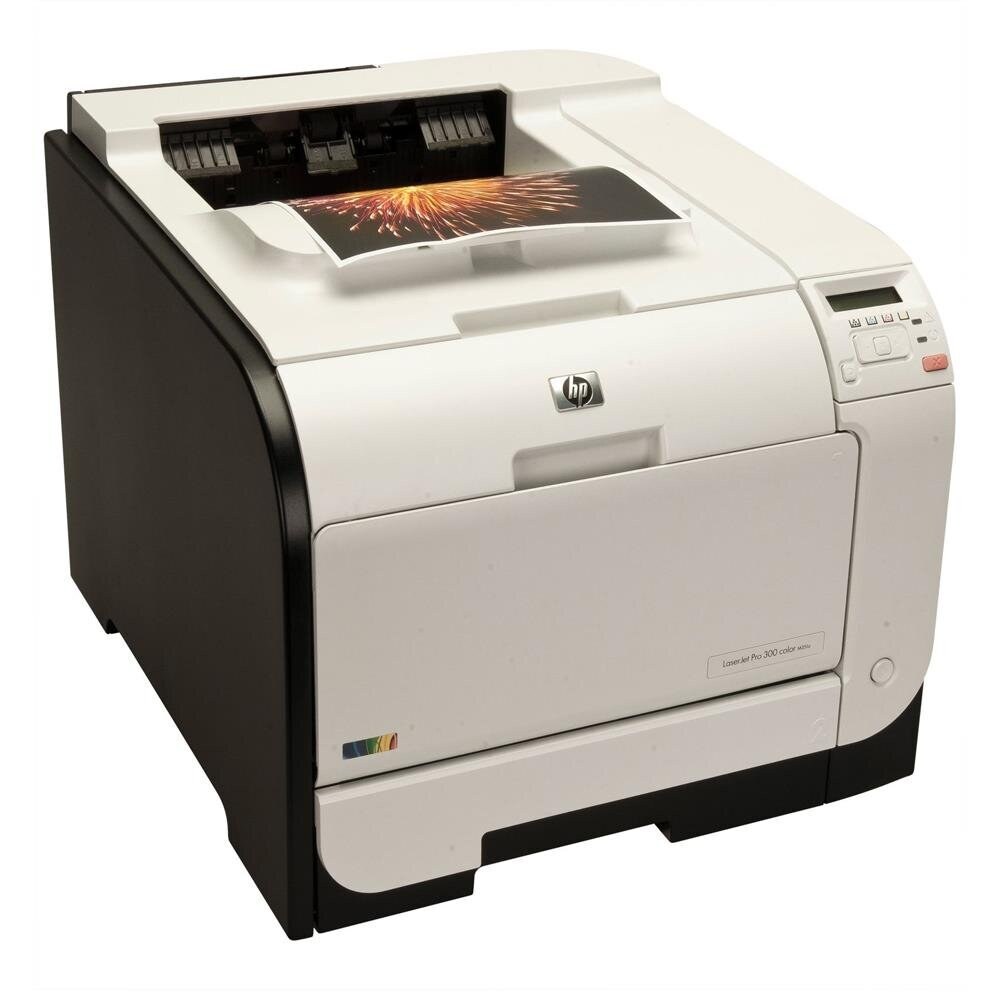
HP's 2012-era answer for small businesses that want dependable color without the extras: the LaserJet Pro 300 Color Printer M351 is a straightforward single-function machine, and its toner shelf is equally straightforward. Black is CE410A (305A) or the high-yield CE410X (305X); the color slots take CE411A cyan, CE412A yellow and CE413A magenta. All of the listings here are compatible builds of those five codes.
The Pro 300 name says it plainly: this printer was sold on doing one job well. No scanner, no fax, no touchscreen gimmicks — a workhorse that sits in a small office and produces clean color documents day after day. Because the machine makes no demands beyond its four cartridges, ownership is mostly a toner question, and the 305 cartridge family gives it one of the deepest compatible shelves of any small color laser of its era.
Toner Cartridges for LaserJet Pro 300 Color Printer M351
| Cartridge | Color | Yield |
|---|---|---|
| CE411A | Cyan | See product page |
| CE412A | Yellow | See product page |
| CE413A | Magenta | See product page |
| CE410A | Black | See product page |
| CE410X | Black | See product page |
| 305A 4 Color Set (CE410A, CE411A, CE412A, CE413A) | Full set | See product page |
| 305X & 305A 4 Color Set (CE410X black) | Full set | See product page |
| Pro 300 M351 4 Color Set | Full set | See product page |
| CE410A — black listed for the M351 | Black | See product page |
| CE411A — cyan listed for the Pro 300 M351 | Cyan | See product page |
Black listings beyond the table: CE410A single under the Compatible label, CE410A 2 Black pack, CE410A 5 Black pack, CE410A single, alternate listing, CE410A single, third listing. Color and set listings beyond the table: CE411A cyan single, Compatible label, CE412A yellow single, Compatible label, CE413A magenta single, Compatible label, 305A Premium 4 Color Set, 305A 4 Color Set, Compatible label, 3 Color Set, 8 Color Set, 5 Color Set, 4 Color Set, alternate listing, 3 Color Set, alternate listing, 3 Color Set, third listing, CE411A cyan, alternate listing, CE412A yellow, alternate listing, CE413A magenta, alternate listing, CE412A yellow, third listing.
Which cartridge should you buy?
Keep the decision as simple as the printer. Light color use — the occasional chart, logo or photo page among mostly black text — runs happily on the standard CE410A black and one each of the three colors, replaced individually as they empty. If the black cartridge is the one you keep changing, step up to the CE410X high-yield black and leave everything else standard; it is the single upgrade this machine rewards. Full sets earn their shelf space when you are stocking a new-to-you printer or refreshing all four slots at once — otherwise, one cartridge at a time is the cheaper habit.
Chip, toner and everyday use
Vertical streaks are the complaint this class of printer hears most, and they usually start inside a cartridge rather than in the machine. Print a supplies-status page first: it shows which of the five cartridges is low or failing, so you clean or replace the right one instead of guessing. A gentle side-to-side rock redistributes toner in a cartridge that is fading unevenly. When you do swap, keep the old cartridge in its box until the new one proves itself, and remember that quoted yields rest on roughly 5% coverage — a full-bleed color flyer uses toner at a very different rate than a letter.
Frequently Asked Questions
Which cartridges fit the LaserJet Pro 300 Color Printer M351?
CE410A black (or the high-yield CE410X in the same slot), CE411A cyan, CE412A yellow and CE413A magenta. Confirm against the code on your current cartridge before ordering and the fit is guaranteed.
How should I store a spare CE410A for this printer?
Sealed in its original packaging, upright, in a cool dry place out of direct sunlight. Do not break the seal until installation day — an unopened cartridge keeps well, an opened one slowly dries its seals and invites dust.
What causes vertical streaks on pages from the Pro 300 M351?
Most often a dirty or failing cartridge — the drum surface lives inside each cartridge on this design, so a streak that matches one color points at that cartridge. The supplies-status page narrows it down; replacing the culprit cartridge is the usual cure.
Does this printer need a separate drum unit?
Nothing of the sort is sold for it here: the range on this page is toner cartridges only, four slots and five codes. If a listing above does not cover a part you are looking for, the machine does not use it as a routine consumable.
More printers that use the same cartridges
The 305 cartridges are shared across a wide bench of HP color lasers. First half of the family: Color LaserJet M351, Color LaserJet M351A, Color LaserJet M375 MFP, Color LaserJet M375NW MFP, Color LaserJet M451, Color LaserJet M451DN, Color LaserJet M451DW, Color LaserJet M451NW, Color LaserJet M475, Color LaserJet M475DN, Color LaserJet M475DW, HP 305A, LaserJet Pro 300 Color M375NW, LaserJet Pro 300 Color MFP M375, LaserJet Pro 300 Color MFP M375NW.
And the rest of the family: LaserJet Pro 300 Color Printer M351A, LaserJet Pro 400 Color M451, LaserJet Pro 400 Color M451DN, LaserJet Pro 400 Color M451DW, LaserJet Pro 400 Color M451NW, LaserJet Pro 400 Color M475, LaserJet Pro 400 Color M475DW, LaserJet Pro 400 Color MFP M475, LaserJet Pro 400 Color MFP M475DN, LaserJet Pro 400 Color Printer M451, LaserJet Pro 400 Color Printer M451DN, LaserJet Pro 400 Color Printer M451DW, LaserJet Pro 400 color MFP M475DW, LaserJet Pro 400 color Printer M451NW.