




Color LaserJet M351
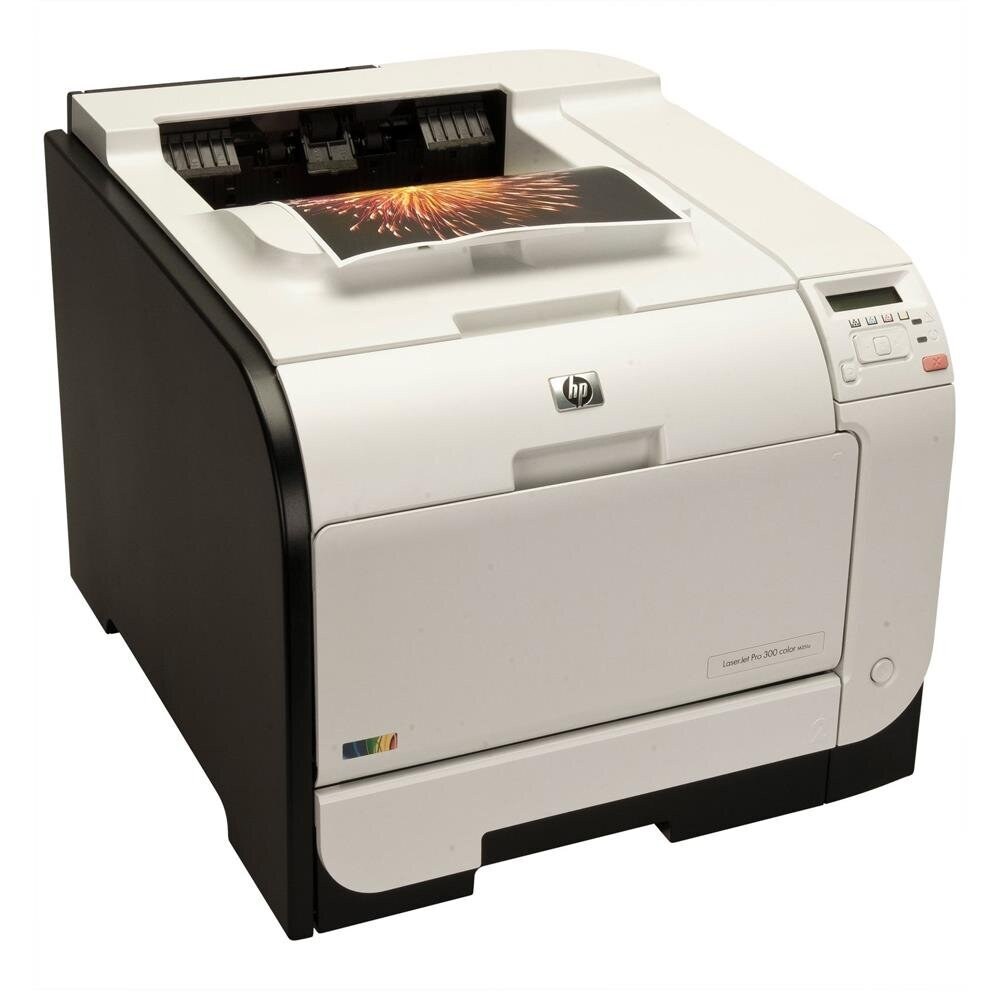
The Color LaserJet M351 is the entry-level color laser of its generation — a compact machine for small businesses that want color on the page without any drama. It feeds on four cartridges: black CE410A (305A), the high-yield black CE410X (305X), and the three colors CE411A cyan, CE412A yellow and CE413A magenta. Every cartridge listed on this page is a compatible build of one of those five codes.
HP aimed the M351 at the small team that just needs pages: invoices in the morning, a sales sheet with a color chart after lunch, and nothing exotic in between. There are no extra functions to learn and no supplies beyond the four cartridges to keep track of, which is exactly why so many of these printers are still sitting on office desks doing daily work. Keeping one fed is cheap and predictable, and that running cost is a big part of the model's appeal.
Toner Cartridges for Color LaserJet M351
| Cartridge | Color | Page Yield |
|---|---|---|
| CE410A | Black | See product page |
| CE410X | Black | See product page |
| CE411A | Cyan | See product page |
| CE412A | Yellow | See product page |
| CE413A | Magenta | See product page |
| 305A 4 Color Set (CE410A, CE411A, CE412A, CE413A) | Full set | See product page |
| 305X & 305A 4 Color Set (CE410X, CE411A, CE412A, CE413A) | Full set | See product page |
| 305A Premium 4 Color Set | Full set | See product page |
| 305A 4 Color Set — Compatible label | Full set | See product page |
| M351 4 Color Set | Full set | See product page |
The same cartridges are stocked under several further listings. Singles under the Compatible label: CE410A black, CE411A cyan, CE412A yellow, CE413A magenta, CE410A black listed for the M351, CE411A cyan listed for the Pro 300 M351. Multi-packs and larger sets: CE410A 2 Black, CE410A 5 Black, 3 Color Set (CE411A, CE412A, CE413A), 8 Color Set, 5 Color Set. Alternate listings of cartridges already named above: CE410A black, alternate listing, CE410A black, third listing, CE411A cyan, alternate listing, CE412A yellow, alternate listing, CE412A yellow, third listing, CE413A magenta, alternate listing, 3 Color Set, alternate listing, 3 Color Set, third listing, 4 Color Set, alternate listing.
Which cartridge should you buy?
Start with the black. Most small-office printing is still text, so the black cartridge does the heavy lifting: the standard CE410A suits light use, while the high-yield CE410X cuts the cost per page and stretches the interval between swaps for busier desks. Colors are a different rhythm — cyan, yellow and magenta drain one at a time depending on what you print, and the M351 tracks each separately, so replace only the color that is actually empty. When several cartridges run low together, a 4 color set refreshes the whole machine in one order; when only black is fading, a 2-pack or 5-pack of CE410A keeps spares on the shelf without buying colors you do not need yet.
Chip, toner and everyday use
Each cartridge carries a chip the M351 reads for its level estimate, and the printer warns early — the first low-toner alert usually leaves a useful amount of printing in reserve, so treat it as a reorder reminder rather than a stop sign. When a swap is due, pull the old cartridge straight out, rock the new one gently side to side to spread the toner, remove its seal and slide it in until it seats. Keep one spare black on the shelf: a mid-job outage is the one drama this printer is supposed to avoid. Page yields are estimates figured at 5% coverage, so dense color pages will drain a cartridge faster than plain text does.
Frequently Asked Questions
Which toner cartridges work with the Color LaserJet M351?
Five codes cover the machine: CE410A black, its high-yield sibling CE410X, and CE411A cyan, CE412A yellow and CE413A magenta. The label on the cartridge you pull out is the fastest confirmation of which one you are replacing.
My M351 says toner is low — should I replace the cartridge right away?
Not necessarily. The warning arrives early, and print quality usually holds up well past it. Keep printing while the pages stay clean, but have the spare ready so the swap takes a minute when the output finally fades.
Do all four cartridges need replacing at the same time?
No. Each cartridge is tracked on its own, and the printer will tell you which color is empty. Replace just that one and leave the others in place until their own turn comes.
Is there a higher-capacity black for the M351?
Yes — the CE410X is the high-yield version of the black cartridge. It fits the same slot as the CE410A and simply lasts longer between changes, which is why busy desks standardize on it.
More printers that use the same cartridges
The same five cartridges also power the rest of this printer family: Color LaserJet M351A, Color LaserJet M375 MFP, Color LaserJet M375NW MFP, Color LaserJet M451, Color LaserJet M451DN, Color LaserJet M451DW, Color LaserJet M451NW, Color LaserJet M475, Color LaserJet M475DN, Color LaserJet M475DW, HP 305A, LaserJet Pro 300 Color M375NW, LaserJet Pro 300 Color MFP M375, LaserJet Pro 300 Color MFP M375NW, LaserJet Pro 300 Color Printer M351, LaserJet Pro 300 Color Printer M351A, LaserJet Pro 400 Color M451, LaserJet Pro 400 Color M451DN, LaserJet Pro 400 Color M451DW, LaserJet Pro 400 Color M451NW, LaserJet Pro 400 Color M475, LaserJet Pro 400 Color M475DW, LaserJet Pro 400 Color MFP M475, LaserJet Pro 400 Color MFP M475DN, LaserJet Pro 400 Color Printer M451, LaserJet Pro 400 Color Printer M451DN, LaserJet Pro 400 Color Printer M451DW, LaserJet Pro 400 color MFP M475DW, LaserJet Pro 400 color Printer M451NW.