




Color LaserJet 2500N
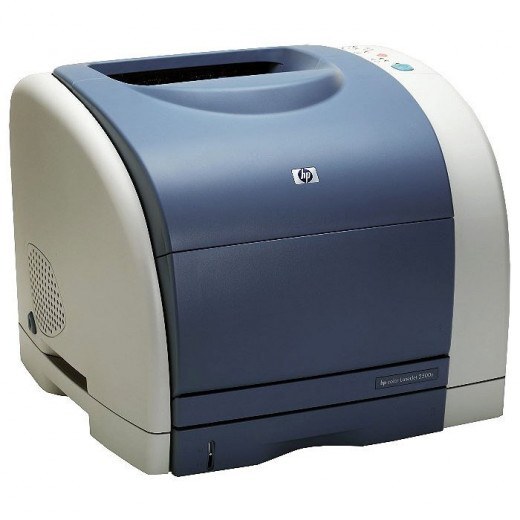
Wired straight into the office LAN, the Color LaserJet 2500N is the network-ready member of the 2500 family — one early-2000s chassis serving a whole workgroup's color printing. The N changes who can reach the printer, not what it eats: it runs the HP 121A family, C9700A black through C9703A magenta, with the complete set imaging through the C9704A drum unit.
A networked printer belongs to everyone, which means its toner runs out on everyone's schedule — usually the morning of a deadline. The 2500N's owners tend to be offices that standardized on it years ago and see no reason to replace a machine that still does its job. For them, supplies are a logistics exercise: the right set, on the shelf, before it is needed.
Toner Cartridges for Color LaserJet 2500N
- C9700A — black toner cartridge, sold as a single.
- C9701A — cyan toner cartridge, sold as a single.
- C9702A — yellow toner cartridge, sold as a single.
- C9703A — magenta toner cartridge, sold as a single.
- C9700A black cartridge, 121A listing.
- 2500N 4-color set.
- 121A 4-color set (C9700A, C9701A, C9702A, C9703A).
- 1500LXI 6-color set (C9701A, C9702A, C9703A).
On the Color LaserJet 2500N the drum unit is a separate purchase from the toner. Alongside the C9700A, C9701A, C9702A and C9703A cartridges, this page lists the C9704A as the C9704A imaging drum unit and as the C9704A imaging drum, 121A listing.
Which cartridge should you buy?
Network duty argues for the set-first strategy: hold the 2500N 4-color set as the workgroup spare so any empty slot is a two-minute fix, then reorder the set the same day. Singles still have their place — an extra C9700A black beside the set covers the cartridge a busy office burns through fastest. Genuine OEM is stocked if your office standardizes on factory toner; the compatible set is the economical default. The C9704A drum is an occasional, planned purchase, not part of the routine rotation.
Chip, toner and everyday use
On a shared machine, label discipline saves support calls: when you swap a cartridge, note the date and color on the supply log so the next person knows what is fresh. Fit cartridges level and firm until they click; a supply message on the panel after a swap almost always means the new cartridge needs one reseat. Keep the spare set in the same room as the printer if you can — toner stored at office temperature, away from radiators and windows, is ready the moment it is needed.
Frequently Asked Questions
Does networking change which cartridges the 2500N uses?
No. The N adds an Ethernet connection to the standard 2500 engine. It takes the same C9700A black, C9701A cyan, C9702A yellow and C9703A magenta, and the same C9704A drum, as the base model.
Several users print to our 2500N. How do we avoid running dry?
Keep one full set plus a spare C9700A black in the cabinet, and reorder when the spare set goes into the machine. Black empties first under document workloads; colors follow color-page volume.
Is there a separate drum to maintain on the 2500N?
Yes — the C9704A imaging drum is a distinct part under all four toner cartridges. It lasts through many cartridge cycles; replace it when output looks faded or streaky in every color despite fresh toner.
More printers that use the same cartridges
These models share the 2500N's exact cartridge set: Color LaserJet 1500, Color LaserJet 1500L, Color LaserJet 1500LXI, Color LaserJet 2500, Color LaserJet 2500L, Color LaserJet 2500LSE, Color LaserJet 2500TN, HP 121A.