




Color LaserJet 2500
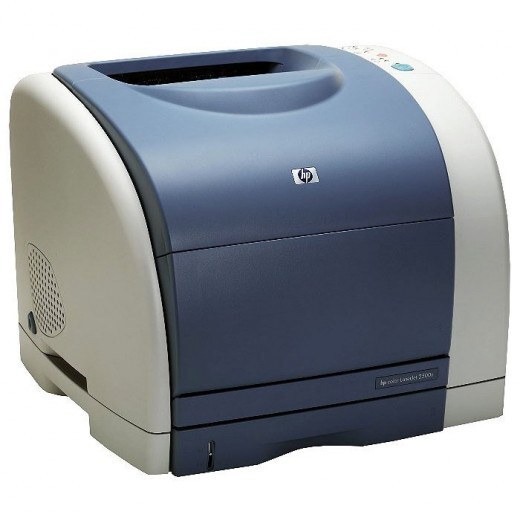
The workgroup member of HP's early-2000s color line, the Color LaserJet 2500 was built to be shared by a small team and kept for years. This base configuration is the no-network member of the family, and it runs the same HP 121A toner set as its siblings: C9700A black, C9701A cyan, C9702A yellow and C9703A magenta, imaging through the shared C9704A drum unit.
Shared printers live a different life from desk machines: five people's worth of reports, charts and handouts, often in bursts before meetings. The 2500 was specified for exactly that, and its supply rhythm follows the workload — black cycles steadily, colors go in waves. Keeping one full spare set in the supply cabinet is the entire maintenance strategy for a machine like this; the printer itself rarely asks for anything else.
Toner Cartridges for Color LaserJet 2500
| Cartridge | Color | Page Yield |
|---|---|---|
| C9700A | Black toner | See product page |
| C9701A | Cyan toner | See product page |
| C9702A | Yellow toner | See product page |
| C9703A | Magenta toner | See product page |
Sets and multipacks stocked on this page: C9700A black cartridge, 121A listing; 2500 4-color set; 121A 4-color set (C9700A, C9701A, C9702A, C9703A); 1500LXI 6-color set (C9701A, C9702A, C9703A).
For the Color LaserJet 2500, keep in mind that the imaging drum is not part of any toner cartridge: while C9700A through C9703A cover black, cyan, yellow and magenta, the C9704A drum is sold on its own — see the C9704A imaging drum unit and the C9704A imaging drum, 121A listing.
Which cartridge should you buy?
For a shared 2500, stock the 2500 4-color set as your standing spare: when any color runs out mid-week, the replacement is already in the building, and the set keeps all four colors at a similar age, which holds color output consistent for the whole team. Between set changes, top up the C9700A black on its own — it will always be the first to go. Add the C9704A drum to the list only when prints look uniformly tired across black and colors alike.
Chip, toner and everyday use
In a workgroup printer, most supply complaints trace back to a hurried swap: a cartridge pushed in at an angle, or the sealing tape only partly removed. Pull the tape fully, hold the cartridge level, and slide it home until it clicks. If the panel still complains, reseat the cartridge once before suspecting the part. And because the 2500's bay opens to a room full of people, keep a small brush nearby — a quick sweep of loose toner during swaps keeps the next prints clean.
Frequently Asked Questions
Does the base Color LaserJet 2500 need different toner from the 2500N?
No. Networking is the difference between the configurations, not the engine. Every 2500 variant takes the C9700A black and the C9701A, C9702A and C9703A colors, plus the C9704A drum.
We print mostly black text. Do the color cartridges still get used up?
Barely. Text work draws on the C9700A black; the colors are consumed by color pages and by the printer's calibration cycles. Expect to change black several times between color changes.
What warranty comes with the compatible cartridges on this page?
Clever Supplies compatibles carry a 1-year warranty with 1-year returns. Genuine OEM cartridges are covered by the manufacturer instead.
More printers that use the same cartridges
Every model in this list takes the identical 121A set and drum: Color LaserJet 1500, Color LaserJet 1500L, Color LaserJet 1500LXI, Color LaserJet 2500L, Color LaserJet 2500LSE, Color LaserJet 2500N, Color LaserJet 2500TN, HP 121A.