




Color LaserJet 1500
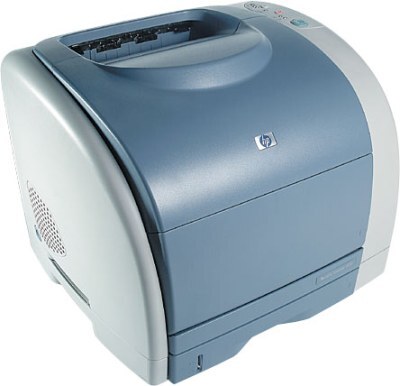
The Color LaserJet 1500 was the machine that put color laser printing on ordinary desks in the early 2000s, and this base configuration is still at work in plenty of small offices. It prints through the HP 121A cartridge family: C9700A black, C9701A cyan, C9702A yellow and C9703A magenta. All four colors image through one shared drum, the C9704A, which is replaced far less often than the toner itself.
Treat the 1500 as a straightforward shared printer for invoices, letters and the occasional color handout. It has no appetite for exotic supplies: when a color fades you swap that one cartridge, and when the whole set ages together a four-color set resets the machine in one pass. Compatible and genuine OEM cartridges are both stocked here, so keeping this veteran running is a stocking decision, not a repair project.
Toner Cartridges for Color LaserJet 1500
| Cartridge | Color | Page Yield |
|---|---|---|
| C9700A | Black toner | See product page |
| C9701A | Cyan toner | See product page |
| C9702A | Yellow toner | See product page |
| C9703A | Magenta toner | See product page |
Sets and multipacks stocked on this page: C9700A black cartridge, 121A listing; 1500 4-color set; 121A 4-color set (C9700A, C9701A, C9702A, C9703A); 1500LXI 6-color set (C9701A, C9702A, C9703A).
Alongside the four 121A toner cartridges for the Color LaserJet 1500 — C9700A in black, C9701A in cyan, C9702A in yellow and C9703A in magenta — this printer also uses an imaging drum that is separate from the toner cartridges. That drum is the C9704A, listed here as the C9704A imaging drum unit and as the C9704A imaging drum, 121A listing.
Which cartridge should you buy?
Buy singles when one color gives out first — in most offices that is the C9700A black, since text pages outnumber color pages by a wide margin, and a spare black on the shelf is the cheapest insurance this printer asks for. Reach for the 1500 4-color set or the 121A 4-color set when several colors are fading at once or when the machine is new to you and its history is unknown; a matched set also evens out color balance. The C9704A drum is a separate, occasional purchase — budget for it only when print quality drops across every color at the same time.
Chip, toner and everyday use
On install, push each cartridge straight in until it seats with a click; a cartridge that sits slightly proud is the usual reason for a recognition warning on this generation, and reseating it almost always clears the message. Toner that has sat for months benefits from a gentle side-to-side rock before fitting, which loosens settled powder. Keep unopened cartridges flat, out of direct sunlight, and never shake a cartridge over the open printer — stray toner dust is what turns a clean swap into a cleaning job.
Frequently Asked Questions
Which toner cartridges does the Color LaserJet 1500 take?
Four: C9700A black, C9701A cyan, C9702A yellow and C9703A magenta — the HP 121A family. All four print through the separate C9704A imaging drum.
Is the drum the same thing as a toner cartridge on the 1500?
No. The four toner cartridges carry the color powder; the C9704A is the imaging drum they all share, and it lasts through many cartridge changes. Replace toner when one color runs low; think about the drum only when every color looks washed out at once.
Do I have to replace all four cartridges together?
No — each color swaps on its own. Most owners replace the C9700A black two or three times for every color change. A four-color set only makes sense when several cartridges are near empty together.
Are compatible 121A cartridges covered by any warranty?
Compatible cartridges from Clever Supplies carry a 1-year warranty and 1-year returns, so a cartridge that misbehaves in the first year is a replacement conversation, not a loss.
More printers that use the same cartridges
The same 121A cartridges and drum also serve these HP models: Color LaserJet 1500L, Color LaserJet 1500LXI, Color LaserJet 2500, Color LaserJet 2500L, Color LaserJet 2500LSE, Color LaserJet 2500N, Color LaserJet 2500TN, HP 121A.