




Color LaserJet 2500LSE
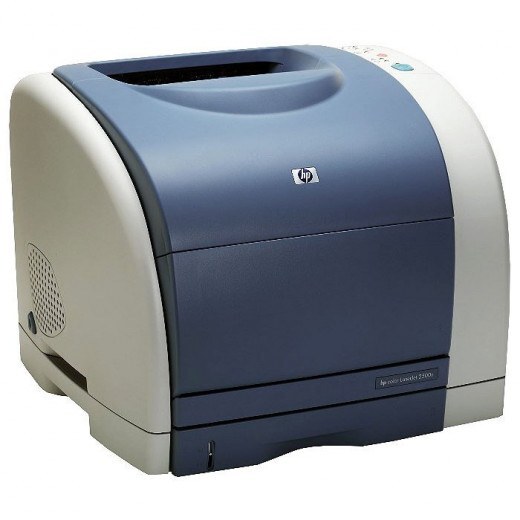
The LSE badge marked a special-edition bundle of the 2500L — extra software or supplies in the box, sold through retail channels to first-time color workgroup buyers. Once the box is unpacked, a 2500LSE is pure 2500-family hardware: it feeds on HP 121A toner, C9700A black, C9701A cyan, C9702A yellow and C9703A magenta, over the common C9704A imaging drum.
Special editions confuse owners years later, when the bundle paperwork is long gone and the printer simply needs toner. The useful fact is that nothing about the LSE is exotic: it is a standard member of a large cartridge family, which is why its supplies remain easy to find in both compatible and genuine OEM form. If your LSE is still printing, its next decade of supplies is exactly the list on this page.
Toner Cartridges for Color LaserJet 2500LSE
| Cartridge | Color | Page Yield |
|---|---|---|
| C9700A | Black toner | See product page |
| C9701A | Cyan toner | See product page |
| C9702A | Yellow toner | See product page |
| C9703A | Magenta toner | See product page |
Sets and multipacks stocked on this page: C9700A black cartridge, 121A listing; 2500LSE 4-color set; 121A 4-color set (C9700A, C9701A, C9702A, C9703A); 1500LXI 6-color set (C9701A, C9702A, C9703A).
Because the imaging drum sits apart from the toner cartridges in the Color LaserJet 2500LSE, the C9704A is listed on its own here: choose the C9704A imaging drum unit or the C9704A imaging drum, 121A listing. The toners themselves come as individual C9700A, C9701A, C9702A and C9703A cartridges or as the 2500LSE 4 Color Set.
Which cartridge should you buy?
Because the 2500LSE 4-color set exists for this exact configuration, a full refresh is one order: four cartridges, one delivery, no cross-checking codes. For routine top-ups, buy the single that ran out — the C9700A black will lead the rotation in any office that prints documents more than pictures. Keep the C9704A drum off the list until print quality sags in every color at once; it is a long-life part, not a consumable you cycle with toner.
Chip, toner and everyday use
When a cartridge has been stored since the bundle era, treat it kindly: a slow rock end to end wakes the toner up, and the seal tape should come away in one pull before the cartridge goes in. Seat it squarely until it clicks — the 2500 family's supply warnings usually mean a cartridge is sitting a fraction short of home, and a reseat fixes it. Avoid leaving the bay open longer than the swap takes; dust settling on the drum surface shows up as specks on prints.
Frequently Asked Questions
Does the special edition need special toner?
No. The LSE was a packaging edition of the 2500L, and its cartridge bay is the standard one: C9700A, C9701A, C9702A and C9703A, with the C9704A drum underneath.
My LSE has not printed in a year. What should I check first?
Print a test page and look at which colors are weak. Toner that sat idle often recovers after a gentle rock of the cartridge; a color that stays faded after that needs replacing, individually — there is no need to change all four.
Are the compatible cartridges on this page returnable?
Yes — Clever Supplies compatibles come with 1-year returns alongside the 1-year warranty, which takes the risk out of trying them in an older machine like the LSE.
More printers that use the same cartridges
Fellow members of the 121A family include: Color LaserJet 1500, Color LaserJet 1500L, Color LaserJet 1500LXI, Color LaserJet 2500. The rest of the family: Color LaserJet 2500L, Color LaserJet 2500N, Color LaserJet 2500TN, HP 121A.