




Color LaserJet 1500L
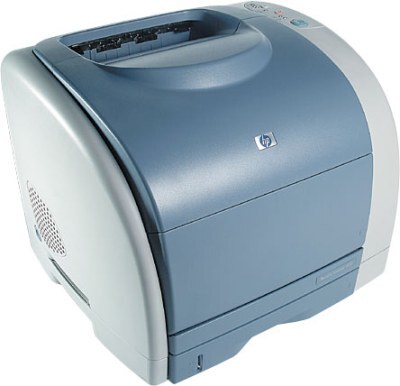
The L in the Color LaserJet 1500L stands for a trimmed-down configuration — the same 1500-series color engine in a simpler package for buyers who wanted color without the extras.
The one thing HP did not trim was the toner bay: the 1500L uses the standard HP 121A cartridges (C9700A through C9703A). Compatible C9700A black and the color set keep this value configuration running cheaply; genuine OEM is here for purists. Broken out individually, the color slots take the cyan C9701A and the yellow C9702A next to the black and magenta, and all four cartridges print through the same C9704A imaging drum.
Toner Cartridges for Color LaserJet 1500L
This printer works with the following toner cartridges:
- HP C9700A
- HP C9701A
- HP C9702A
- HP C9703A
More HP Printers
- Color LaserJet 1500
- Color LaserJet 1500LXI
- Color LaserJet 2500
- Color LaserJet 2500L
- Color LaserJet 2500LSE
- Color LaserJet 2500N
- Color LaserJet 2500TN
Frequently Asked Questions
What cartridges fit the Color LaserJet 1500L?
For the Color LaserJet 1500L, buy C9700A, C9701A, C9702A, and C9703A — those are the exact codes built for this printer.
How do I replace the toner cartridge in the Color LaserJet 1500L?
Open the Color LaserJet 1500L's front access door, pull the spent cartridge straight out, unpack the new C9700A and remove its sealing tape, then slide it in until it seats — the Color LaserJet 1500L runs a short cycle once you close the door.
Which cartridge do I replace when colors fade on the Color LaserJet 1500L?
Check the Color LaserJet 1500L's supplies status to identify the low color, then replace only that cartridge from the C9700A, C9701A, C9702A, and C9703A set; the remaining colors in the Color LaserJet 1500L stay put.