




Laser W5300
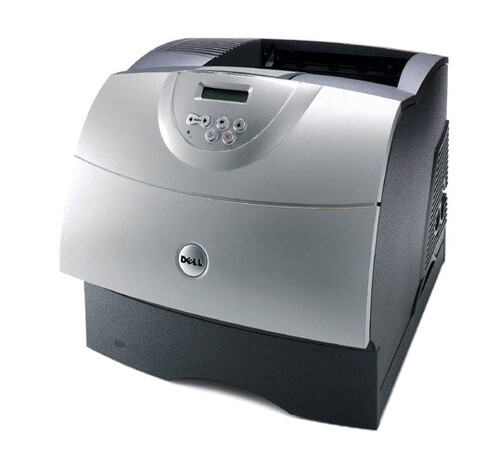
The Dell W5300 is a departmental monochrome powerhouse: a 225,000-page monthly duty cycle, a million-page printer life, and toner cartridges that stretch to an extraordinary 27,000 pages. Two numbers cover its toner needs: the high-yield 310-4133 black for everyday departmental volume, and the 310-4587 (M2925) — the extra-high-yield MICR cartridge reserved for check printing.
This printer is infrastructure, not an accessory. It is built for print rooms and departments where output is measured in reams, with optional duplexing, expandable paper handling, and PostScript 3 and PCL 6 support so it integrates into any enterprise environment. Machines at this scale are bought on cost per page and uptime, and both come back to the same thing: very large cartridges, changed rarely, on a predictable schedule.
Toner Cartridges for Dell W5300
| Cartridge | Color | Page Yield |
|---|---|---|
| Dell W5300 High Yield Toner Cartridge | Black | See product page |
| 310-4133 High Yield | Black | See product page |
| 310-4133 Premium Quality High Yield 5 Pack | Black | See product page |
| Dell W5300 High Yield 5 Pack | Black | See product page |
| 310-4587 (M2925) MICR Extra High Yield | Black | See product page |
Which cartridge should you buy?
Simplicity is the selling point: the W5300 asks you to stock essentially one cartridge. The high-yield 310-4133 carries the department's everyday volume, and with cartridges in this family stretching to 27,000 pages, a single change can cover weeks of heavy printing. The 5-pack listings exist for facilities that run several of these machines and buy toner by the shelf. The only alternative on the page is a specialist: the 310-4587 (M2925) MICR cartridge, an extra-high-yield build whose magnetic toner exists for one job — printing checks the banking system can read. If your W5300 never prints a check, you never need it; if it does, nothing else substitutes.
Chip, toner and everyday use
At 27,000-page ratings, a W5300 cartridge is a long-term tenant, so treat it like one: yields are quoted at five percent coverage, and wide, dense departmental work draws toner down faster per page. The cartridge's chip reports its identity and level to the printer from the moment it seats. Horizontal banding on output often points past the toner to a damaged drum or dirty charge roller — try a fresh cartridge first, and if the bands repeat at regular intervals, schedule the drum. Rocking a fading cartridge side to side redistributes toner for the end of a run. Store the next cartridge sealed and flat; at this size, a spare is a real investment worth sheltering from heat and light.
Frequently Asked Questions
Which cartridges does the Dell W5300 use?
The W5300 uses K2885, X2046, J2925, 310-4133, M2925, N2157, C3044, Y2044, 310-4585 and 310-4587 supplies. The cartridges stocked on this page are the high-yield 310-4133 and the MICR 310-4587 — match the code on your current cartridge before ordering.
What paper sizes can the W5300 handle?
It is a wide-format-capable workgroup printer that handles larger sheets than a typical desk laser. Cartridge choice does not change with paper size, though bigger pages use more toner per sheet — worth remembering when a 27,000-page rating meets a wide-format workload.
My W5300 prints have horizontal banding — what causes it?
Horizontal bands often come from a damaged drum or a dirty charge roller rather than the toner itself. Try a fresh cartridge from the listed codes first; if banding continues at regular intervals, the drum unit likely needs replacement.
What is the MICR cartridge for?
Checks. The 310-4587 (M2925) carries magnetic toner that check readers scan, in an extra-high-yield build sized for long check runs. Ordinary documents should stay on the standard high-yield 310-4133.
More printers that use the same cartridges
The W5300's supply family also serves these Dell printers: Color Laser Laser M5200N, Color Laser Laser W5300, Color Laser Laser W5300N, Color Laser Laser W5600N, Color Laser Laser M5200, Dell 310-4133, Laser 5200, Laser 5200N, Laser M5200, Laser M5200N, Laser W5300N, Laser W5600, Laser W5600N.