




Laser 5200
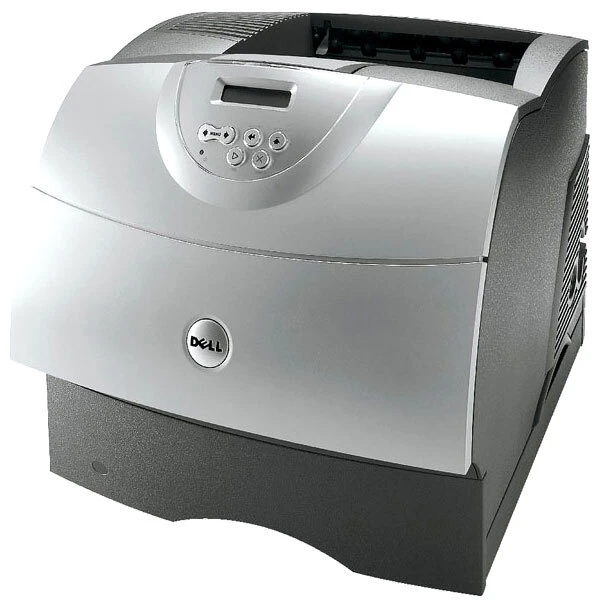
The Dell 5200 is Dell's workgroup-class monochrome laser — a departmental machine with a high monthly duty cycle, optional duplex printing, and expandable paper handling for offices that run on black-and-white documents. Built for reliability, it's the printer you install and forget until the toner runs low.
The 5200's toner family (310-4131 through 310-4133, plus 310-3544/3545 and the J2925/W2989 series) offers high-yield cartridges suited to shared use. Both OEM and compatible options are in stock below.
Toner Cartridges for Dell 5200
This printer works with the following toner cartridges:
- Dell R0136
- Dell 310-4132
- Dell D1853
- Dell X2046
- Dell K2885
- Dell 310-4131
- Dell J2925
- Dell R0137
- Dell W2989
- Dell 310-4549
- Dell 310-4133
- Dell 310-3544
- Dell 310-3545
Frequently Asked Questions
Which toner cartridges does the Dell 5200 use?
The 5200 uses several cartridge variants, including the 310-4132, 310-4131, and 310-4133 series cartridges, plus R0136, D1853, X2046, K2885, J2925, R0137, W2989, 310-4549, 310-3544, and 310-3545 codes covering different supply components. Check the label on your current cartridge to order the exact match.
The 5200 is an older printer - are cartridges still available?
Supplies for the 5200 remain available from specialty retailers, with 13 cartridge codes listed for this model. Because it is an older printer, stocking a spare cartridge is wise in case availability fluctuates.
My 5200 prints show a repeating mark down the page - what causes it?
Repeating defects on the 5200 usually come from a damaged drum or fuser roller rather than plain low toner. Try replacing the relevant supply component among the listed codes (such as R0136 or 310-4132); if the mark spacing matches the fuser circumference, the fuser itself may need replacement.