




Laser M5200N
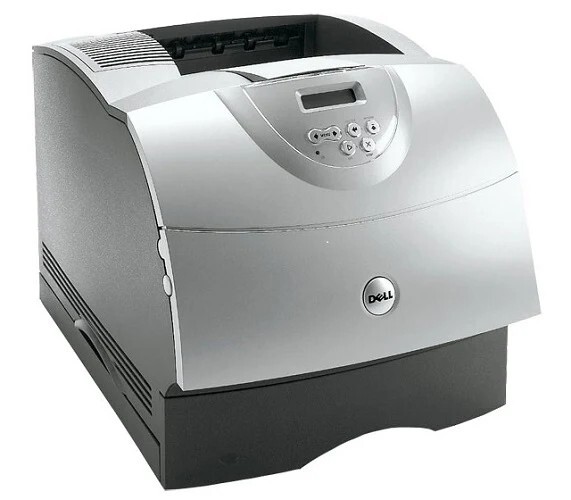
The Dell M5200N pairs the rugged M5200 workgroup mono laser with built-in networking, making it the shared-printer version of the platform. High-volume monochrome output, a monthly duty cycle built for departments, and optional duplexing and extra paper drawers keep it productive in networked offices. Its stocked high-yield black is the 310-4133, and the same shelf offers the 310-4587 (M2925) extra-high-yield MICR cartridge for check printing.
Where the base M5200 serves a desk, the M5200N serves a floor. One networked machine absorbs the output of a whole department, which concentrates both the savings and the wear: fewer printers to maintain, but a single cartridge supply that many people depend on. Dell's answer is capacity — the 5200 family's cartridges come in high-capacity versions that stretch service intervals on shared printers, so the supply closet, not the printer, sets the maintenance rhythm.
Toner Cartridges for Dell M5200N
| Cartridge | Color | Page Yield |
|---|---|---|
| Dell M5200N High Yield Toner Cartridge | Black | See product page |
| 310-4133 High Yield | Black | See product page |
| 310-4133 Premium Quality High Yield 5 Pack | Black | See product page |
| Dell M5200N High Yield 5 Pack | Black | See product page |
| 310-4587 (M2925) MICR Extra High Yield | Black | See product page |
Which cartridge should you buy?
For a shared M5200N, the buying decision is mostly about stock depth. The high-yield 310-4133 is the cartridge every configuration centers on; the question is whether you order it singly or lean on the 5-pack listings so a department never waits on a delivery. Its sibling codes in the 5200 family — 310-4131, 310-4132, 310-3544 and 310-3545 — come in high-capacity versions for the same reason: long intervals between changes. The 310-4587 (M2925) MICR cartridge is the specialist of the shelf, bought only by offices that print checks on this machine. Everyone else should standardize on the high-yield black and keep one spare beside the printer.
Chip, toner and everyday use
A networked printer tells you its supply state remotely: open the M5200N's embedded web page or status monitor to check toner levels without walking to the machine, and reorder when the level drops below about twenty percent. The cartridge itself is identified by its chip the moment it seats, so a swap takes seconds. Yield ratings assume five percent coverage; a department printing dense reports will finish cartridges sooner, which is why the remote check matters more than the rating. Rock a fading cartridge gently side to side to redistribute toner while the replacement ships. Keep spares sealed, flat and away from heat and light.
Frequently Asked Questions
Does the M5200N work on a network?
Yes — the N suffix means built-in networking. Connect it by Ethernet and share it across the office; its cartridge set, led by the 310-4133, is identical to the base M5200's.
Which supplies fit the Dell M5200N?
All 13 codes in the 5200 family fit: 310-4132, 310-4131, 310-4133, 310-4549, 310-3544, 310-3545, R0136, D1853, X2046, K2885, J2925, R0137 and W2989. Copy the code from your spent cartridge for a like-for-like replacement.
How can I check toner levels on a networked M5200N?
Open the printer's embedded web page or the status monitor over the network to see supply levels from your desk. Reorder a spare when levels drop below about twenty percent, so a shared printer is never caught empty.
Is the M5200N's cartridge the same as the M5200's?
Yes — networking is the only difference between the two models, and the entire 5200 supply family, including the MICR 310-4587, interchanges between them.
More printers that use the same cartridges
These Dell printers share the M5200N's supply family: Color Laser Laser M5200N, Color Laser Laser W5300, Color Laser Laser W5300N, Color Laser Laser W5600N, Color Laser Laser M5200, Dell 310-4133, Laser 5200, Laser 5200N, Laser M5200, Laser W5300, Laser W5300N, Laser W5600, Laser W5600N.