




Color Laser Laser B5465DNF
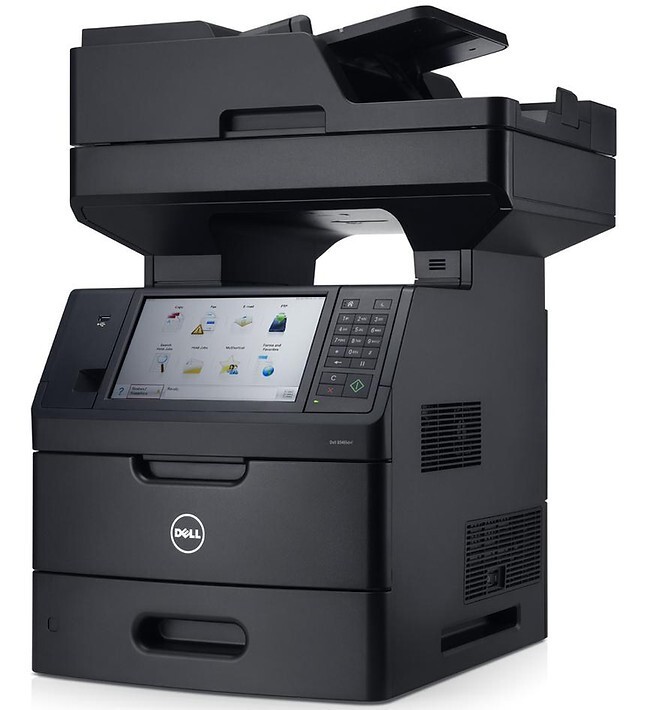
Document workflow is the Dell B5465DNF's real product: the 150-sheet dual-scan feeder digitizes two-sided originals at up to 72 sides per minute, scan-to-email and scan-to-network-folder shortcuts live on the 10.2-inch touchscreen, and the 70-ppm print engine outputs it all. It is built for departments where paper becomes data all day long.
That pace consumes toner steadily, so the extra-high-yield cartridge (about 45,000 pages) is less a luxury than a requirement — fewer interruptions on a shared machine. Compatible versions keep the workflow economics as impressive as the workflow itself.
Toner Cartridges for Dell B5465DNF
This printer works with the following toner cartridges:
- Dell 2TTWC
- Dell 331-9755
- Dell 331-9756
- Dell 331-9757
- Dell 331-9795
- Dell 331-9797
- Dell 593-11185
- Dell 593-11187
- Dell 593-11190
- Dell 593-11194
- Dell 593-BBYR
- Dell 71MXV
- Dell FGVX0
- Dell G7TY4
- Dell GDFKW
- Dell GW3G4
- Dell J1X2W
- Dell PG6NR
- Dell T6J1J
- Dell X5GDJ
- Dell YT3W1
Frequently Asked Questions
Which toner cartridges does the Dell B5465DNF take?
The Dell B5465DNF uses the Dell cartridge family that includes 2TTWC, 331-9755, 331-9756, 331-9757, 331-9795, 331-9797, and more. Match the part number on your old cartridge to be sure you get the right color.
Why is my Dell B5465DNF printing faded streaks?
Faded streaks on the B5465DNF usually mean a color cartridge is running low or toner has settled — try removing and gently rocking the cartridge from its set (2TTWC, 331-9755, 331-9756, 331-9757, 331-9795, 331-9797, and more) to redistribute toner. If the streaks persist, that color is likely due for replacement.
Does shaking a low toner cartridge help the Dell B5465DNF?
Yes — gently rocking a low B5465DNF cartridge side to side redistributes the remaining toner and can buy dozens more pages. It works because toner settles; just keep the cartridge level and don't shake it violently.