




Color Laser Laser 2335dn
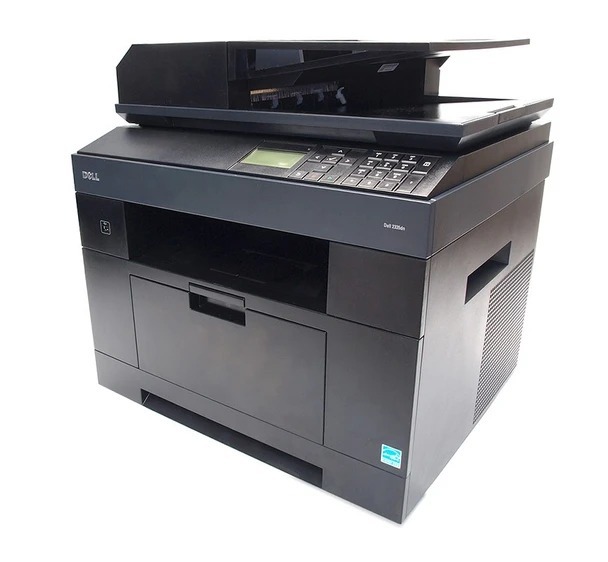
The Dell 2335dn is the networked, duplexing version of Dell’s mono all-in-one — the one to choose when the printer sits in a shared office and everyone needs access. Automatic two-sided printing cuts paper use, while network connectivity means no USB-cable musical chairs.
Its cartridge family includes the 330-2208 and 330-2209 black toners in yields that suit shared-office volumes. Whether you prefer genuine OEM Dell cartridges or high-quality compatibles with the same sharp output, keeping a spare on hand means the whole office keeps moving.
Toner Cartridges for Dell 2335dn
This printer works with the following toner cartridges:
- Dell CR963
- Dell NX993
- Dell 330-2208
- Dell HX756
- Dell NX994
- Dell 330-2209
- Dell R189G
- Dell 593-10329
Frequently Asked Questions
Which replacement toner should I buy for my Dell 2335dn?
Dell cartridges like R189G and NX993 fit the Dell 2335dn. Stick with cartridges built for this exact model — a wrong cartridge may fit physically, but the printer can refuse to recognise it.
Why is my Dell 2335dn using toner when I only scan?
Scanning alone can't use toner — if the Dell 2335dn is consuming it, something is printing: check for stuck print jobs, copies being made instead of scans, or faxes arriving and printing automatically.
How should I store spare cartridges for the Dell 2335dn?
Keep spares for the Dell 2335dn sealed in their original packaging, stored upright in a cool, dry place away from direct sunlight. Don't open the bag until you're ready to install — light and humidity are what degrade toner.