




Color Laser Laser 2335
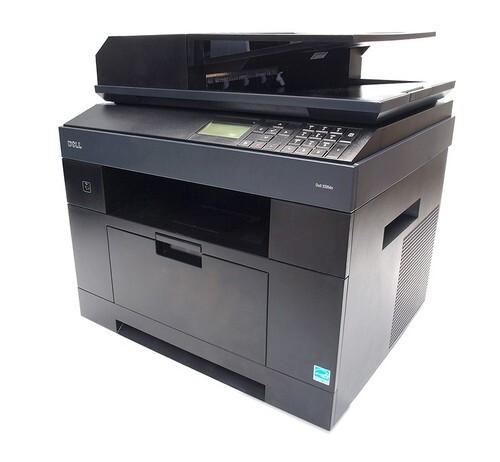
Still running a desktop inkjet for office documents? The Dell 2335 monochrome multifunction is the upgrade that pays for itself: laser-sharp text, far lower cost per page, and print/copy/scan/fax in a single unit that fits on or beside a desk.
With only one black cartridge to replace — and yield options in the 2335 cartridge family for different volumes — running costs stay predictable and low. Compatible Dell 2335 toner cartridges make the switch even more economical, delivering crisp professional output for a fraction of OEM prices.
Toner Cartridges for Dell 2335
This printer works with the following toner cartridges:
- Dell CR963
- Dell NX993
- Dell 330-2208
- Dell HX756
- Dell NX994
- Dell 330-2209
- Dell R189G
- Dell 593-10329
Frequently Asked Questions
My Dell 2335 needs new toner — which cartridges should I order?
The 2335 takes Dell toner cartridges CR963, NX993, 330-2208, HX756, NX994, 330-2209, R189G, 593-10329. Keep this list handy — ordering by Dell part number is the most reliable way to get a match.
I bought a new cartridge for my 2335 — how do I put it in?
After inserting the new 2335 cartridge (CR963, NX993, 330-2208, HX756, NX994, 330-2209, R189G, 593-10329), close the cover and let the printer run its short initialization. If the printer still shows the old cartridge, reseat it — a cartridge that isn't fully clicked in won't be recognized.
How should I store spare toner for the Dell 2335?
2335 toner doesn't truly expire, but cartridges stored badly can clump or leak. Leave the sealed cartridges (CR963, NX993, 330-2208, HX756, NX994, 330-2209, R189G, 593-10329) in a climate-controlled spot — not a garage or attic — and they'll be ready when the printer calls for them.