




Laser 2335
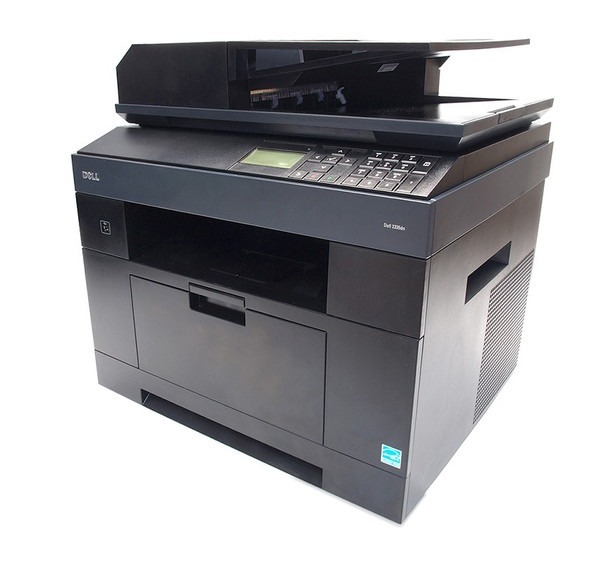
The Dell 2335 is the desktop-friendly base of Dell’s monochrome multifunction line — print, copy, scan, and fax in a footprint that fits a home office or a single workstation. It trades the dn model’s duplex-and-network extras for simplicity and a lower upfront price.
Because it’s a mono machine, there’s just one black cartridge to buy, and the 2335’s cartridge family includes yields for both light and steady use. Our compatible Dell 2335 toner cartridges keep per-page costs low with sharp, consistent output — ideal for contracts, forms, and everyday paperwork.
Toner Cartridges for Dell 2335
This printer works with the following toner cartridges:
- Dell CR963
- Dell NX993
- Dell 330-2208
- Dell HX756
- Dell NX994
- Dell 330-2209
- Dell R189G
- Dell 593-10329
Frequently Asked Questions
Which toner does the Dell 2335 multifunction use?
The 2335 uses the 330-2208 and 330-2209 black toner cartridges; CR963, NX993, NX994, HX756 and R189G are Dell's letter-code equivalents, with 593-10329 as the kit number. Match the number on your current cartridge to order the right one.
Can the 2335 copy both sides of an ID card onto one page?
Yes: use the ID-card copy feature from the control panel, which scans both sides and prints them together on one sheet. It is a scanner function, so it uses a small amount of toner for the single output page just like any other copy.
The 2335's automatic document feeder keeps jamming, how do I fix it?
ADF jams are usually dirty or worn feed rollers: open the ADF cover and wipe the rollers with a damp cloth. Fan originals before loading, remove staples and sticky notes, and do not exceed the ADF's sheet capacity; overloading is the top cause of misfeeds.