





 See Compatible Printers
 Read more about our ink!
Epson
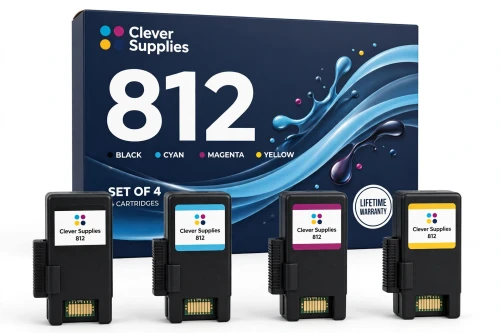
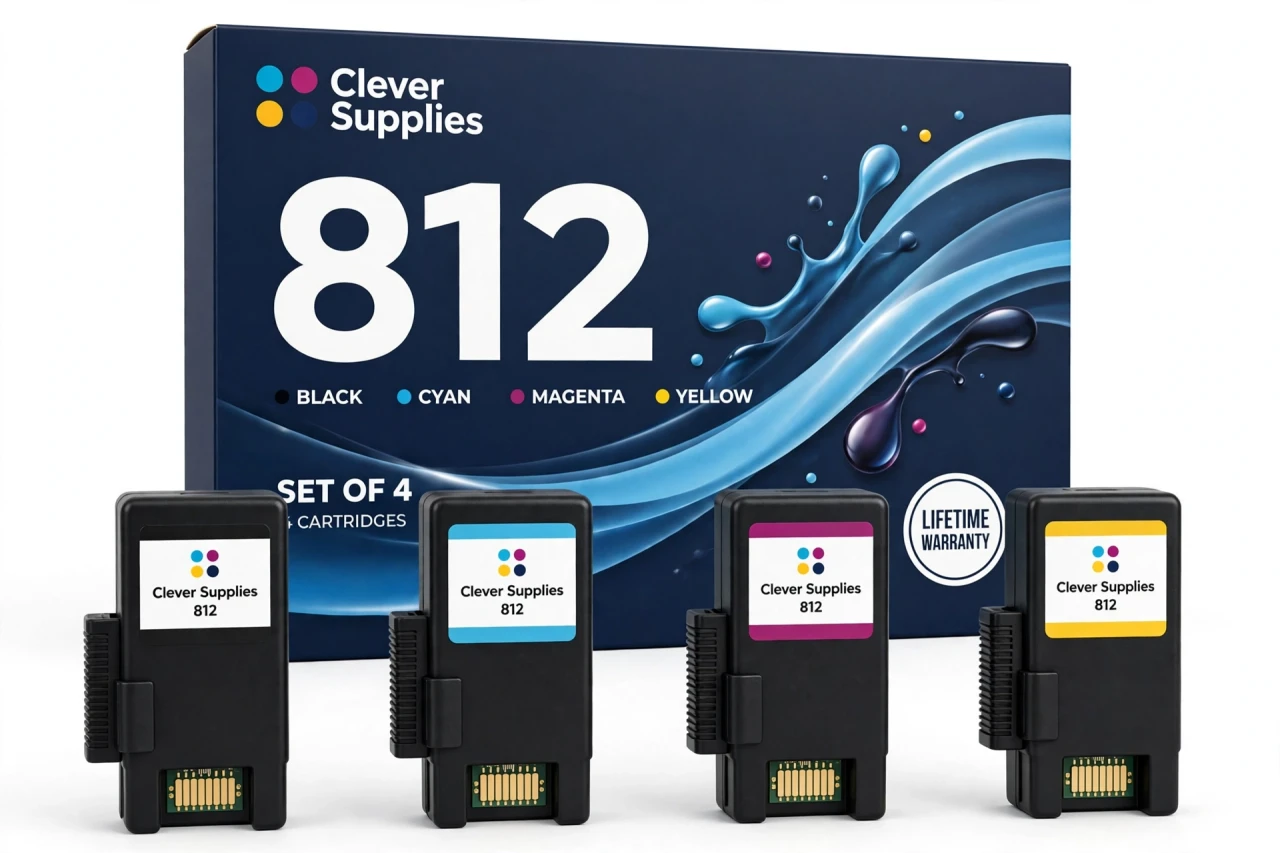
Compatible Epson 812 Set of 4 BCMY Ink Cartridge
- Page Yield:
- Black up to 1,100; Cyan up to 1,100; Magenta up to 1,100; Yellow up to 1,100 (ISO/IEC 24711), per cartridge
- Shipping:
- Calculated at Checkout

Amazon Price:

- Page Yield:
- Black up to 1,100; Cyan up to 1,100; Magenta up to 1,100; Yellow up to 1,100 (ISO/IEC 24711), per cartridge
- Shipping:
- Calculated at Checkout
- Compatible Printers
- Specifications
- SKU:
- CS-EP-812-SET4
- Condition:
- New Compatible
- OEM Part #:
- T812XL120-S / T812XL220-S / T812XL320-S / T812XL420-S
- Color:
- Black + Cyan + Magenta + Yellow (all XL)
- Ink Type:
- Pigment
- Page Yield:
- Black up to 1,100; Cyan up to 1,100; Magenta up to 1,100; Yellow up to 1,100 (ISO/IEC 24711), per cartridge
- Chip:
- Yes — new compatible chip (level reporting); recognition after future firmware updates is not guaranteed
- Warranty:
- Lifetime Warranty
- Returns:
- 1-Year Free Returns
- Description
- Reviews
One box, the whole shelf: this set is the complete 812XL refill — T812XL120-S black, T812XL220-S cyan, T812XL320-S magenta and T812XL420-S yellow, every cartridge in its high-capacity form and every one filled with DURABrite Ultra pigment ink.


Yields are stated per cartridge and never added together: black up to 1,100 pages; cyan, magenta and yellow up to 1,100 pages each (ISO/IEC 24711). One caution about a look-alike: Epson's own combo pack for this family (T812XL-BCS) pairs an XL black with standard-capacity colors. This set is not that pack — all four cartridges here are XL, which is exactly why the color ratings match the black's.
All four verified US models take this set — WF-7310, WF-7820, WF-7840, EC-C7000 — because every one of them accepts the standard 812 codes (T812120-S, T812220-S, T812320-S, T812420-S) and their XL counterparts interchangeably. It does not fit 822-family printers or the EC-C110. Each cartridge carries a new compatible chip; see the firmware note below. Lifetime warranty, free returns for the first year.
Shop the Epson 812 family: T812XL120 Black Ink Cartridge · T812XL220 Cyan Ink Cartridge · T812XL320 Magenta Ink Cartridge · T812XL420 Yellow Ink Cartridge · Set of 9 3 Black 2 Cyan 2 Magenta 2 Yellow Ink Cartridge
Browse by series: WorkForce
Frequently Asked Questions
How is this set different from Epson's own T812XL-BCS combo pack?
Inside an Epson BCS box you get one XL black teamed with standard-capacity colors. This set is XL across the board — all four codes — and that is its entire point: colors here carry the 1,100-page XL rating instead of the standard tier's smaller one.
What exactly is in the box?
One of each XL code: 1 × T812XL120-S Black, 1 × T812XL220-S Cyan, 1 × T812XL320-S Magenta, 1 × T812XL420-S Yellow. The box front prints the contents table.
Why is there no single total page count for the set?
Because the honest figure is per cartridge: black up to 1,100 pages, each color up to 1,100 pages (ISO/IEC 24711). The four empty at different rates, so adding them into one number would mislead more than it informs.
Which printers is the set made for?
The four officially verified US 812-family models — WF-7310, WF-7820, WF-7840, EC-C7000. Each accepts the same 812 / 812XL code set, confirmed in Epson's own cartridge documentation.
Do all four cartridges have to go in together?
Not at all. Swap in whichever positions are running low and keep the remainder sealed as spares. The value of a set on the shelf is never being caught short in the middle of a wide-format deadline.
I print mostly black text. Why do my colors still run down?
The print head is the reason. To keep it charged and clear, these printers draw a small amount of ink from every cartridge during printing and cleaning cycles — Epson states this in its own support answers. Colors therefore drift down slowly even through black-only work, and a color that hits empty must be replaced before printing resumes.
Will these cartridges be recognized by my printer?
Each one carries its own new compatible chip. A firmware update can occasionally stir up recognition trouble — Epson's own guide for these printers states that firmware updates may affect the functionality of third-party ink. If it happens: printer off, reseat the cartridge until it clicks, restart, and only then suspect the cartridge. Acceptance under every future firmware version is not promised; any cartridge whose recognition problem will not clear is covered by our lifetime warranty.
What kind of ink is inside?
All four tanks hold DURABrite Ultra pigment ink, the family Epson specifies for the whole 812 line. Pigment ink is why these printers are known for smudge-, water- and fade-resistant document prints.
My office printer is a WF-4830. Does this set fit it?
It does not. The US WF-4830 belongs to the 822 family, a physically different cartridge; listings abroad that call the machine "812" are quoting a regional code, not US compatibility. Only the four wide-format models named on this page take this set.
How do I install the set?
One position at a time. For each color: out with the old cartridge, new one out of its pack, protective tape off, hands away from the green chip, press into the holder until it clicks. When the cover closes, let the printer charge the ink before printing.
Is this a genuine Epson product?
No. This is a Clever Supplies compatible set, built to the genuine cartridges' specifications and codes and labeled compatible on the box and on this page. Epson does not manufacture it.
What warranty and returns cover this set?
Every cartridge in the box sits under a lifetime warranty — one that fails to perform is replaced — and free returns run for the first year. (Returns note: the 1-year returns period is our standing compatible-product policy, applied to inkjet as an assumption pending Emrah's inkjet-specific confirmation.)
Related Items

Epson
Compatible Epson 676XL Set of 4 BCMY Ink Cartridge
A full reset for a WorkForce Pro WP printer, in one box: 1 × T676XL120 black, 1 × T676XL220 cyan, 1 × T676XL320 magenta and 1 × T676XL420 yellow — the complete 676XL family, which is also the...


Epson
Compatible Epson 69 Set of 4 BCMY Ink Cartridge
One box, the whole bay: this set holds one of each 69 cartridge — T069120-S black, T069220-S cyan, T069320-S magenta and T069420-S yellow — for the full reset, when several slots are low together or...

Epson
Compatible Epson 702XL Set of 4 BCMY Ink Cartridge
A full reset in one box — and, on this shelf, a genuinely all-XL one. This set holds one each of T702XL120-S black, T702XL220-S cyan, T702XL320-S magenta and T702XL420-S yellow, all DURABrite Ultra...

Epson
Compatible Epson 202XL Set of 4 BCMY Ink Cartridge
One box resets the whole printer: all four 202XL cartridges — T202XL120-S black, T202XL220-S cyan, T202XL320-S magenta and T202XL420-S yellow — every position high-capacity. The ink split is the...