





 See Compatible Printers
 Read more about our ink!
Brother
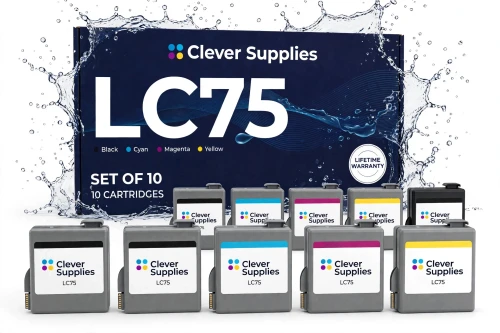
Compatible Brother LC75 Set of 10 BCMY Ink Cartridge
- Page Yield:
- Per cartridge: Black up to 600; each color up to 600 (ISO/IEC 24711)
- Shipping:
- Calculated at Checkout

Amazon Price:

- Page Yield:
- Per cartridge: Black up to 600; each color up to 600 (ISO/IEC 24711)
- Shipping:
- Calculated at Checkout
- Compatible Printers
- Specifications
- SKU:
- CS-BR-75-SET10
- Condition:
- New Compatible
- OEM Part #:
- LC75BK, LC75C, LC75M, LC75Y
- Color:
- 4 Black + 2 Cyan + 2 Magenta + 2 Yellow
- Page Yield:
- Per cartridge: Black up to 600; each color up to 600 (ISO/IEC 24711)
- Chip:
- New compatible chip
- Warranty:
- Lifetime Warranty
- Returns:
- 1-Year Free Returns
- Description
- Reviews
Ten LC75 cartridges weighted for real consumption: 4 x LC75BK black and 2 x each color, every cartridge rated up to 600 pages under ISO/IEC 24711 — per cartridge, never summed into a 'total'. The box serves all 11 models in the family, which makes it the stock-up choice for the seven smaller printers (where it is the high-yield tier) and for the four larger ones alike.


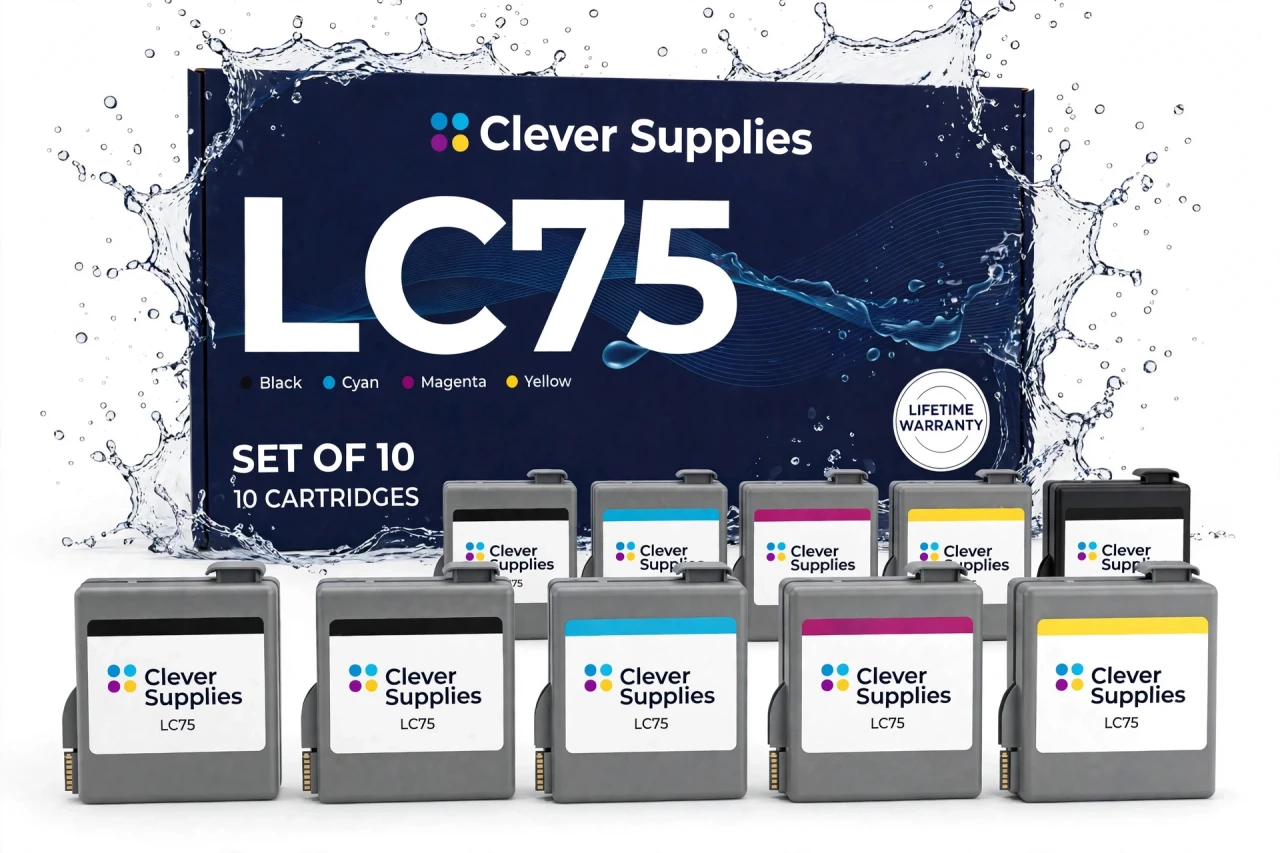
Every cartridge is an individual, chipped Innobella cartridge — one slot per color, replaced separately, with a new compatible chip fitted. What makes this family easy to get wrong is its three tiers: LC71 standard, LC75 high yield and LC79 super high yield share a family name but not a fit list. This listing's Compatible Printers list is its own — checked against Brother's official model lists, not copied from a seller's range page.
A lifetime warranty covers it, with free returns in the first year. The rating printed here is Brother's own ISO/IEC 24711 figure for the tier; the cartridge is our compatible, labeled as such on the box and the page.
Shop the Brother LC75 family: LC75BK Black Ink Cartridge · LC75C Cyan Ink Cartridge · LC75M Magenta Ink Cartridge · LC75Y Yellow Ink Cartridge · LC79BK Black Ink Cartridge · LC79C Cyan Ink Cartridge · LC79M Magenta Ink Cartridge · LC79Y Yellow Ink Cartridge · Set of 10 BCMY Ink Cartridge · Set of 4 BCMY Ink Cartridge · Set of 4 BCMY Ink Cartridge
Browse by series: MFC MULTIFUNCTION SERIES
Frequently Asked Questions
This family has three tiers. How do I know LC75 is one of mine?
In this family the model, not the family name, decides the tier: three tiers carry three different fit lists. Check your model against the Compatible Printers list below and the code on your current cartridge against LC75 on this page before ordering.
My printer's standard cartridge is the LC71. Is this the same thing?
On the seven smaller models, this LC75 is the high-yield partner for that slot: LC71 is their standard cartridge at 300 pages, and an LC71 printer takes this LC75 and doubles its run. On the four larger models the question never arises — they never took LC71, and LC75 is their starting tier. We do not open a separate LC71 listing; this LC75 is the cartridge we sell for both situations.
Exactly which printers does the LC75 set fit?
All eleven in the family. The seven smaller models are MFC-J280W, MFC-J425W, MFC-J430W, MFC-J435W, MFC-J625DW, MFC-J825DW and MFC-J835DW; the four larger ones are MFC-J5910DW, MFC-J6510DW, MFC-J6710DW and MFC-J6910DW. LC75 is the one tier every model in the family accepts. For the full shelf side by side — all six LC75 offers priced per page, and the two tiers that flank this one measured beside them — see our Best Brother LC75 Ink Cartridges guide.
Can I step up to LC79 for even longer runs?
Only on the four larger models — MFC-J5910DW, MFC-J6510DW, MFC-J6710DW and MFC-J6910DW accept LC79. The seven smaller models physically cannot take an LC79 cartridge, so for them this LC75 tier is as high as the range goes.
Can different tiers run side by side in one machine?
On the four large models, yes — tiers mix slot by slot, so an LC79 black can run next to LC75 colors. The seven smaller models have nothing to mix: LC79 fits none of their slots, and their range is LC71 standard plus this LC75 high yield.
What yield should I expect from each cartridge?
Up to 600 pages from the black and up to 600 pages from each color, measured under ISO/IEC 24711. We publish no combined 'total pages' figure for the box, because the cartridges empty independently.
The screen says 'Cannot Detect'. What does that mean here?
Each cartridge carries a new compatible chip, but a firmware update can still occasionally trigger a recognition problem, and a 'Cannot Detect' style message is the known failure mode on this platform. Remove the cartridge, check the chip contact is clean and untouched, reseat it firmly, and restart the printer. We do not claim recognition in every firmware state; if it still will not read, our warranty process is the next step.
How should the cartridge be handled during a change?
Hold it by the housing and keep your fingers off the chip contact; do not remove any seal or cap until you are ready to install. Seat it in the correct color slot until it clicks, then run a nozzle check if the printer has been idle.
Is this a genuine Brother cartridge?
No. It is a Clever Supplies compatible cartridge built to the LC75 specification with a new compatible chip, labeled compatible on the box and on this page. It is not manufactured by Brother.
What arrives in the box?
The box holds ten cartridges — four black plus two each of cyan, magenta and yellow. Extra blacks are included because document work empties the black tank long before the colors.
What happens if a cartridge lets me down?
It carries a lifetime warranty — a cartridge that fails to perform is replaced — and returns are free within the first year. The one-year returns period follows our standing compatible-product policy.
Why not one cartridge for all four colors?
The printer is built with four separate slots and four separate levels. An individual system means an empty yellow costs you one cartridge, not the cyan and magenta that still have ink left.
Related Items

Brother
Compatible Brother LC75 Set of 4 BCMY Ink Cartridge
One of each, matched: a single LC75BK black plus one each of LC75C, LC75M and LC75Y, every cartridge rated up to 600 pages under ISO/IEC 24711 — stated per cartridge, the way the printer actually...


Brother
Compatible Brother LC61 Set of 10 BCMY Ink Cartridge
Ten cartridges, weighted the way these printers actually consume: this bulk set holds 4 x LC61BK black and 2 x each color (LC61C, LC61M, LC61Y). Yields are per cartridge, never summed: black up to...

Brother
Compatible Brother LC79 Set of 10 BCMY Ink Cartridge
The warehouse box for the family's biggest printers: 4 x LC79BK (up to 2,400 pages each) and 2 x each of LC79C, LC79M and LC79Y (up to 1,200 pages each), rated under ISO/IEC 24711 and stated per...

Brother
Compatible Brother LC65HY Set of 10 BCMY Ink Cartridge
The stock-up box for the family's four high-yield printers: 4 x LC65HYBK black and 2 x each of LC65HYC, LC65HYM and LC65HYY. Per-cartridge ratings: black up to 900 pages, each color up to 750...