





 See Compatible Printers
 Read more about our ink!
Brother
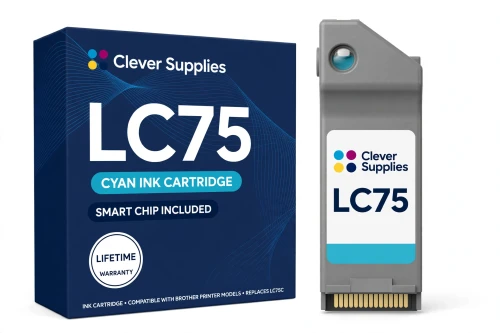
Compatible Brother LC75 LC75C Cyan Ink Cartridge
- Page Yield:
- Up to 600 pages (ISO/IEC 24711)
- Shipping:
- Calculated at Checkout

Amazon Price:

- Page Yield:
- Up to 600 pages (ISO/IEC 24711)
- Shipping:
- Calculated at Checkout
- Compatible Printers
- Specifications
- SKU:
- CS-BR-75-C
- Condition:
- New Compatible
- OEM Part #:
- LC75C
- Color:
- Cyan
- Page Yield:
- Up to 600 pages (ISO/IEC 24711)
- Chip:
- New compatible chip
- Warranty:
- Lifetime Warranty
- Returns:
- 1-Year Free Returns
- Description
- Reviews
Cyan is where this family's two halves meet: our compatible LC75C is rated up to 600 pages under ISO/IEC 24711 and fits all 11 models on the list below. On the seven smaller printers it doubles the standard LC71C's 300 pages in the same slot; on the four larger models — where LC71 was never an option — it is the base tier under the LC79 super-high cartridges.


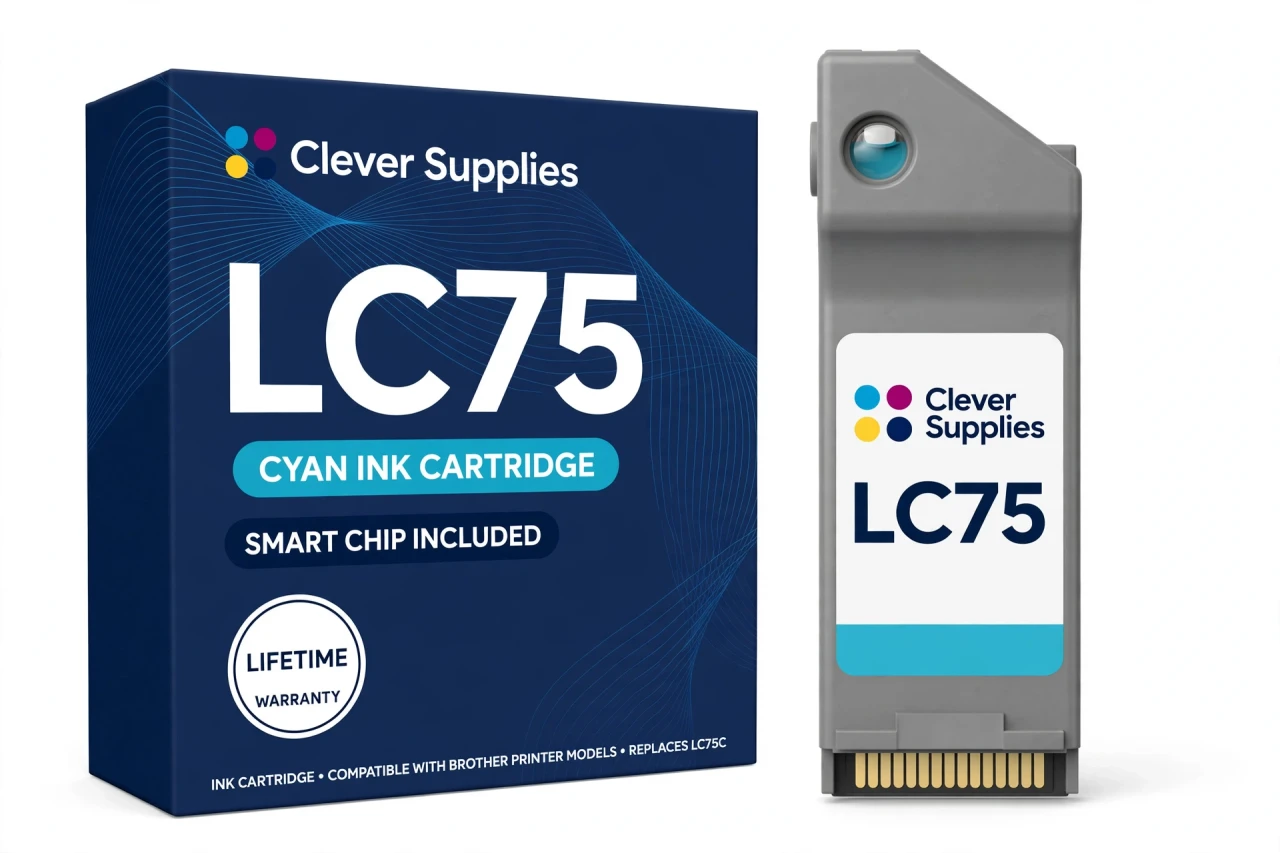
Every cartridge is an individual, chipped Innobella cartridge — one slot per color, replaced separately, with a new compatible chip fitted. What makes this family easy to get wrong is its three tiers: LC71 standard, LC75 high yield and LC79 super high yield share a family name but not a fit list. This listing's Compatible Printers list is its own — checked against Brother's official model lists, not copied from a seller's range page.
A lifetime warranty covers it, with free returns in the first year. The rating printed here is Brother's own ISO/IEC 24711 figure for the tier; the cartridge is our compatible, labeled as such on the box and the page.
Shop the Brother LC75 family: LC75BK Black Ink Cartridge · LC75M Magenta Ink Cartridge · LC75Y Yellow Ink Cartridge · LC79BK Black Ink Cartridge · LC79C Cyan Ink Cartridge · LC79M Magenta Ink Cartridge · LC79Y Yellow Ink Cartridge · Set of 10 BCMY Ink Cartridge · Set of 4 BCMY Ink Cartridge · Set of 10 BCMY Ink Cartridge · Set of 4 BCMY Ink Cartridge
Browse by series: MFC MULTIFUNCTION SERIES
Frequently Asked Questions
Only my cyan ran out — do I have to change the other cartridges too?
No. This listing is one compatible LC75C cyan cartridge, and on this platform each of the four slots is replaced individually. The black, magenta and yellow stay exactly where they are.
What is the correct way to install a fresh cyan cartridge?
Grip the cartridge by its housing, not by the chip contact, and do not strip off any seal or cap before you are ready. Slide it into the cyan slot until it clicks into place; if the printer has been sitting idle, follow up with a nozzle check.
How is this cartridge's yield measured?
Brother publishes up to 600 pages for the LC75 cyan, measured to ISO/IEC 24711. We print that manufacturer figure; a listing claiming far more for this code is not citing a Brother test.
Does this cyan fit the larger ledger-size models as well as the compact ones?
Yes — it covers the whole family of eleven. The larger models are the MFC-J5910DW, MFC-J6510DW, MFC-J6710DW and MFC-J6910DW; the compact models are the MFC-J280W, MFC-J425W, MFC-J430W, MFC-J435W, MFC-J625DW, MFC-J825DW and MFC-J835DW. LC75 is the one tier common to all of them. For the full shelf side by side — all six LC75 offers priced per page, and the two tiers that flank this one measured beside them — see our Best Brother LC75 Ink Cartridges guide.
The screen says the new cartridge cannot be detected — what should I try?
The cartridge carries a new compatible chip, but a printer whose firmware has been updated can occasionally refuse to read it; a 'Cannot Detect' message is how that shows up on this platform. Pull the cartridge out, check that the chip contact is clean and untouched, reseat it firmly and restart the printer. We cannot guarantee detection under every firmware state — if it still will not read, the warranty route is the next step.
The cartridge I removed is marked LC71C — is this the right upgrade?
If your printer is one of the seven smaller models, yes. In Brother's official structure the LC71 is their standard 300-page cartridge and this LC75 is the high-yield version of the same slot, so the swap doubles your interval. The four bigger models never took LC71 — LC75 is where their range starts. We do not carry a separate LC71 listing; this LC75 serves both cases.
Is there a tier above this one for cyan?
There is — LC79 — but it only fits the four larger models (MFC-J5910DW, MFC-J6510DW, MFC-J6710DW, MFC-J6910DW). The seven smaller printers physically cannot accept an LC79 in any slot, which makes this LC75 their ceiling.
Who manufactured this cartridge?
Clever Supplies, as a compatible cartridge built to the LC75C specification with a new compatible chip. It is marked compatible on the box and on this page; it is not a Brother product.
Can different tiers share one printer?
On the four large models they can: mixing is decided per slot, so an LC79 black alongside LC75 colors is a valid setup. On the seven smaller models mixing is moot — LC79 fits none of their slots, leaving LC71 standard and LC75 high yield as the whole range.
How do I double-check the fit for my specific printer?
Compare your model with the Compatible Printers list below, then compare the code on the cartridge in your machine with the code on this page — LC75C. Because this family's three tiers carry three different fit lists under one name, your model number is the deciding check.
Why does Brother sell cyan on its own?
Four slots, four separate gauges. With an individual system, whichever color empties first is the only one you pay to replace — a drained yellow never sends half-full cyan and magenta to the trash with it.
If this cyan cartridge lets me down, what am I covered by?
A lifetime warranty, under which a cartridge that fails to perform is replaced, plus free returns within the first year — the returns period set by our standing compatible-product policy.
Related Items

Brother
Compatible Brother LC75 LC75Y Yellow Ink Cartridge
Yellow is the cartridge graphics-heavy printing quietly drains, and our compatible LC75Y is rated up to 600 pages under ISO/IEC 24711 across all 11 models in the family. On the seven smaller models...

Brother
Compatible Brother LC75 LC75BK Black Ink Cartridge
Every printer in this family, small or large, can run this black: our compatible LC75BK is rated up to 600 pages under ISO/IEC 24711. On the seven smaller models it is the high-yield step up from the...

Brother
Compatible Brother LC75 LC75M Magenta Ink Cartridge
Our compatible LC75M is the magenta that covers the entire family: up to 600 pages under ISO/IEC 24711, in all 11 models. For the seven smaller models it is the high-yield answer to the standard...

Brother
Compatible Brother LC75 Set of 4 BCMY Ink Cartridge
One of each, matched: a single LC75BK black plus one each of LC75C, LC75M and LC75Y, every cartridge rated up to 600 pages under ISO/IEC 24711 — stated per cartridge, the way the printer actually...