




Brother built this platform in three yield steps around a single cartridge shape, and LC75 is the step in the middle — the High-yield tier, and the only one of the three that appears on the fit list of all eleven printers. Its rating holds no surprises: black and colors alike are rated up to 600 pages, so one number describes every slot in the machine. Six compatible offers sit below, each costed per page, with the two neighboring tiers measured honestly beside them.
Own any of the eleven MFC models named further down and this shelf is yours: six listings, every one a Clever Supplies compatible with a new compatible chip, and no genuine LC75 among them — this store does not stock Brother’s own version. The Set of 4 at $29.94 opens the page because most owners reorder when the machine is low across the board. The Set of 10 at $67.35 stocks four blacks against two of each color and is the single offer priced past the $49 free-shipping threshold by itself. Singles wait at $8.24 for whichever slot ran dry first. The sections under the shelf cover the ground an owner actually asks about: a three-tier platform where the other two tiers each fit only part of the roster, a rating that refuses to split by color, two quite different starter-cartridge stories depending on which size of machine you bought, and a rival box on four models that costs exactly what this page’s flagship costs.
First the full refill, then the stockroom box, then the singles
Fit cannot sort these six — each one serves all eleven printers — so the running order mirrors how the ink actually gets used up. The complete refill leads, the deep-stock box comes next for owners who would rather open the supply drawer twice a year, and the four singles close the page for the color that faded ahead of schedule.
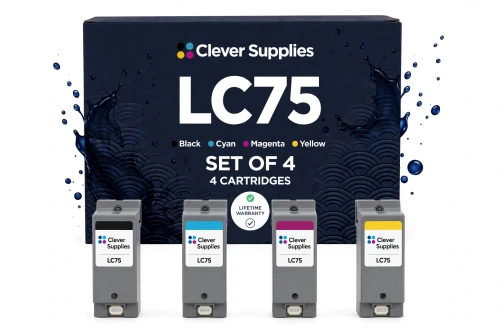
Measured against Brother’s own till, the gap is wide. Brother asks $30.99 for its genuine black and $18.79 for each genuine color — $87.36 to renew the same four slots — and all four of those cartridges still stand as current products in Brother’s range, though the black was showing out of stock there when these prices were gathered. The box above does the same renewal for $29.94. On its own it stays under the $49 free-shipping line; the ten-cartridge box further down is the offer that steps over it unaided.
Shop the LC75 Set of 4 →THE REST OF THE LADDER — THE TEN-BOX, THEN THE FOUR SINGLES
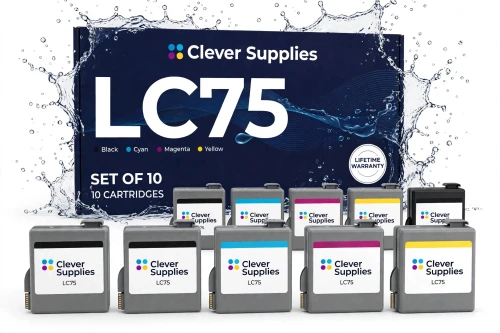
Ten cartridges at $6.74 apiece — the lowest unit price and the lowest per-page figure anywhere on the page. Black is stocked four deep because these machines earn their keep on documents. At $67.35 the box also crosses the free-shipping threshold without help from anything else in the cart.
Shop the LC75 Set of 10 →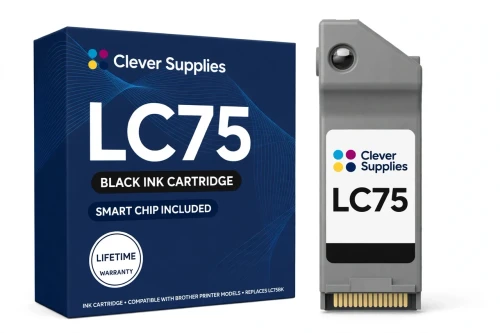
In most families the black outruns the colors; here it is rated level with them at 600 pages, so its page costs exactly what a color page costs. Brother’s genuine black is priced at $30.99 — and was out of stock at Brother when checked.
Shop LC75BK Black →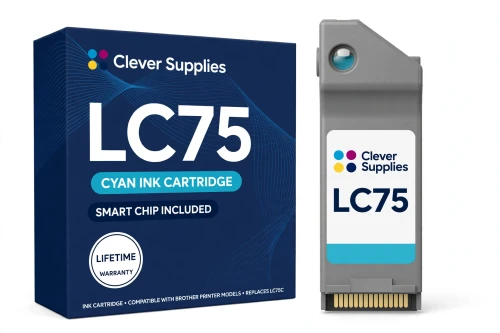
The flat $8.24 buys a full 600-page rating — double what the standard tier’s cyan delivers in the compact printers. Brother’s genuine LC75C lists at $18.79 and could be ordered there when these figures were read.
Shop LC75 Cyan →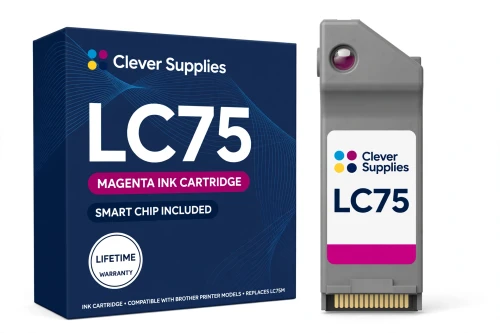
Magenta at the same $8.24 and the same 600-page rating as every other slot on this shelf — report covers, flyers and photo prints all draw from it. The genuine cartridge at Brother is $18.79.
Shop LC75 Magenta →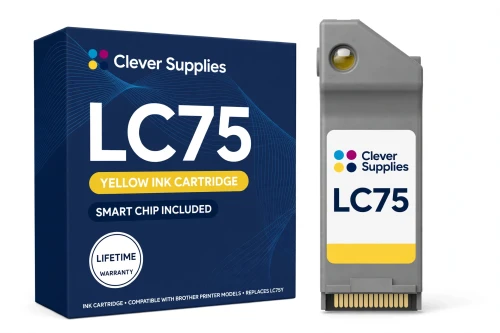
Yellow tends to announce itself by washed-out output rather than an empty warning, which makes its 600-page rating a useful planning number for keeping one spare on hand. Brother charges $18.79 for the genuine yellow.
Shop LC75 Yellow →Why keep four singles on a page headed by boxes? Because slots run dry on their own clocks. A month of invoices empties the black while the colors sit nearly untouched; a run of photo prints does the reverse. The single exists for that one slot — it swaps a spent cartridge and leaves three part-used ones exactly where they were. Boxes win the per-page argument; singles win by never charging you to replace ink you still own.
The roster’s two size classes matter here as well. The same shelf restocks a compact desktop MFC in a home office and a ledger-size machine in a print corner, because LC75 is the tier both classes share. Whatever else differs between those printers — the tiers above and below this one, among other things — the refill they have in common is the six listings above.
Six offers, one flat rating — the table
Every yield on this page traces back to a single line of Brother’s, printed the same on all four cartridge pages: “‡Approximate page yield in accordance with ISO/IEC 24711.” Brother spends that line on cartridges one at a time — 600 pages each, black included — and the set listings decline to merge the figures: in the Set of 4’s own words, “We do not add the four ratings into a single set total”. The set rows below are therefore worked out by division alone — $29.94 across the 2,400 rated pages packed into the Set of 4, $67.35 across the 6,000 inside the Set of 10 — and carry the word “blended” wherever the result is quoted.
| Offer | Fits | Price | Rating per cartridge | Cost per page | Against the singles |
|---|---|---|---|---|---|
| LC75 Set of 4 BK C M Y — the flagship | All eleven printers | $29.94 | Up to 600 pages each | 1.25¢ blended | SAVE $3.02 |
| LC75 Set of 10 BCMY | All eleven printers | $67.35 | 4 black + 2 of each color, each up to 600 | 1.12¢ blended | SAVE $15.05 · ships free alone |
| LC75BK black single | All eleven printers | $8.24 | Up to 600 pages | 1.37¢ | The document slot |
| LC75C cyan single | All eleven printers | $8.24 | Up to 600 pages | 1.37¢ | One slot, one cartridge |
| LC75M magenta single | All eleven printers | $8.24 | Up to 600 pages | 1.37¢ | One slot at a time |
| LC75Y yellow single | All eleven printers | $8.24 | Up to 600 pages | 1.37¢ | One slot, one cartridge |
A flat rating flattens the mental arithmetic too. There is no color ladder to climb here — black and colors cost the same 1.37¢ a page as singles — so the only ladder on the table is the box ladder: $8.24 a cartridge bought alone, $7.49 inside the Set of 4, $6.74 inside the Set of 10, with the blended rates settling at 1.25¢ and 1.12¢. Buying bigger changes nothing about the cartridges themselves; it lowers what each of their rated pages costs and stretches the gap before the next order.
One cartridge shape, three yield tiers — LC75 is the tier on every list
Brother sells this cartridge shape in three steps. At the bottom sits LC71, labeled Standard-yield and rated at 300 pages a cartridge. LC75, this page’s tier, carries the High-yield label at 600. Above it stands LC79, the Super High-yield step — marketed on the wide models as the “LC79 XXL Series” — rated at 2,400 pages for its black and 1,200 for each color. Same slots, same shape, three very different runs between changes.
The tiers do not, however, spread evenly across the printers. The seven compact models accept LC71 and LC75. The four ledger-size models accept LC75 and LC79 — Brother does not list the standard cartridge for them at all. LC75 is consequently the one tier that turns up on all eleven fit lists, which is also why it anchors this platform’s shelf: whatever model an owner bought, this is a tier it takes. Where two tiers coexist in one machine they can be mixed slot by slot, so a printer may run a high-yield black beside standard colors, or the reverse, and change the mixture at the next swap.
The standard tier needs a word about availability: this store does not stock LC71 in any form — the listings’ statement that no separate LC71 is listed here was checked against the catalog and holds. An owner of a compact model who wants the 300-page tier buys Brother’s genuine cartridges (whose four singles total $55.46 at Brother) or steps up to the shelf on this page. The upper tier, by contrast, is stocked here in full — the Brother LC79 category holds its six listings — and its prices hold a surprise. LC79 singles are $8.99, seventy-five cents above this page’s, for ratings of 2,400 and 1,200 pages — 0.37¢ a page for the LC79 black and 0.75¢ for each LC79 color, against 1.37¢ everywhere here. Yet the LC79 Set of 4 is priced at the identical $29.94 as the LC75 Set of 4, which works out to a blended 0.50¢ on the LC79 side; its Set of 10 is $68.85, a dollar and a half above the box on this page.
Read fairly, that arithmetic gives the four ledger models a genuine choice: at set prices, the longer-running LC79 boxes are hard to argue with for a machine that prints all day. What LC75 keeps — on those four, and across all eleven — is the cheaper single ($8.24 against $8.99), the shared shelf that also restocks the compact models, and, on the seven compact printers, the simple fact of being the highest tier Brother makes for them. Seven of the eleven never see the LC79 question at all.
Starter cartridges: the figure depends on which size you bought
Each of the eleven printers arrived with starter ink in its slots, and part of that ink is consumed priming the ink system before the first real page. For the seven compact models, Brother’s in-box note is written against the standard series, and it stands on all seven printer pages in the same words: “Actual yield of starter cartridge will be approx. 80% of replacement LC71 cartridge series, due to ink system initialization process.” Read it with its scope on: the 80% is a share of a replacement LC71 — the 300-page standard cartridge — and says nothing about what an LC75 cartridge yields. It is quoted here because compact owners meet it in their manual, not because it measures anything sold on this page.
Two of the ledger models carry a note scoped to this tier instead. On the MFC-J5910DW and MFC-J6710DW pages Brother writes: “Actual yield of starter cartridge will be approx. 65% of replacement LC75 cartridge series, due to ink system initialization process.” That 65% is an LC75 figure — a starter on those two machines runs to roughly two-thirds of the 600-page replacement rating before priming takes its share into account. For the remaining two ledger models, the MFC-J6510DW and MFC-J6910DW, no in-box statement could be read on Brother’s pages, so this guide prints no starter figure for them rather than extending a neighbor’s footnote across the range.
Whichever machine you own, the position after the starters is the same: the first cartridge ordered from this page is a full retail cartridge at the complete rating — up to 600 pages, in whichever slot it fills.
Read electronically, chipped accordingly — limits stated, not buried
Open any of the six listings and its specification block carries the same entry: “New compatible chip”. The black cartridge’s text explains the reason in one line — “the printers read their cartridges electronically, so every cartridge here carries a new compatible chip” — and the descriptions return to the point several times apiece. On this platform a cartridge is identified by its chip; without a readable one the machine does not know the cartridge is there, which is why nothing on this shelf is offered chipless.
Each text also prints where the claim stops. A firmware change can leave a fresh chip unread, and the listings answer with a short routine — take the cartridge out, confirm the chip contact is clean and untouched, seat it firmly, restart the printer — followed by an outright refusal of the larger promise. The black listing puts it as “We do not promise recognition under every firmware version”; the magenta’s version reads “We do not claim recognition in every firmware state”. A cartridge that still will not read after the routine goes to the warranty process, which the texts name as the next step rather than dressing up another workaround.
This family’s texts go one step further than most in this store: they name the failure message itself. The Set of 10’s questions are headed by one owners will recognize — “The screen says ‘Cannot Detect’. What does that mean here?” — and its answer treats the message as the known failure mode that can follow a firmware update, to be worked through with the routine above. Brother’s own stance completes the picture: since March 2025 Brother has held that its firmware updates do not block third-party ink. The position printed here is therefore the listings’ own — a new chip in every cartridge, a named message and a printed routine if a read fails, warranty behind that, and no promise stretched over every firmware state.
The eleven printers: seven compact, four ledger-size
Brother prints one identical fit line across all four of its LC75 cartridge pages, and it names eleven MFC models. Every offer above fits every model on the list, in every slot — the differences between the two groups show up only in which other tiers each group can take.
The compact seven: MFC-J280W, MFC-J425W, MFC-J430W, MFC-J435W, MFC-J625DW, MFC-J825DW and MFC-J835DW. These seven also accept the standard LC71 tier beneath this one — and nothing above it.
The ledger four: MFC-J5910DW, MFC-J6510DW, MFC-J6710DW and MFC-J6910DW. These four also accept the super-high LC79 tier above this one — and were never offered the standard tier at all.
Filing follows Brother’s list exactly: the six listings sit inside each of the eleven model categories and under the family’s own code category, the Brother LC75 category. Arrive by the printer on your desk or by the code on the cartridge you are replacing — both roads end at the same six listings.
The terms behind every listing
Five checks before ordering from an eleven-printer shelf
Questions this platform draws
Two: the standard LC71 at 300 pages a cartridge and this page’s LC75 at 600. The super-high LC79 was never made for your group — it belongs to the four ledger-size models only. One practical wrinkle: this store stocks no LC71 at all, so the standard tier means Brother’s genuine cartridges, while the high-yield tier is the shelf above. For a compact model, LC75 is the highest tier Brother offers.
On set arithmetic, often yes — and this page will not pretend otherwise. The LC79 Set of 4 costs the same $29.94 as this page’s flagship while carrying 2,400-page blacks and 1,200-page colors, a blended 0.50¢ against 1.25¢ here; LC79 singles are $8.99, at 0.37¢ a page for black and 0.75¢ for colors. What LC75 answers with is the cheaper single ($8.24), and a shelf shared with the compact models — worth having if your desk runs one of those too. For a ledger machine printing heavily and restocked by the box, the tier above earns its place; its listings sit in the Brother LC79 category.
Because that is the shape Brother published for the high-yield tier: one rating, applied to the black and to each color, on the basis line quoted above the table. Families elsewhere in this store split the black from the colors; this one does not. The pricing follows the same flatness — all four singles are $8.24, so every slot’s page costs the same 1.37¢, and the only savings left to chase are the box sizes.
No — on Brother’s own record, all four genuine LC75 cartridges stand as current products. The black showed out of stock at Brother when these pages were gathered, but the three colors could be ordered, and none of the four carries a discontinued flag. The discontinued genuine cartridges on this platform sit in the neighboring tiers — two of the standard LC71 colors, and the LC79 black and yellow — which is where that word belongs. This page’s texts make no discontinued claim for LC75, and Brother’s data backs them.
Yes, wherever two tiers are both listed for the model — the choice is made per slot and can be remade at every change. A compact machine can run an LC75 black beside LC71 colors; a ledger machine can run an LC79 black beside LC75 colors. No printer on the roster takes all three tiers, and none takes a tier Brother never listed for it.
Work the routine the listings print, in their order: lift the cartridge out, check the chip contact is clean and free of fingerprints, seat it firmly back into its slot, and restart the printer. The listings describe that message as the known failure mode that can appear after a firmware update, and most cases end at one of those steps. They promise a new compatible chip in every cartridge; a read under every firmware version is promised by neither the listings nor this page. A cartridge that still refuses afterwards is handled under the warranty in its listing.