




LaserClass L1000
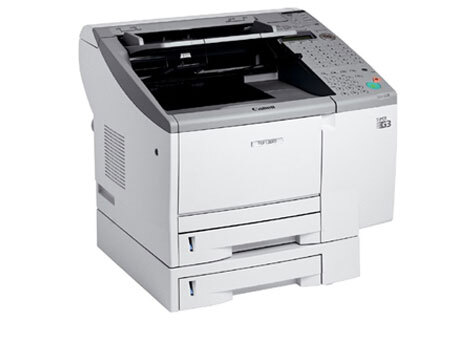
The LaserClass L1000 is a compact plain-paper laser fax built for the desktop: Super G3 transmission speed without a floor-standing machine, and deliberately no networking — it is a dedicated fax appliance. It prints on the Canon FX-4 toner cartridge, rated at up to 4,000 pages.
That single-purpose design suits single users and tiny offices with regular fax traffic — an insurance desk, a clinic back office, a one-line ordering department — where the machine's one job is to send and receive reliably all day. There is no print queue to manage and no driver to update; the only consumable routine is the FX-4, which is why keeping a spare is the whole maintenance plan.
Toner Cartridges for LaserClass L1000
| Cartridge | Color | Page Yield |
|---|---|---|
| FX-4 Black | Black | 4,000 pages |
| FX-4 Black 5 Pack | Black | 4,000 pages per cartridge |
| FX-4 Premium Black 5 Pack | Black | 4,000 pages per cartridge |
Which cartridge should you buy?
For a dedicated fax, the arithmetic is simple: one cartridge in the machine and one sealed spare covers almost every situation, because a missed fax costs more than the toner does. Light users can run on singles. If the L1000 shares an office with a bigger LaserClass from the same FX-4 family — a LaserClass 9000, for example — the 5 packs, standard or premium listing, cut the per-cartridge cost across both machines, since the cartridge is identical. There is no high-yield FX-4 variant, so pack size is the only lever on cost per page.
Chip, toner and everyday use
A desktop fax lives in the open, so keep its spare cartridge in a drawer rather than on the desk — toner keeps best sealed, flat and out of sunlight. When print fades, remove the FX-4 and rock it gently side to side; redistribution often revives a cartridge for the rest of a fax batch. Fitting the replacement is a straight slide-in with the cover open. The 4,000-page rating is measured at 5% coverage, and since fax pages are mostly text, many L1000s meet or beat it; dense copied documents will use toner faster.
Frequently Asked Questions
What toner does the LaserClass L1000 use?
The Canon FX-4 black cartridge, rated at up to 4,000 pages. It is the only cartridge made for this model.
Does the L1000 connect to a network for printing?
No — the L1000 is a dedicated fax appliance with no networking. That does not change its toner: it prints every received fax on the FX-4.
Is the FX-4 shared with other LaserClass models?
Yes. The same cartridge serves a wide group of LaserClass fax machines, including the 9000 series listed below, so one stock can cover several machines.
How long will a spare FX-4 keep before I use it?
Kept sealed in its bag, stored flat in a cool dry place, a spare stays ready for an extended period. Unpack it only when the machine actually needs it.
More printers that use the same cartridges
The FX-4 also serves these LaserClass and L-series fax models: LaserClass 9000L, LaserClass 9000MFP, LaserClass 9000MS, LaserClass 9000S, LaserClass 9500, LaserClass 9500MFP, LaserClass 9500MS, LaserClass 9500S, LaserClass 9800, LaserClass L900, L800, L900, LaserClass 8500, LaserClass 9000.