




LaserClass 9000S
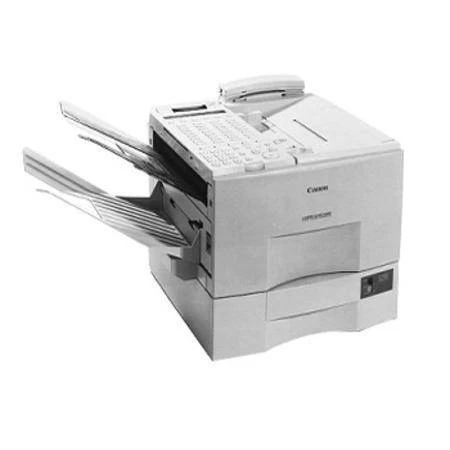
Ask what the S stands for in the Canon LaserClass 9000S and the honest answer is that Canon never documented it: the suffix belongs to a 9000-series configuration whose paperwork did not survive with an explanation attached. What is certain, and what matters for keeping the machine running, is the platform underneath — Super G3 plain-paper faxing, network printing available as an option, and the Canon FX-4 cartridge, rated for up to 4,000 pages.
Machines with undocumented badges teach a useful supply habit: trust the cartridge family and the label on the unit already inside the machine, not suffix folklore gathered from listing titles. The 9000 series is one of the best-covered Canon fax lines there is, its cartridge shared across fourteen models on this site. Whatever the S once signified in a sales brochure, it never signified a different toner — and that is the only question a supply shelf has to answer.
Toner Cartridges for LaserClass 9000S
| Cartridge | Color | Page Yield |
|---|---|---|
| Canon FX-4 Toner Cartridge | Black | Up to 4,000 pages |
| Canon FX-4 Toner Cartridges 5 Pack | Black | Up to 4,000 pages per cartridge |
| Canon FX-4 Premium Quality Toner Cartridges 5 Pack | Black | Up to 4,000 pages per cartridge |
Which cartridge should you buy?
For a configuration you cannot fully document, let the first purchase be a single cartridge: fitting an FX-4 and watching it run is the cheapest possible confirmation that the family standard applies to your unit. Once it does — and it will — move to the 5-pack rhythm the rest of the series uses, or the Premium Quality 5-pack in the alternative line, and the per-page economics settle down. There is no variant-specific premium to pay; the S takes the same supply at the same ratings as its documented siblings.
Chip, toner and everyday use
The most reliable spec sheet for a 9000S is the cartridge you pull out of it: read the FX-4 code on its label before ordering and the match is certain. Fitting follows the family routine — no tools, no chip procedure on this generation — with the seal removed fully and a gentle rock to distribute the toner before the cartridge is seated. Store spares sealed and flat, away from sunlight. And when pages gray toward a cartridge's end, the remove-and-rock step levels what remains and keeps received faxes legible until the spare goes in.
Frequently Asked Questions
What does the S in 9000S actually mean?
Canon never published an explanation that survived with the machine's documentation, and any confident expansion of the letter would be a guess. The safe ground is the platform: a 9000-series Super G3 fax with optional network printing and the standard family cartridge.
How can I be sure the FX-4 is right without a spec sheet?
Open the machine and read the label on the cartridge already installed — it carries the FX-4 code. Failing that, the series evidence is unambiguous: every 9000 and 9500 variant on this page runs the same cartridge.
Does the S variant need a different cartridge from the plain 9000?
No. Configuration suffixes in this line changed features and bundles, not the supply. The 9000S takes the FX-4 at the same up-to-4,000-page rating as the rest of the family.
Is network printing built into the 9000S?
It was offered as an option rather than a standard fitting across this series, so check the individual unit. Fitted or not, it changes nothing about the cartridge the machine consumes.
More printers that use the same cartridges
The family groups neatly. The 9000-series variants — LaserClass 9000, LaserClass 9000L, LaserClass 9000MFP, LaserClass 9000MS. Their 9500 successors — LaserClass 9500, LaserClass 9500MFP, LaserClass 9500MS, LaserClass 9500S. And the remaining FX-4 machines — L800, L900, LaserClass 8500, LaserClass 9800, LaserClass L1000, LaserClass L900.