




LaserClass 9000
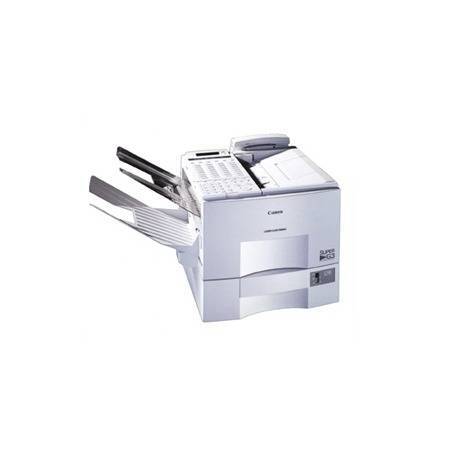
Flagship is an overused word, but it fits the Canon LaserClass 9000: Canon's top plain-paper laser fax of its era, built for offices where the fax line never cools down. Super G3 transmission came as standard, cutting the time each page spends on the phone line to seconds, and an optional network kit let the same machine double as a shared printer. One cartridge covers both of those roles — the Canon FX-4, rated for up to 4,000 pages.
A machine this central creates a particular kind of dependency: when it stops, incoming business stops with it. That is why the 9000 rewards owners who treat toner as infrastructure rather than an afterthought. The engine itself was designed for continuous duty at the heart of a busy office's document traffic; matching that with a stocked cartridge shelf is simply completing the specification Canon started.
Toner Cartridges for LaserClass 9000
| Cartridge | Color | Page Yield |
|---|---|---|
| Canon FX-4 Toner Cartridge | Black | Up to 4,000 pages |
| Canon FX-4 Premium Quality Toner Cartridges 5 Pack | Black | Up to 4,000 pages per cartridge |
| Canon FX-4 Toner Cartridges 5 Pack | Black | Up to 4,000 pages per cartridge |
Which cartridge should you buy?
For a flagship fax, the buying pattern writes itself: run the machine on 5-packs and keep the count high enough that a cartridge change is a shelf trip, not a purchase order. A single FX-4 is the right format for an emergency spare or a genuinely quiet installation, and the Premium Quality 5-pack gives the same five-cartridge depth in the alternative line. Remember that both roles — fax output and, with the network kit, shared printing — draw on the same cartridge, so forecast volume from both sides before deciding how deep your reserve should be.
Chip, toner and everyday use
The FX-4 itself is undemanding: no chip pairing, no reset procedure, just a cartridge that has to be seated squarely. Pull the seal out in one motion, rock the cartridge gently end to end to distribute the toner, and lower it in until it clicks. Toward the end of a cartridge's life, a remove-and-rock can rescue a long incoming run that has started to fade — it levels the remaining toner for a few hundred more honest pages. Store the reserve stock sealed, flat and away from sunlight so the last cartridge in the box behaves like the first.
Frequently Asked Questions
How does Super G3 transmission affect toner use?
It doesn't, directly. Super G3 shortens the phone-call part of faxing — pages transfer in seconds — while the printing side still produces one page per received page. Your FX-4 consumption follows printed pages, not line time.
If the network kit turns the 9000 into a shared printer, does it need a different cartridge?
No. Printing and faxing draw on the same FX-4. The kit changes who sends work to the machine, not what the machine consumes.
What does 'up to 4,000 pages' depend on?
Coverage. The rating assumes the standard 5% page coverage; light text faxes can approach it, while dense originals, bold letterheads and graphic-heavy pages use more toner per sheet and bring the count down.
Is it the same cartridge as the LaserClass 9500 that followed it?
Yes — the 9500 kept the FX-4 when it succeeded the 9000, so offices that upgraded machines did not have to change their toner shelf at all.
More printers that use the same cartridges
In reverse order for this page, the FX-4 family reads: LaserClass L900, LaserClass L1000, LaserClass 9800, LaserClass 9500S, LaserClass 9500MS, LaserClass 9500MFP, LaserClass 9500, LaserClass 9000S, LaserClass 9000MS, LaserClass 9000MFP, LaserClass 9000L, LaserClass 8500, L900, L800.