




LaserClass 9000MS
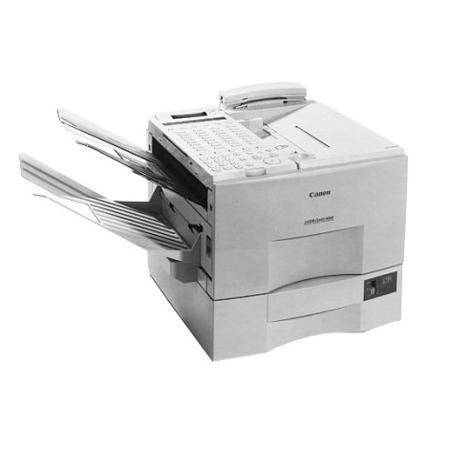
Speed dialing is the headline specification of the Canon LaserClass 9000MS: per its user guide, the machine offers 72 one-touch dials and 128 coded dials, putting a couple of hundred destinations a single button-press away. Underneath that phone book sits the proven 9000-series platform — Super G3 faxing on plain paper — and the same supply as every other member of the line, the Canon FX-4 cartridge, rated for up to 4,000 pages.
This is a machine organized around counterparties: the branch offices, clinics, suppliers and agents an office faxes every day, each stored once and dialed forever after. One-touch panels change the shape of the work — sending becomes a seconds-long habit rather than a chore — and distribution-style sending to stored groups means a single document can fan out across the whole list. The MS rewards offices whose fax traffic is repetitive in the best way: same people, same forms, every week.
Toner Cartridges for LaserClass 9000MS
| Cartridge | Color | Page Yield |
|---|---|---|
| Canon FX-4 Toner Cartridge | Black | Up to 4,000 pages |
| Canon FX-4 Premium Quality Toner Cartridges 5 Pack | Black | Up to 4,000 pages per cartridge |
| Canon FX-4 Toner Cartridges 5 Pack | Black | Up to 4,000 pages per cartridge |
Which cartridge should you buy?
Dial-heavy machines produce spiky printing loads: quiet days, then a morning where every stored destination seems to answer with documents of its own, plus the activity reports the machine prints for its own bookkeeping. A 5-pack smooths that pattern out — the per-page cost drops, and the spare is already in the building when a spike lands. The Premium Quality 5-pack is the alternative line at the same count. A single FX-4 suits only the lightest MS installations; a machine with 200 destinations programmed in was not bought for light use.
Chip, toner and everyday use
Nothing about the dialing features touches the supply: one-touch and coded dials live in memory and consume nothing. Toner is spent only where pages are printed — incoming faxes and the reports the machine generates. Fitting a cartridge follows the standard drill for this generation, with no chip registration: seal tape out, a gentle side-to-side rock, seat until it clicks. If a heavy receiving day starts to print pale toward the end of a cartridge, remove and rock it; leveling the remaining toner is usually enough to finish the day's work in full density.
Frequently Asked Questions
Do the 72 one-touch and 128 coded dials require any supplies or setup consumables?
None at all. The dials are stored numbers in the machine's memory — the 200-destination phone book costs nothing to maintain. The only consumable on the 9000MS is the FX-4 cartridge that prints the pages.
Does sending a fax to a long distribution list use more toner?
No. Sending scans the document once and transmits it; local toner use comes from pages the machine prints, such as received faxes and transmission reports. Your cartridge life tracks printed pages, not destinations dialed.
Is the cartridge the same as the rest of the 9000 series?
Yes — the MS is a 9000-series configuration and takes the standard FX-4, like every model in the family list below. One spare covers any of them.
How do I stretch a cartridge that starts fading mid-week?
Take it out and rock it gently from side to side a few times, then refit it. That levels the toner still inside and typically restores even density until the replacement from your reserve goes in.
More printers that use the same cartridges
Rotated for this page, the FX-4 family runs LaserClass 9000MFP, LaserClass 9000S, LaserClass 9500, LaserClass 9500MFP, LaserClass 9500MS, LaserClass 9500S, LaserClass 9800, LaserClass L1000, LaserClass L900, L800, L900, LaserClass 8500, LaserClass 9000, LaserClass 9000L.