




LaserClass 9500MS
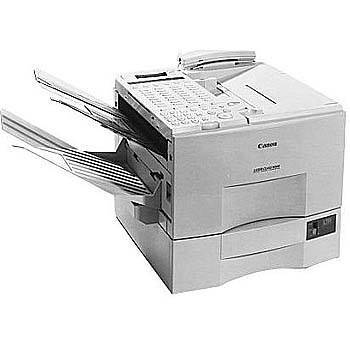
Ask anyone who ran a fax-heavy office in this machine's era what the Canon LaserClass 9500MS did best, and the answer is dialing: 72 one-touch keys plus 128 coded speed dials, per the user guide, put an entire address book on the panel. Underneath that directory sits a Super G3 fax engine sending at full modem speed, and feeding the printer side of it all is the FX-4 toner cartridge, rated for up to 4,000 pages in black.
A machine built around stored numbers is a machine built for lists — broadcast faxes to a full client directory, standing weekly transmissions to the same branches, inbound traffic from contacts who fax daily. That pattern matters for supplies, because every number on the panel represents pages: a broadcast run to two hundred recipients consumes toner at a pace a casual fax user never approaches. The 9500MS rewards owners who think of toner the way they think of its dial memory, stocked ahead of need rather than ordered after the fact.
Toner Cartridges for LaserClass 9500MS
| Cartridge | Color | Page Yield |
|---|---|---|
| Compatible Canon FX-4 Toner Cartridges, 5 Pack | Black | Up to 4,000 pages per cartridge |
| Compatible Canon FX-4 Toner Cartridge | Black | Up to 4,000 pages |
| Compatible Canon FX-4 Premium Quality Toner Cartridges, 5 Pack | Black | Up to 4,000 pages per cartridge |
Which cartridge should you buy?
Match the box to your dialing habits. If the 9500MS sends the odd document and mostly receives, the single FX-4 is enough and keeps cash out of the supply shelf. If your one-touch panel earns its keep with regular broadcasts, the 5 Pack is the natural stock: five cartridges at up to 4,000 pages each, a lower cost per page than buying singly, and no mid-broadcast shortage. The Premium Quality 5 Pack is the alternative five-cartridge route. Compatible FX-4 cartridges here are covered by a 1-year warranty and 1-year returns.
Chip, toner and everyday use
Yield figures are measured at about 5% page coverage, and directory faxing plays both sides of that average: a one-page memo is light, while a dense form or a page of small print is heavy. When output starts to streak, removing the cartridge and rocking it gently side to side redistributes the remaining toner and usually buys back some clean pages. Store spares flat, sealed and away from heat, and rotate stock so the oldest cartridge goes into the machine first.
Frequently Asked Questions
What toner cartridge fits the LaserClass 9500MS?
The Canon FX-4 black cartridge, rated for up to 4,000 pages. It is the only supply this machine uses.
Do the 9500MS's stored dial numbers change which toner I should buy?
Not the cartridge — it is always the FX-4 — but they change how many you should keep. Two hundred programmed destinations usually mean regular broadcast runs, and that volume argues for buying the cartridge in the 5 pack rather than singly.
Can one spare cartridge cover other machines in my office?
Yes, if they are in the same LaserClass family. The FX-4 fits a long list of Canon fax models, so a single spare on the shelf can rescue several different machines.
My received faxes are printing light. Is the cartridge empty?
Probably close to it. Rock the cartridge gently to redistribute the toner; if pages stay light afterward, the FX-4 is finished and a replacement is due.
More printers that use the same cartridges
These Canon fax models take the same FX-4 cartridge:
LaserClass L900, LaserClass L1000, LaserClass 9800, LaserClass 9500S, LaserClass 9500MFP, LaserClass 9500, LaserClass 9000S, LaserClass 9000MS, LaserClass 9000MFP, LaserClass 9000L, LaserClass 9000, LaserClass 8500, L900, L800